
daniel110066 - Minecraft Skins & Skin History
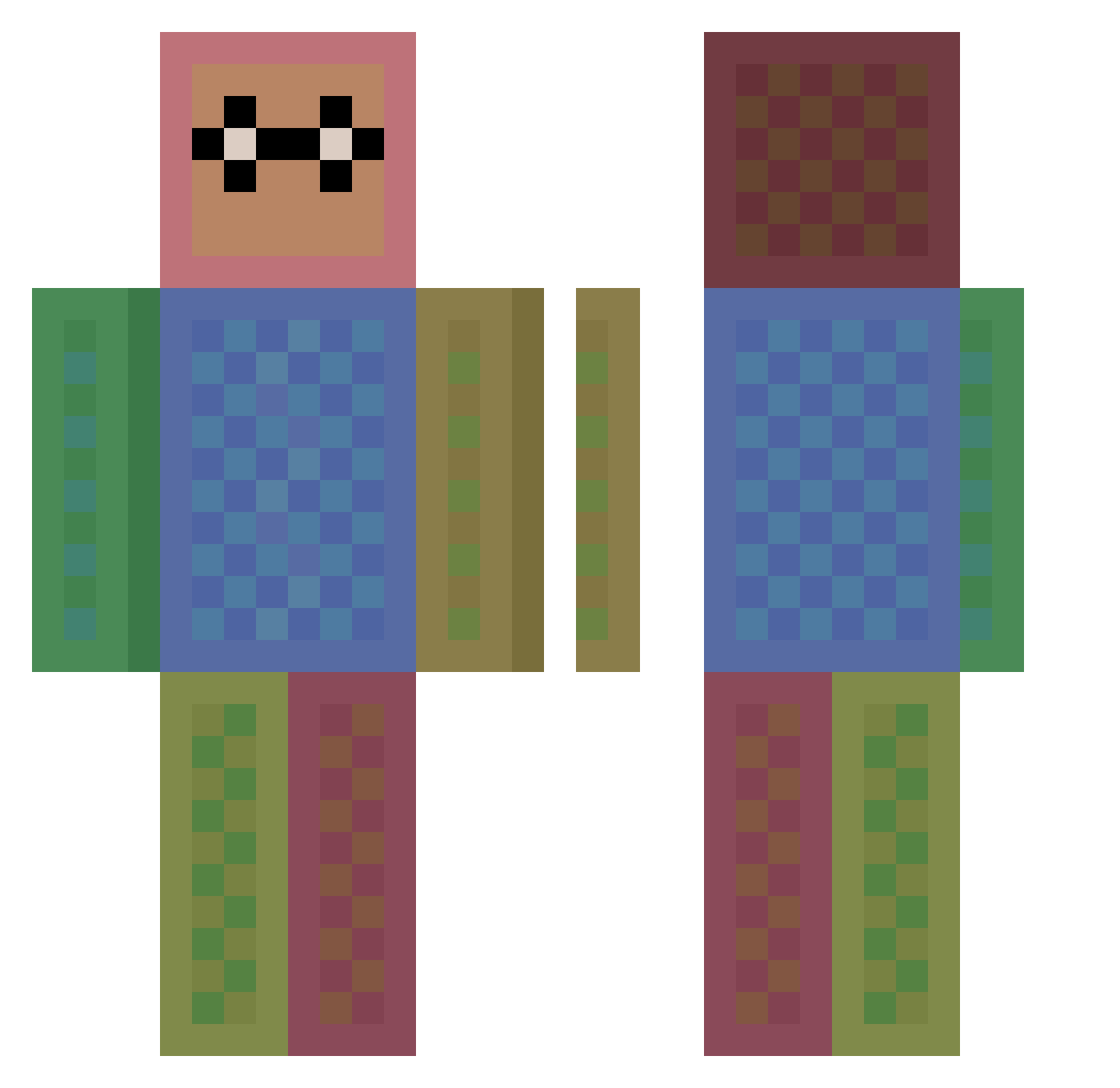
Current Minecraft skin of the player daniel110066, loaded from the official Mojang API. Rotate the 3D model with your mouse or finger, then download the skin as a PNG file and use it in Minecraft: Bedrock Edition or Java Edition for free. When daniel110066 changes their skin, this page updates automatically and the old skin stays in the history below.
Other players with this skin (148)
daniel110066 was the 134th player we have seen with this skin, first spotted on 28.10.2026. The same skin was seen on these players. Open a nickname to see their current skin and skin history.
 Izco2020 abcdbga Mesaswah Marsik2012 Inesi2010 Maryam97 QuDoKeN chomikowski 404oops Enzovb00 SimonAtrupR TheRealBorger ednasBD yamienma Firmino26 TheAlkoMC Bitencjusz STEVENES masato0429 Xxabbi Yhtnac kaenguru256 GottGaut mcbt_ ACTGR little_kiley SunnySoltis87 IN3R byanni Worski 00napfkuchen ProGamer01015 LitLeiamyeahboi3 Tinytoc2018 overwarm Thendrik toosboos Desyncpc ErolfeLee Davi_Ian RangerDog22 wombatus2137 etnos88 Enoch_Antioch_ kiurkirjasto2 mrmooks MarcusPedder DOGMADOGMA RickRi chan0131 baptiste11100 AzerTitop1 ninja_pika123 excd123 YUA2 ExtinctTag64522 bendepaz MaxeyT06 Dragoemail Stellar42itE
How to install the daniel110066 skin
- Press the Download button above to save the skin as a PNG file.
- Minecraft: Bedrock Edition (PE): open the Dressing Room from the main menu (or tap your character → Edit Character), go to Classic Skins → Owned, press the + (new skin) button, choose the downloaded PNG and pick the Classic (Steve) model. Works on PC and mobile; consoles cannot import custom skins.
- Minecraft: Java Edition: open the Minecraft Launcher, go to the Skins tab, click New Skin, load the PNG, pick the Classic (Steve) model and press Save & Use. You can also upload it at minecraft.net → Profile → Change Skin.
The skin does not show up after import - what should I do?
Restart Minecraft and open the Dressing Room again - imported skins sometimes appear only after a restart. Also make sure you selected the imported skin and picked the Classic (Steve) model.
Which model should I choose, Classic or Slim?
This skin is designed for the Classic (Steve) model. If you pick the wrong model, the arms of the skin will look stretched or squeezed.
Is the skin of daniel110066 free to download?
Yes. Press Download, save the PNG file and use it in Minecraft: Bedrock Edition or Java Edition - no payment or registration needed. The skin also works on multiplayer servers and Realms.
More skins
Looking for more? Go back to all Minecraft skins and check the top skins of the week, month and all time, or find any player's skin by nickname.