
daintiness - Minecraft Skins & Skin History
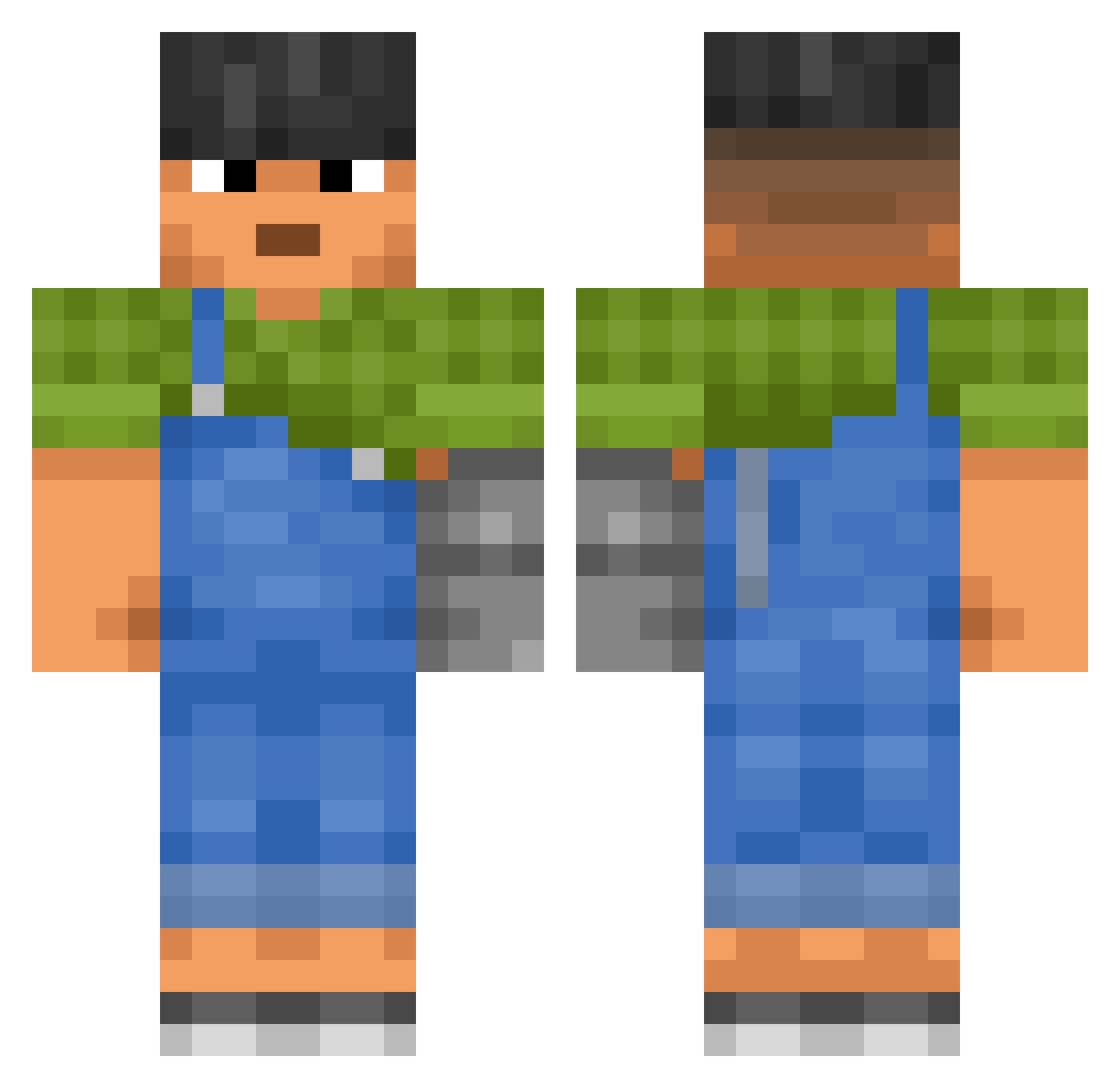
Current Minecraft skin of the player daintiness, loaded from the official Mojang API. Rotate the 3D model with your mouse or finger, then download the skin as a PNG file and use it in Minecraft: Bedrock Edition or Java Edition for free. When daintiness changes their skin, this page updates automatically and the old skin stays in the history below.
Other players with this skin (3605)
daintiness was the 3480th player we have seen with this skin, first spotted on 17.11.2026. The same skin was seen on these players. Open a nickname to see their current skin and skin history.
 ytterbic dadaism MikiBestWW Mismatched younesz K_Ratana Duckk25 TickEater Ophylis Nektaev itsmartino FXYClient Fi0let0wyDzik_ ZAARDYY EmergencyToes Ben_124 expiredgamer TiptoePompano hatsuja MERIOA SmintCleanBreath Sublevel crazydan08 corp KamoNeo TanukiBlue GoOse1504 Volts_ JakubDerBrecher DurLeCreneau kiesi d9v6d IamConfesser Fabricators PARKGARDEN Jonny2Mine 220522755KR alxwerx CptCracquelin SuWon_lee Knudstrup11 BexaGamer grapeface Amerced Vocoid FRYNO47 Pykarakill zxvxlz supermalja Spayk_Game Kast192 Nyrox21 Channeller lilyparedes2 Mr_X2023 DJAZ190 ALEXTURBO10 bibizyanka_ Casper351 UMAK7
More Prosthetic Arm Minecraft skins
See all 84 Prosthetic Arm skins
How to install the daintiness skin
- Press the Download button above to save the skin as a PNG file.
- Minecraft: Bedrock Edition (PE): open the Dressing Room from the main menu (or tap your character → Edit Character), go to Classic Skins → Owned, press the + (new skin) button, choose the downloaded PNG and pick the Classic (Steve) model. Works on PC and mobile; consoles cannot import custom skins.
- Minecraft: Java Edition: open the Minecraft Launcher, go to the Skins tab, click New Skin, load the PNG, pick the Classic (Steve) model and press Save & Use. You can also upload it at minecraft.net → Profile → Change Skin.
The skin does not show up after import - what should I do?
Restart Minecraft and open the Dressing Room again - imported skins sometimes appear only after a restart. Also make sure you selected the imported skin and picked the Classic (Steve) model.
Which model should I choose, Classic or Slim?
This skin is designed for the Classic (Steve) model. If you pick the wrong model, the arms of the skin will look stretched or squeezed.
Is the skin of daintiness free to download?
Yes. Press Download, save the PNG file and use it in Minecraft: Bedrock Edition or Java Edition - no payment or registration needed. The skin also works on multiplayer servers and Realms.
More skins
Looking for more? Go back to all Minecraft skins and check the top skins of the week, month and all time, or find any player's skin by nickname.