
daeth_king - Minecraft Skins & Skin History
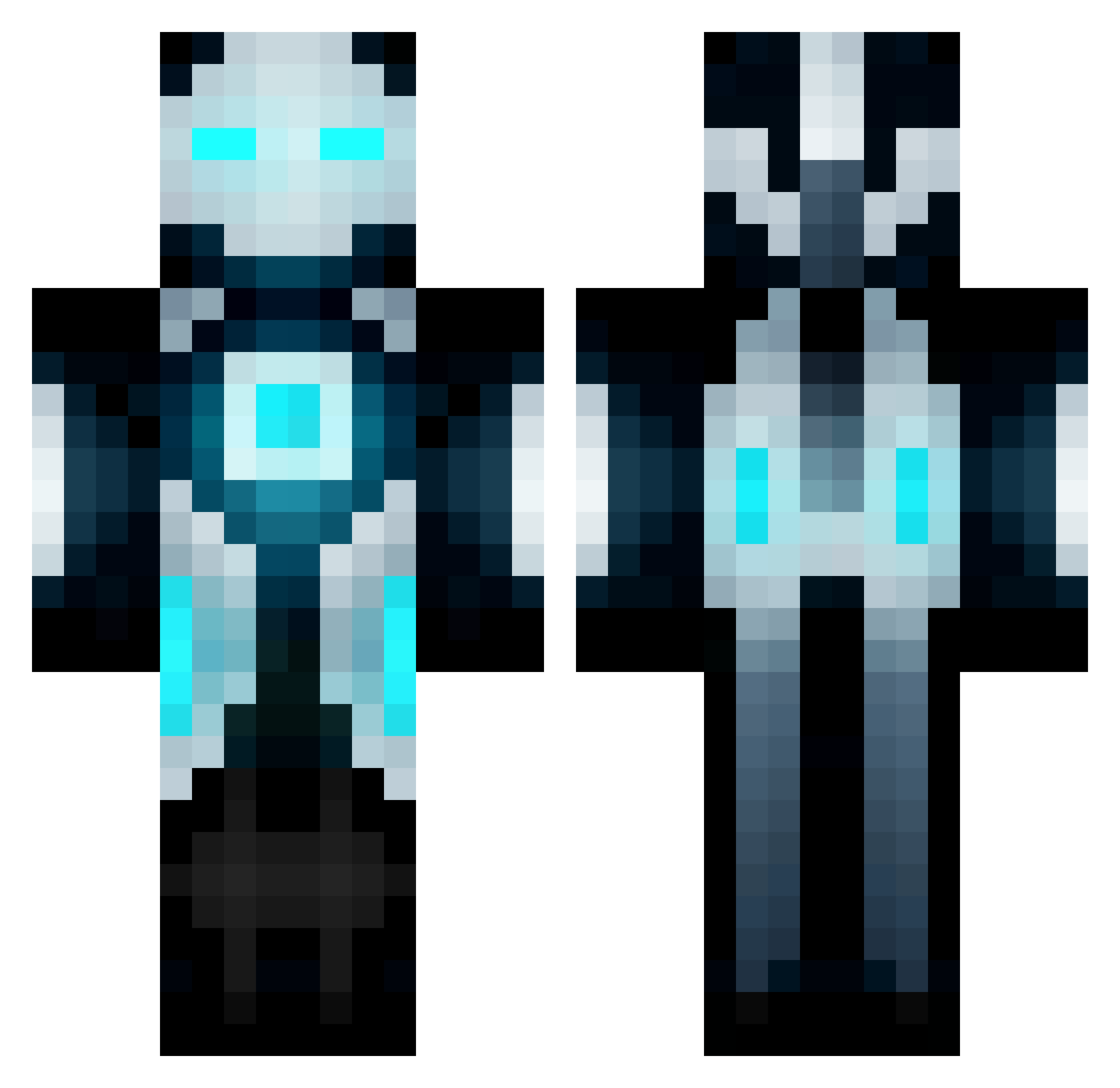
Current Minecraft skin of the player daeth_king, loaded from the official Mojang API. Rotate the 3D model with your mouse or finger, then download the skin as a PNG file and use it in Minecraft: Bedrock Edition or Java Edition for free. When daeth_king changes their skin, this page updates automatically and the old skin stays in the history below.
Other players with this skin (176)
daeth_king was the 128th player we have seen with this skin, first spotted on 17.10.2026. The same skin was seen on these players. Open a nickname to see their current skin and skin history.
 sukinaaaaa LoeLouis graham40k Jkenlee Whale_RANA MRGAMING17 Calibree salomaki Drazzin_Thanatos NitroFireburn minerboy54321 MateiteeePT Ikenowski H3KT3K TraviesusMaximus NightStrider934 WestSpeed ReyinD mtowens zCount_ Ljqur giordan0 Rustygunz732 pookeycu JKGinger Thice078 Patlights Thalron AngryBaracle LeonZata Nzakk LordPohle EvilGenius98 007RO Scott80 M3NF Jan02x EmJayG 7mooood_98 LelosCZ FappingJacks Jawz_cod vampaire22 Triondan Dead_Scorpion1 Acidboots76 Twerk_DatAss23 tomtom1046 TDoubleO OmegAntoni quiaboto hiroki357 ShumpeiF MANG01011 Setlo SuperJoukeMan ASpyder CoolHotNo YUUKI1118 Twistzz2333
More Cyborg Minecraft skins
How to install the daeth_king skin
- Press the Download button above to save the skin as a PNG file.
- Minecraft: Bedrock Edition (PE): open the Dressing Room from the main menu (or tap your character → Edit Character), go to Classic Skins → Owned, press the + (new skin) button, choose the downloaded PNG and pick the Classic (Steve) model. Works on PC and mobile; consoles cannot import custom skins.
- Minecraft: Java Edition: open the Minecraft Launcher, go to the Skins tab, click New Skin, load the PNG, pick the Classic (Steve) model and press Save & Use. You can also upload it at minecraft.net → Profile → Change Skin.
The skin does not show up after import - what should I do?
Restart Minecraft and open the Dressing Room again - imported skins sometimes appear only after a restart. Also make sure you selected the imported skin and picked the Classic (Steve) model.
Which model should I choose, Classic or Slim?
This skin is designed for the Classic (Steve) model. If you pick the wrong model, the arms of the skin will look stretched or squeezed.
Is the skin of daeth_king free to download?
Yes. Press Download, save the PNG file and use it in Minecraft: Bedrock Edition or Java Edition - no payment or registration needed. The skin also works on multiplayer servers and Realms.
More skins
Looking for more? Go back to all Minecraft skins and check the top skins of the week, month and all time, or find any player's skin by nickname.