
d3ij - Minecraft Skins & Skin History
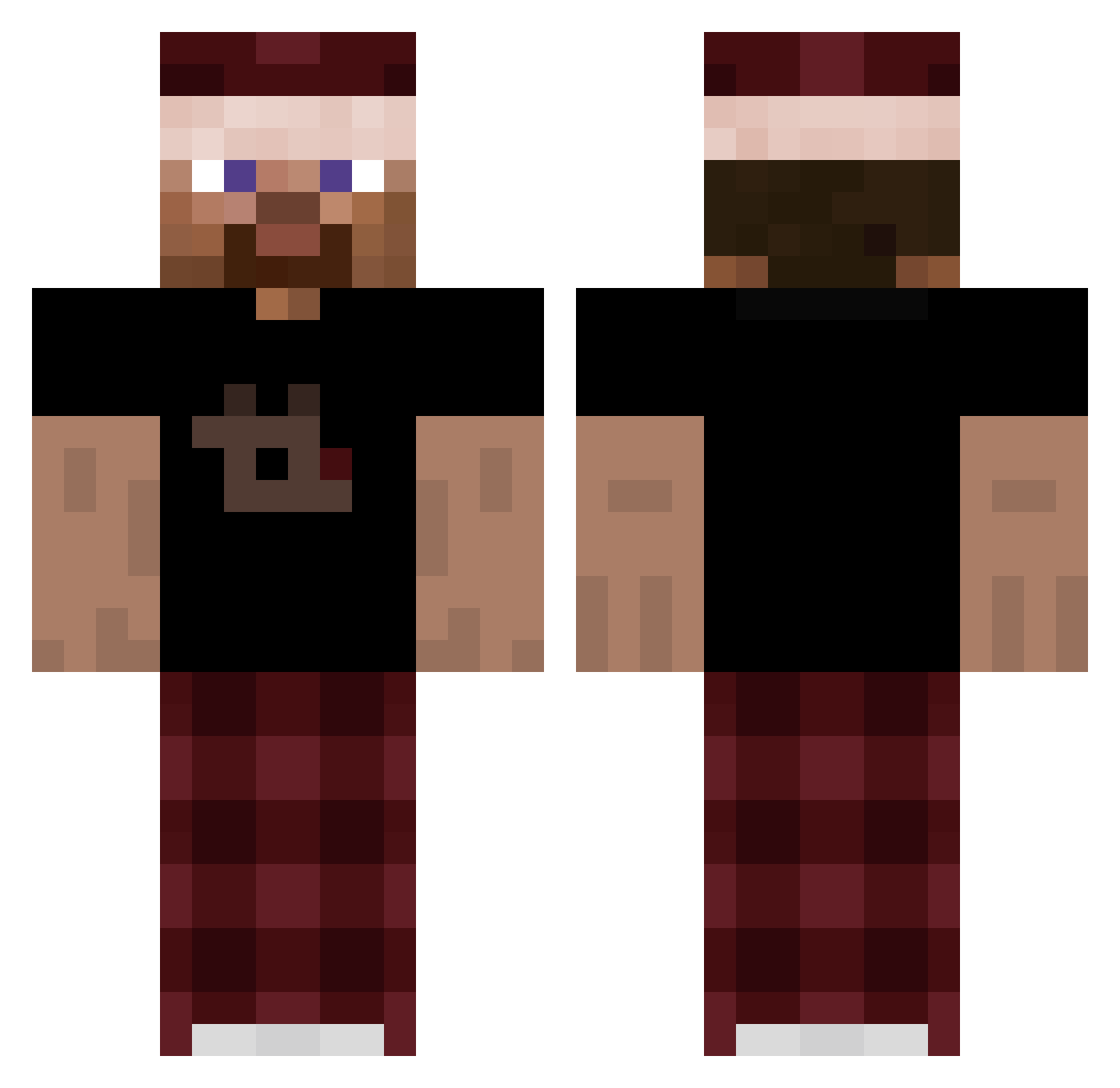
Current Minecraft skin of the player d3ij, loaded from the official Mojang API. Rotate the 3D model with your mouse or finger, then download the skin as a PNG file and use it in Minecraft: Bedrock Edition or Java Edition for free. When d3ij changes their skin, this page updates automatically and the old skin stays in the history below.
Other players with this skin (264)
d3ij was the 75th player we have seen with this skin, first spotted on 22.08.2026. The same skin was seen on these players. Open a nickname to see their current skin and skin history.
 0_NTL_ jonkler_ EliasTheTopG w3lf Szkxiter Nekkkhh Sherlockrii Bancolino uevine Dark_Gamer333
 4pm3 Sertxas hClock nintro6_ LucianoPiselli Anax914 unpo Taafisentilseb SIGMADZORDZO Tapioc Mr_Rage85 xX_Sajmon_Xx ThEsTeBan13 swurrl1 happyreaper69 bluekoots Okram_312 unclemike_nephew Teutieleutie ayox9441 hola_soy_alguien pysnahakfamily Sanreth Jeza _neptun93_ ItzPixter Franekski
 flamingo3123 Tnavse_ SefuLUTina treeey Razorman182 Tommymaster55 chedderbob23 Timooooooooooo mVida JHNBB DroppedByPatryk_ Syrodas Leo8272 pabloszef_ avocados228 WolfNoah SKuere az_TvEvE_11_26 Kieft200 lulu_97 kwauss Scream_in Sergio0917
How to install the d3ij skin
- Press the Download button above to save the skin as a PNG file.
- Minecraft: Bedrock Edition (PE): open the Dressing Room from the main menu (or tap your character → Edit Character), go to Classic Skins → Owned, press the + (new skin) button, choose the downloaded PNG and pick the Classic (Steve) model. Works on PC and mobile; consoles cannot import custom skins.
- Minecraft: Java Edition: open the Minecraft Launcher, go to the Skins tab, click New Skin, load the PNG, pick the Classic (Steve) model and press Save & Use. You can also upload it at minecraft.net → Profile → Change Skin.
The skin does not show up after import - what should I do?
Restart Minecraft and open the Dressing Room again - imported skins sometimes appear only after a restart. Also make sure you selected the imported skin and picked the Classic (Steve) model.
Which model should I choose, Classic or Slim?
This skin is designed for the Classic (Steve) model. If you pick the wrong model, the arms of the skin will look stretched or squeezed.
Is the skin of d3ij free to download?
Yes. Press Download, save the PNG file and use it in Minecraft: Bedrock Edition or Java Edition - no payment or registration needed. The skin also works on multiplayer servers and Realms.
More skins
Looking for more? Go back to all Minecraft skins and check the top skins of the week, month and all time, or find any player's skin by nickname.