
czitOs27 - Minecraft Skins & Skin History
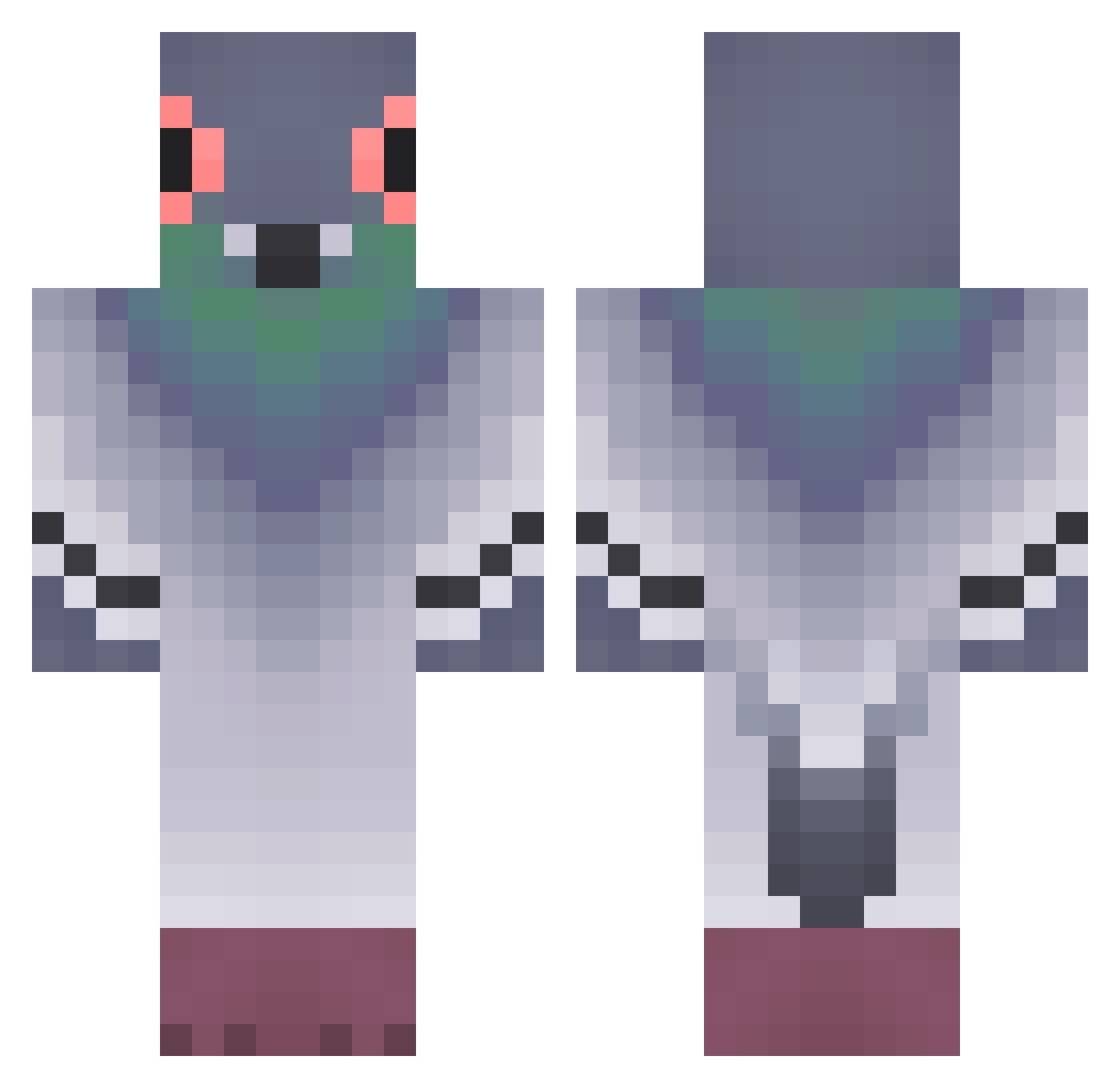
Current Minecraft skin of the player czitOs27, loaded from the official Mojang API. Rotate the 3D model with your mouse or finger, then download the skin as a PNG file and use it in Minecraft: Bedrock Edition or Java Edition for free. When czitOs27 changes their skin, this page updates automatically and the old skin stays in the history below.
Other players with this skin (372)
czitOs27 was the 196th player we have seen with this skin, first spotted on 23.09.2026. The same skin was seen on these players. Open a nickname to see their current skin and skin history.
 lifeismovie Nemau214 deernosaur LUwUcyy manny56717 hotdogdrinker beckygrubbs Tustish FueRahl mrjoe1701 RashGryphon385 LouCaraatKnight KRcrafting1243 Motobyletteskuuu SmartSuperman dmoreira010 Landkind sandwich33 BiDulKi_ ayzt256 Tueschmidt Decentcloth Milll0i Stapiz Telyfy Aabron_ rw_venum Gauthier1506 zered121 DDking49 Balandinis Sakunasan TheUmio Gunul plumzii Keller_Kind187 KETCHUP209 westes3 ILoveSocks123 Matsutaake Tiwanto MisterL63 11gaggag Jodrijan Bird4Peace Shishel DiCKERS lukeas0 theArkangelGab Gangimari_Hanako MoRAeZ26 Az3rtu LegendaryLlo Adioosamigos GioSwag BQT96 Aioliiiii gayleywhaley Bob_Slob_Blob mihailoviki
More Pigeon Minecraft skins
How to install the czitOs27 skin
- Press the Download button above to save the skin as a PNG file.
- Minecraft: Bedrock Edition (PE): open the Dressing Room from the main menu (or tap your character → Edit Character), go to Classic Skins → Owned, press the + (new skin) button, choose the downloaded PNG and pick the Classic (Steve) model. Works on PC and mobile; consoles cannot import custom skins.
- Minecraft: Java Edition: open the Minecraft Launcher, go to the Skins tab, click New Skin, load the PNG, pick the Classic (Steve) model and press Save & Use. You can also upload it at minecraft.net → Profile → Change Skin.
The skin does not show up after import - what should I do?
Restart Minecraft and open the Dressing Room again - imported skins sometimes appear only after a restart. Also make sure you selected the imported skin and picked the Classic (Steve) model.
Which model should I choose, Classic or Slim?
This skin is designed for the Classic (Steve) model. If you pick the wrong model, the arms of the skin will look stretched or squeezed.
Is the skin of czitOs27 free to download?
Yes. Press Download, save the PNG file and use it in Minecraft: Bedrock Edition or Java Edition - no payment or registration needed. The skin also works on multiplayer servers and Realms.
More skins
Looking for more? Go back to all Minecraft skins and check the top skins of the week, month and all time, or find any player's skin by nickname.