
cytro20 - Minecraft Skins & Skin History
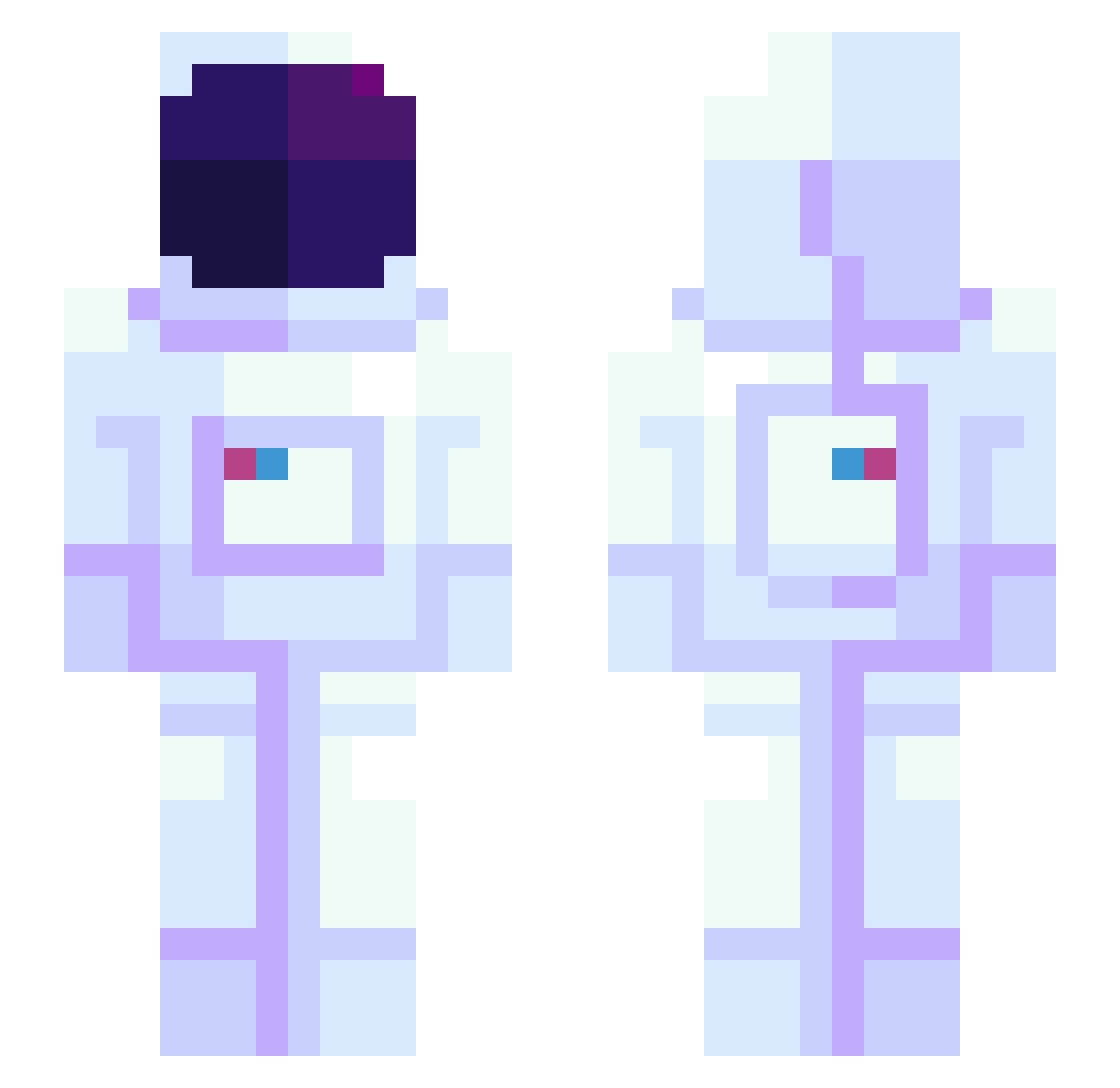
Current Minecraft skin of the player cytro20, loaded from the official Mojang API. Rotate the 3D model with your mouse or finger, then download the skin as a PNG file and use it in Minecraft: Bedrock Edition or Java Edition for free. When cytro20 changes their skin, this page updates automatically and the old skin stays in the history below.
Other players with this skin (945)
cytro20 was the 96th player we have seen with this skin, first spotted on 05.08.2026. The same skin was seen on these players. Open a nickname to see their current skin and skin history.
 Chill_Chaser BigBlocksSteve OrganicJazz MAURIGGBRO SgtShutdown Jung_FonkMa ZIVZZY RedRooder Picklez4588 Veganovic Torgue0 icedteawithlemon Pine3295 Bummuldi Denimar17 jinwong Shilonen GAGAMIK amaka _l_i_l_i_l_i_l_ DyliciousDyl DyokayR TestKeinePflicht ZorgZones WookDDUK BRIHS2 Bulguksa _Yevrah_ CrimsonCosmonaut Richi_nyan Zambovore PoppyVila Slimms cjlh1029 zipstone Valenb2007 WhatsoPP RZXKD mumbouwu OBZ8 alden_ DMOtheDon xTudy brianxo seong0220 breannaisrad ResidentMoth972 JoeyDaKing AngelicGoddess __Junho__ Solstheim LaDaurenz ballsus haamdyu KingKpool AstronoMoonMoon FluShTheBatSanta BumBagle YesImBlue EB_223
More Astronaut Minecraft skins
How to install the cytro20 skin
- Press the Download button above to save the skin as a PNG file.
- Minecraft: Bedrock Edition (PE): open the Dressing Room from the main menu (or tap your character → Edit Character), go to Classic Skins → Owned, press the + (new skin) button, choose the downloaded PNG and pick the Slim (Alex) model. Works on PC and mobile; consoles cannot import custom skins.
- Minecraft: Java Edition: open the Minecraft Launcher, go to the Skins tab, click New Skin, load the PNG, pick the Slim (Alex) model and press Save & Use. You can also upload it at minecraft.net → Profile → Change Skin.
The skin does not show up after import - what should I do?
Restart Minecraft and open the Dressing Room again - imported skins sometimes appear only after a restart. Also make sure you selected the imported skin and picked the Slim (Alex) model.
Which model should I choose, Classic or Slim?
This skin is designed for the Slim (Alex) model. If you pick the wrong model, the arms of the skin will look stretched or squeezed.
Is the skin of cytro20 free to download?
Yes. Press Download, save the PNG file and use it in Minecraft: Bedrock Edition or Java Edition - no payment or registration needed. The skin also works on multiplayer servers and Realms.
More skins
Looking for more? Go back to all Minecraft skins and check the top skins of the week, month and all time, or find any player's skin by nickname.