
ctxagmartin - Minecraft Skins & Skin History
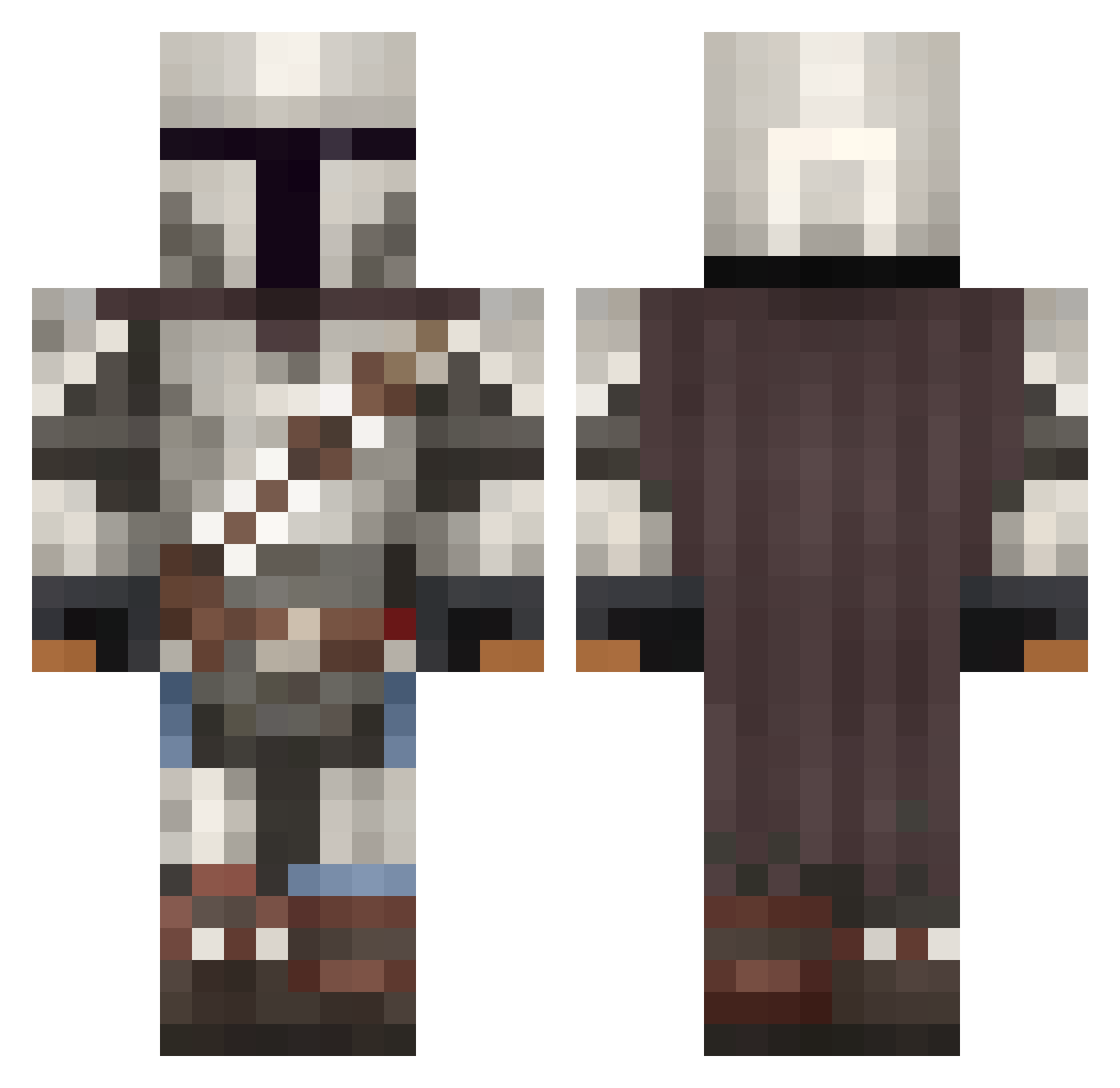
Current Minecraft skin of the player ctxagmartin, loaded from the official Mojang API. Rotate the 3D model with your mouse or finger, then download the skin as a PNG file and use it in Minecraft: Bedrock Edition or Java Edition for free. When ctxagmartin changes their skin, this page updates automatically and the old skin stays in the history below.
Other players with this skin (1092)
ctxagmartin was the 1032nd player we have seen with this skin, first spotted on 01.11.2026. The same skin was seen on these players. Open a nickname to see their current skin and skin history.
 Samucca November17 PepsiBjorn Parzival7509 CorneredFoxx Froschi05 ShadowSwan02 DashboyKIng itsthevictor1 Dr_Tomnas MorfarY0 HypeSafe BenBerg470 ChephenSurry LemonBirds xQcMaRcEL Tomatorage11 ahoyKhara sb3tt1n1 ImLouieAnderson FiveDadss Grizzrly Tofukiller_ TheKICKER037 TooTurntTony88 DaBomb44 Yoyaxi yasking123 IXRockBottomXI Vetlinimo09 ChiIzz524 B1GTruss819 Spongebobboom Misty_598 tutoti cozycrab188 Javen_ CrazyHolmes ItsWillieP ClothingHeart75 Juhani18 SkaterNoob23 Lolonator__ WhiskySolo Cesafracc UkeyCat23 Lex0203 Keymew aksnook Syberian05 Agral1 FelipeBaby TEPCG17 Designexe Disceandia EduhBR4662 RareTactics whiteknuckles21 Darknight2109 Cletus24
More The Mandalorian Minecraft skins
See all 618 The Mandalorian skins
How to install the ctxagmartin skin
- Press the Download button above to save the skin as a PNG file.
- Minecraft: Bedrock Edition (PE): open the Dressing Room from the main menu (or tap your character → Edit Character), go to Classic Skins → Owned, press the + (new skin) button, choose the downloaded PNG and pick the Classic (Steve) model. Works on PC and mobile; consoles cannot import custom skins.
- Minecraft: Java Edition: open the Minecraft Launcher, go to the Skins tab, click New Skin, load the PNG, pick the Classic (Steve) model and press Save & Use. You can also upload it at minecraft.net → Profile → Change Skin.
The skin does not show up after import - what should I do?
Restart Minecraft and open the Dressing Room again - imported skins sometimes appear only after a restart. Also make sure you selected the imported skin and picked the Classic (Steve) model.
Which model should I choose, Classic or Slim?
This skin is designed for the Classic (Steve) model. If you pick the wrong model, the arms of the skin will look stretched or squeezed.
Is the skin of ctxagmartin free to download?
Yes. Press Download, save the PNG file and use it in Minecraft: Bedrock Edition or Java Edition - no payment or registration needed. The skin also works on multiplayer servers and Realms.
More skins
Looking for more? Go back to all Minecraft skins and check the top skins of the week, month and all time, or find any player's skin by nickname.