
ctm31 - Minecraft Skins & Skin History
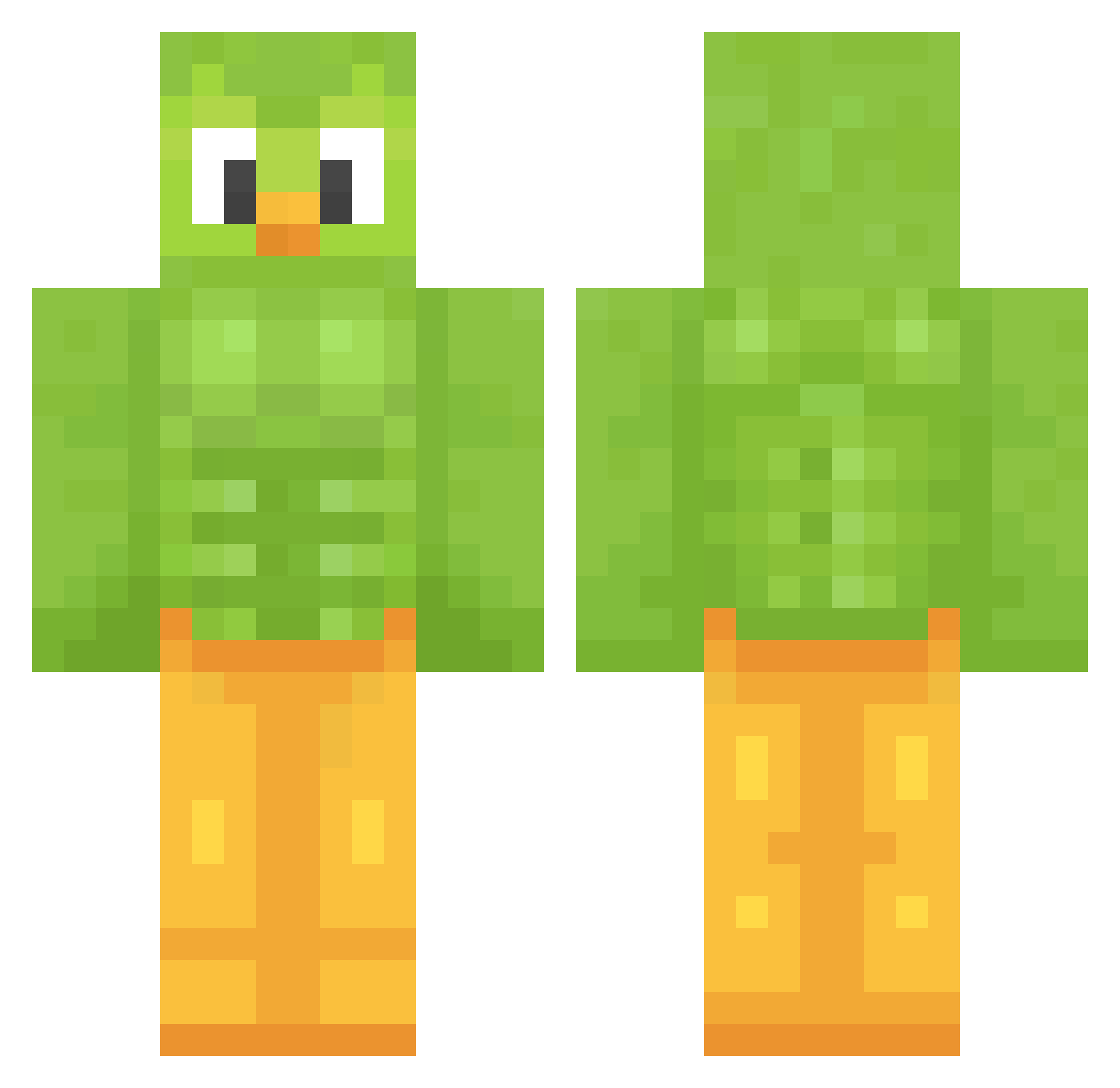
Current Minecraft skin of the player ctm31, loaded from the official Mojang API. Rotate the 3D model with your mouse or finger, then download the skin as a PNG file and use it in Minecraft: Bedrock Edition or Java Edition for free. When ctm31 changes their skin, this page updates automatically and the old skin stays in the history below.
Other players with this skin (1208)
ctm31 was the 389th player we have seen with this skin, first spotted on 24.08.2026. The same skin was seen on these players. Open a nickname to see their current skin and skin history.
 blackh9t MIVAN0080 JaadyC WieDu daphneaalb1 Pouette01 MEGABUSSSSSSSSSS Spachaaa8 triple_k_on240hz Jarofish EnzoBoldarinn silbert99 REDWHITEARM Pyrox56 PIPIOLO1017 Vodoo0 abby_gamer21 TallTruffle rende2vous Flxshes _xPeanut zaxqy Babustus263155 XINXIN_0225 Der_Benger bexmorg AC2704 shinispipis memeking1113 MrBlueBird suhekun Pupchen coolebent12 freeseeky CasulNix Marcrack865 CrypticMars cherrycherry04
 Etipro22 kov420 ggt__ SanoManjikai Xxcalibur47 badipro logdawg420 TojtekJow3737 RivalRanger zufuz iamkelly Masce11 tohamas2 jcheb Nexukai DyingSnax kingalex2015 Furexik xalomon_ BobMaster220
 Angebot12345 Pamplemouse1904
More Duo Minecraft skins
How to install the ctm31 skin
- Press the Download button above to save the skin as a PNG file.
- Minecraft: Bedrock Edition (PE): open the Dressing Room from the main menu (or tap your character → Edit Character), go to Classic Skins → Owned, press the + (new skin) button, choose the downloaded PNG and pick the Classic (Steve) model. Works on PC and mobile; consoles cannot import custom skins.
- Minecraft: Java Edition: open the Minecraft Launcher, go to the Skins tab, click New Skin, load the PNG, pick the Classic (Steve) model and press Save & Use. You can also upload it at minecraft.net → Profile → Change Skin.
The skin does not show up after import - what should I do?
Restart Minecraft and open the Dressing Room again - imported skins sometimes appear only after a restart. Also make sure you selected the imported skin and picked the Classic (Steve) model.
Which model should I choose, Classic or Slim?
This skin is designed for the Classic (Steve) model. If you pick the wrong model, the arms of the skin will look stretched or squeezed.
Is the skin of ctm31 free to download?
Yes. Press Download, save the PNG file and use it in Minecraft: Bedrock Edition or Java Edition - no payment or registration needed. The skin also works on multiplayer servers and Realms.
More skins
Looking for more? Go back to all Minecraft skins and check the top skins of the week, month and all time, or find any player's skin by nickname.