
cs_loki - Minecraft Skins & Skin History
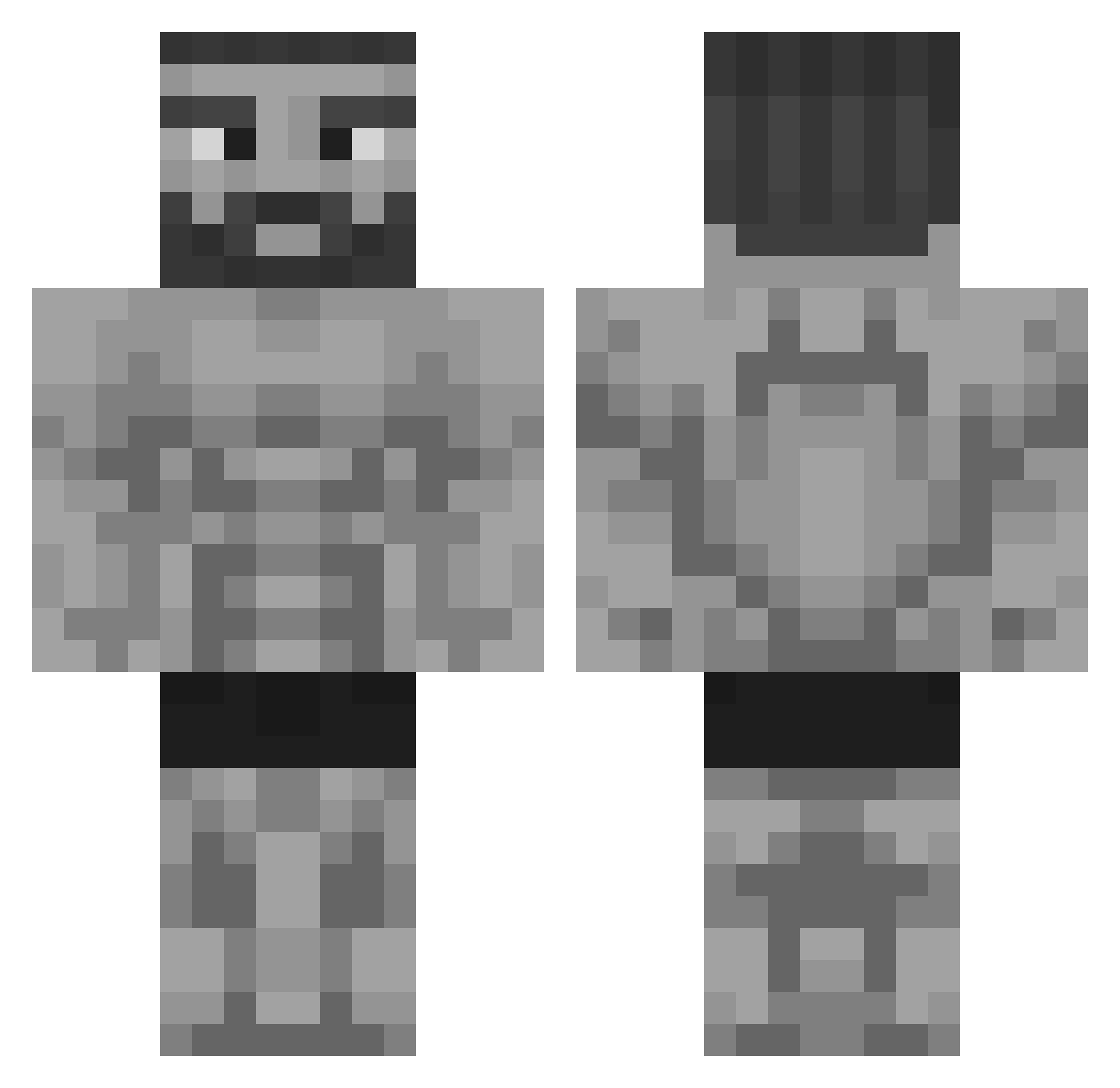
Current Minecraft skin of the player cs_loki, loaded from the official Mojang API. Rotate the 3D model with your mouse or finger, then download the skin as a PNG file and use it in Minecraft: Bedrock Edition or Java Edition for free. When cs_loki changes their skin, this page updates automatically and the old skin stays in the history below.
Other players with this skin (325)
cs_loki was the 157th player we have seen with this skin, first spotted on 13.09.2026. The same skin was seen on these players. Open a nickname to see their current skin and skin history.
 meco22IQ etown49 FamousOrc3054 DASNEIK Sackenheim YK4700 king0075 thunder_57 Piotrek7909 matheo230510 Rainz021 TheMachinShin LODE420666 lnvictux M4GiKeMike TiTamdin31 Sr_Snickle ardatilla78 WillyWaver Asraell Kaskise TeePaull XtremeVilmer OfficialForest Shindi69 Styxxxisback_ faghunter69 TheParsaw TanatipS3 G0JIR4_G0D jensensonoob Lukaillou IamJulian_ Dogecoin9987 hand_slammer Sinjim octyka Exxiff1 V1perrr7 Shekelius xPinda03 Llogeek EliteEthan117 smokeybluebear the_mamuta VVindowsXP XBomber09 Safylos __GordThunder__ AST_EGE zalgokami ASAP_Marce TheDieuXx Voitecx Tasimasu16 ninjachicken1313 ShadowMonarch7 The_Real_Player Milan2008p PleaseNeckMe
More Gigachad Minecraft skins
How to install the cs_loki skin
- Press the Download button above to save the skin as a PNG file.
- Minecraft: Bedrock Edition (PE): open the Dressing Room from the main menu (or tap your character → Edit Character), go to Classic Skins → Owned, press the + (new skin) button, choose the downloaded PNG and pick the Classic (Steve) model. Works on PC and mobile; consoles cannot import custom skins.
- Minecraft: Java Edition: open the Minecraft Launcher, go to the Skins tab, click New Skin, load the PNG, pick the Classic (Steve) model and press Save & Use. You can also upload it at minecraft.net → Profile → Change Skin.
The skin does not show up after import - what should I do?
Restart Minecraft and open the Dressing Room again - imported skins sometimes appear only after a restart. Also make sure you selected the imported skin and picked the Classic (Steve) model.
Which model should I choose, Classic or Slim?
This skin is designed for the Classic (Steve) model. If you pick the wrong model, the arms of the skin will look stretched or squeezed.
Is the skin of cs_loki free to download?
Yes. Press Download, save the PNG file and use it in Minecraft: Bedrock Edition or Java Edition - no payment or registration needed. The skin also works on multiplayer servers and Realms.
More skins
Looking for more? Go back to all Minecraft skins and check the top skins of the week, month and all time, or find any player's skin by nickname.