
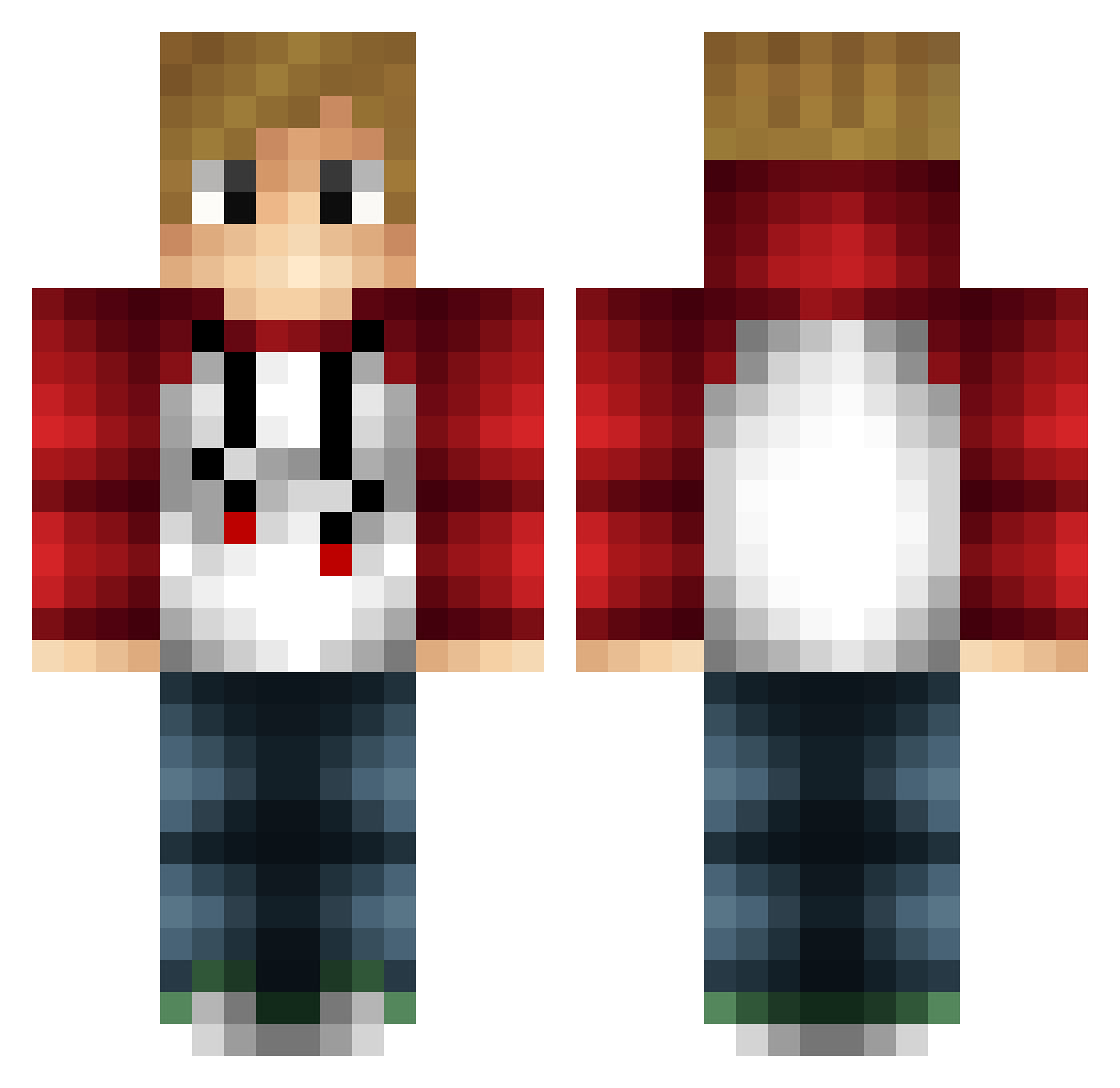
Current Minecraft skin of the player crncuge, loaded from the official Mojang API. Rotate the 3D model with your mouse or finger, then download the skin as a PNG file and use it in Minecraft: Bedrock Edition or Java Edition for free. When crncuge changes their skin, this page updates automatically and the old skin stays in the history below.
Other players with this skin (147)
crncuge was the 66th player we have seen with this skin, first spotted on 23.08.2026. The same skin was seen on these players. Open a nickname to see their current skin and skin history.
 boopgaming zwarior RocketPower10 ZIPPY5013 samholloway TaNk41903 RalfGHG Etircopyh hoffeltoffel2 Robot7875 TheSavage_I connercraft12 Matthew_Wit Ambralach bigtmason Superman_11 TomasHeyneman __XventerX__ TimBalkowski Balder24kq zebraplaysMC Coder_pro Lorgio ononeonone Toadspanish1982p iDerpyChicken WNR_gaming ISuRoSI Rumor_Empire PabloMH sdawg54 Sime07 frogytube jep2008 WhYuSmurf Grady219 Noah43playz Oscardj999 Jony_2004 YoungEmu Tmms1305 Iemand123 NinjaManNinjer tbone57 mani3241 Benko_05 MattyIce715 Fr4nsson_ femijo2002 Lonelyninja22 Rebyl9 TriXerD _not_gi Tarbex_ I_Am_Killarz skydash44 TheMeesRunner sldghmmr2001 TonioBoomin Jan532
How to install the crncuge skin
- Press the Download button above to save the skin as a PNG file.
- Minecraft: Bedrock Edition (PE): open the Dressing Room from the main menu (or tap your character → Edit Character), go to Classic Skins → Owned, press the + (new skin) button, choose the downloaded PNG and pick the Classic (Steve) model. Works on PC and mobile; consoles cannot import custom skins.
- Minecraft: Java Edition: open the Minecraft Launcher, go to the Skins tab, click New Skin, load the PNG, pick the Classic (Steve) model and press Save & Use. You can also upload it at minecraft.net → Profile → Change Skin.
The skin does not show up after import - what should I do?
Restart Minecraft and open the Dressing Room again - imported skins sometimes appear only after a restart. Also make sure you selected the imported skin and picked the Classic (Steve) model.
Which model should I choose, Classic or Slim?
This skin is designed for the Classic (Steve) model. If you pick the wrong model, the arms of the skin will look stretched or squeezed.
Is the skin of crncuge free to download?
Yes. Press Download, save the PNG file and use it in Minecraft: Bedrock Edition or Java Edition - no payment or registration needed. The skin also works on multiplayer servers and Realms.
More skins
Looking for more? Go back to all Minecraft skins and check the top skins of the week, month and all time, or find any player's skin by nickname.