
crispchipss - Minecraft Skins & Skin History
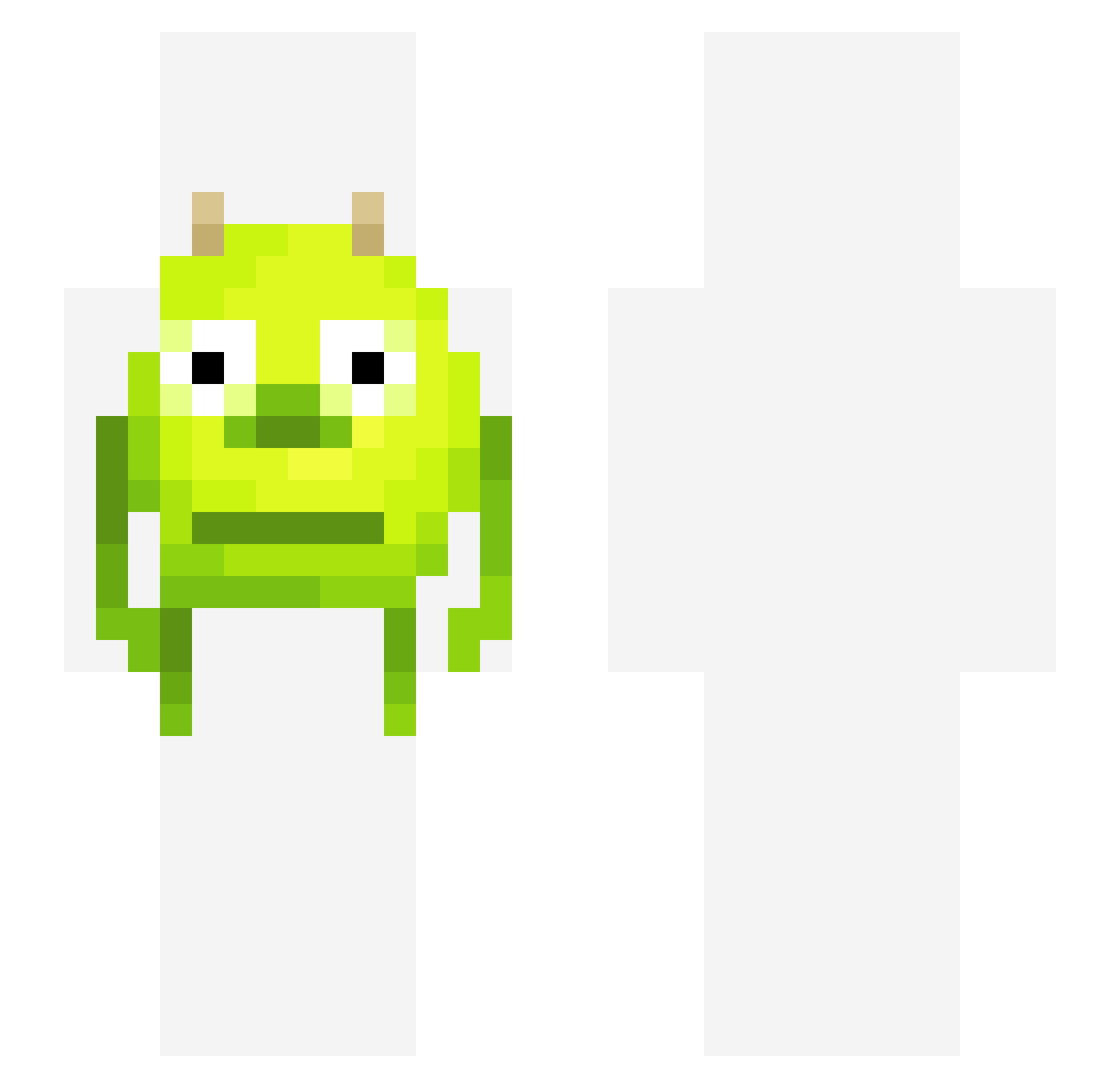
Current Minecraft skin of the player crispchipss, loaded from the official Mojang API. Rotate the 3D model with your mouse or finger, then download the skin as a PNG file and use it in Minecraft: Bedrock Edition or Java Edition for free. When crispchipss changes their skin, this page updates automatically and the old skin stays in the history below.
Other players with this skin (327)
crispchipss was the 39th player we have seen with this skin, first spotted on 05.08.2026. The same skin was seen on these players. Open a nickname to see their current skin and skin history.
 PanicChaos hdubs247 FunkyCheeses CharmyLeon Martin_garrix2 Shoelaces hate_adhd Reubeskil swedishshark Bruh_Man117 YoloDucky JSavory Khalle_ kault_ Xlatann bapgau8 CapptainDaddy zombvie dyj02048 Gazungus nedacPb SpookyMedang glowinbloom zepofan Batmandollo HiImLego Quixoric_Jayhawk Vantage910 dilligmbh imphran DipMol AllstateClaims McDonald666 ItalPizza Dogsurfer explosivediharea cherry2688 Minkster13 BadWolf3Actual HoolyDooly_ MacBurger70 SkuxxMuffins hide_on_teemo ketchupthedog Legi41 Szuccs19 geykumeForeskeen rochenji nbrown456 gibimbas Kefe LilVSebya unstopping kikisek Nutbuster552 Gushiz Majujuni tbagterry Padikz Swedwon
More Mike Wazowski Minecraft skins
See all 282 Mike Wazowski skins
How to install the crispchipss skin
- Press the Download button above to save the skin as a PNG file.
- Minecraft: Bedrock Edition (PE): open the Dressing Room from the main menu (or tap your character → Edit Character), go to Classic Skins → Owned, press the + (new skin) button, choose the downloaded PNG and pick the Slim (Alex) model. Works on PC and mobile; consoles cannot import custom skins.
- Minecraft: Java Edition: open the Minecraft Launcher, go to the Skins tab, click New Skin, load the PNG, pick the Slim (Alex) model and press Save & Use. You can also upload it at minecraft.net → Profile → Change Skin.
The skin does not show up after import - what should I do?
Restart Minecraft and open the Dressing Room again - imported skins sometimes appear only after a restart. Also make sure you selected the imported skin and picked the Slim (Alex) model.
Which model should I choose, Classic or Slim?
This skin is designed for the Slim (Alex) model. If you pick the wrong model, the arms of the skin will look stretched or squeezed.
Is the skin of crispchipss free to download?
Yes. Press Download, save the PNG file and use it in Minecraft: Bedrock Edition or Java Edition - no payment or registration needed. The skin also works on multiplayer servers and Realms.
More skins
Looking for more? Go back to all Minecraft skins and check the top skins of the week, month and all time, or find any player's skin by nickname.