
creamy_ninja - Minecraft Skins & Skin History
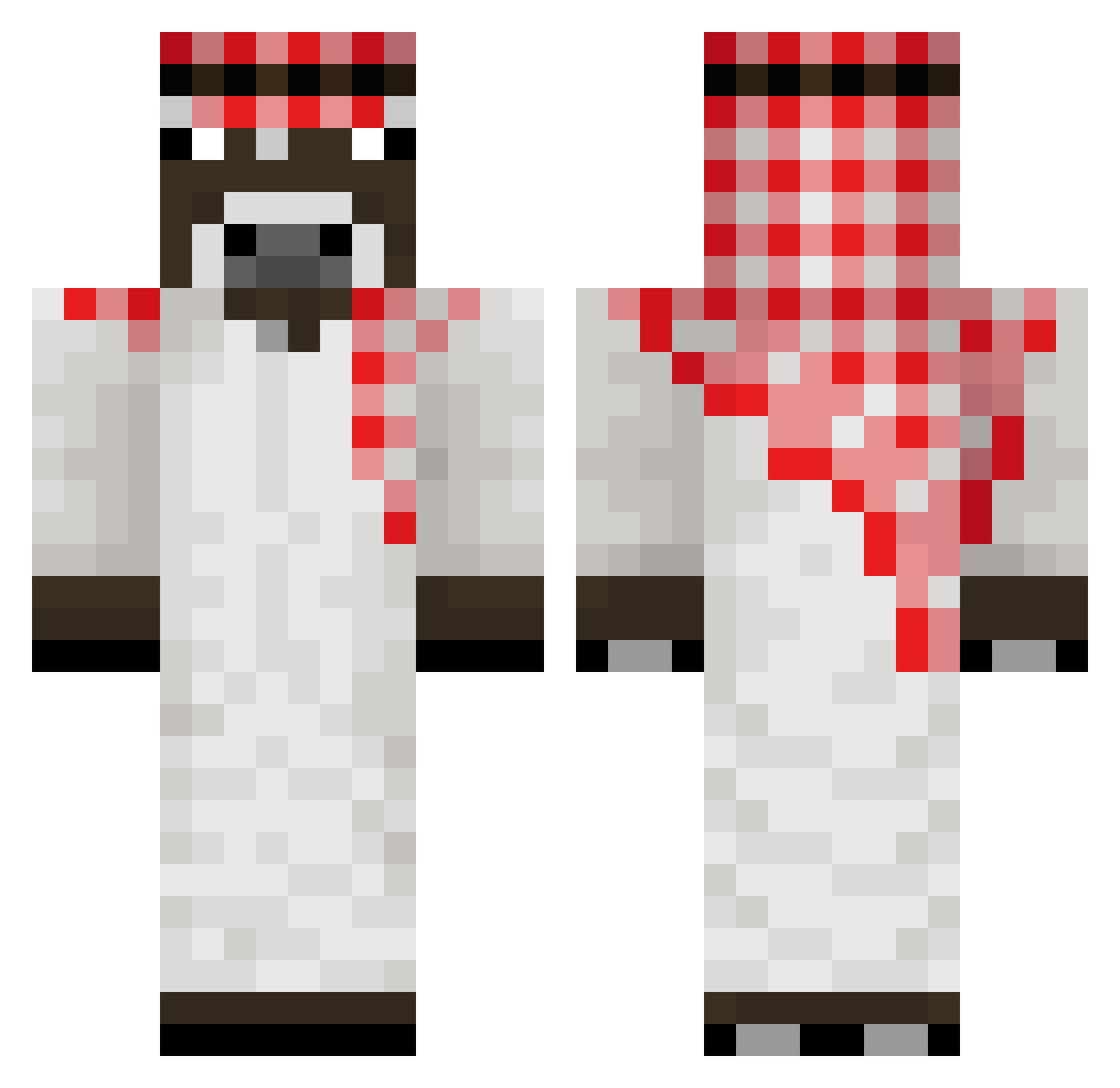
Current Minecraft skin of the player creamy_ninja, loaded from the official Mojang API. Rotate the 3D model with your mouse or finger, then download the skin as a PNG file and use it in Minecraft: Bedrock Edition or Java Edition for free. When creamy_ninja changes their skin, this page updates automatically and the old skin stays in the history below.
Other players with this skin (176)
creamy_ninja was the 152nd player we have seen with this skin, first spotted on 06.10.2026. The same skin was seen on these players. Open a nickname to see their current skin and skin history.
 x2rsto SEAU667 Osakushi Alikaamk Schenzy04 snipiii pitersonix Spanch_HimL Denzerrr Atan0 Labertante123 fatality_wasabi M7MD446 Gold_bubuche Silverbuzz95 JongHoon123 izizim JOTAseven Leguitoune Sk4doosh Hauge21 SewerynM11 Cesium2006 rubomga connection_l0st IPCT SanDeMii Adam8396 Toebee14 franluc72 Pignol_34 Obsranejaja6767 XR2B _Roger__ SeriouslyLag rasmy_1 Mohamed_MUU sethtay38 Chocolatadasida iloveanel Ticklemytaint JavonRexona Duckhhy damnlli Dov1duks142 JReyRG CecHoiBu1 DevilHunter213 1Ville1 CelinSHOW17 Dako_fr p_2jt ozone2557 Saile905 ilies03 Myouiee floodmyserver Karoo1_ terridaac noobmaster_07
More Donkey Minecraft skins
How to install the creamy_ninja skin
- Press the Download button above to save the skin as a PNG file.
- Minecraft: Bedrock Edition (PE): open the Dressing Room from the main menu (or tap your character → Edit Character), go to Classic Skins → Owned, press the + (new skin) button, choose the downloaded PNG and pick the Classic (Steve) model. Works on PC and mobile; consoles cannot import custom skins.
- Minecraft: Java Edition: open the Minecraft Launcher, go to the Skins tab, click New Skin, load the PNG, pick the Classic (Steve) model and press Save & Use. You can also upload it at minecraft.net → Profile → Change Skin.
The skin does not show up after import - what should I do?
Restart Minecraft and open the Dressing Room again - imported skins sometimes appear only after a restart. Also make sure you selected the imported skin and picked the Classic (Steve) model.
Which model should I choose, Classic or Slim?
This skin is designed for the Classic (Steve) model. If you pick the wrong model, the arms of the skin will look stretched or squeezed.
Is the skin of creamy_ninja free to download?
Yes. Press Download, save the PNG file and use it in Minecraft: Bedrock Edition or Java Edition - no payment or registration needed. The skin also works on multiplayer servers and Realms.
More skins
Looking for more? Go back to all Minecraft skins and check the top skins of the week, month and all time, or find any player's skin by nickname.