
crazycocoa43 - Minecraft Skins & Skin History
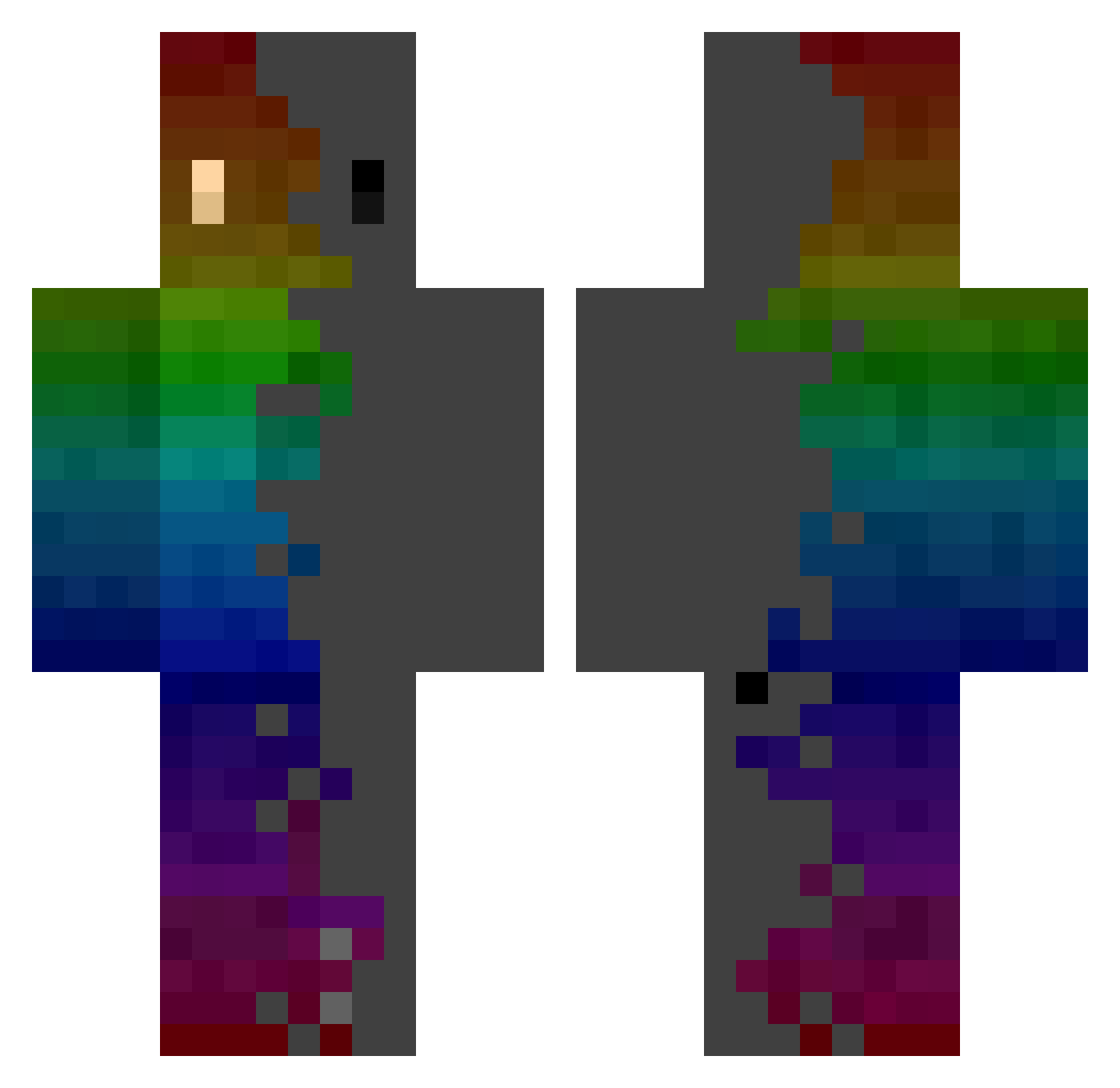
Current Minecraft skin of the player crazycocoa43, loaded from the official Mojang API. Rotate the 3D model with your mouse or finger, then download the skin as a PNG file and use it in Minecraft: Bedrock Edition or Java Edition for free. When crazycocoa43 changes their skin, this page updates automatically and the old skin stays in the history below.
Other players with this skin (743)
crazycocoa43 was the 560th player we have seen with this skin, first spotted on 02.10.2026. The same skin was seen on these players. Open a nickname to see their current skin and skin history.
 Lentejita04 WangYincheng atoda Yaboitheos UnggiddongKKo Mangos97 XarkosSan Alphazerd Ashkavor robosnoke nn_wns Dallas1584 UCK_0314 AussieOG Lyckas DaveRox69 dju1104 3lenuhh BenthePan DeTh_CrEEvUs_ KiKoMaleta Fabzul Chooneyfan117 YiFeng__ RynnJeen REX120726 Ntric Mkta_mt manderinenlpl Dziugito daniel_0415 Relatablez dangdangeee SEB4SJL Shammz_ maffertorte MythicalBoy1 ale18lbp _Ventus Humming96 biov0lt Darkroux Hooja StonedIcarus Zubov33 Blair57 Bastorood dwizzle01 Brenno_GB wet_burp freefirminoo SakakuYuYu Aeroclone LofoM12 PositiveGameLife gpc2008 kimchi1209 thefreshprince19 youngseojang Vpkmp3
How to install the crazycocoa43 skin
- Press the Download button above to save the skin as a PNG file.
- Minecraft: Bedrock Edition (PE): open the Dressing Room from the main menu (or tap your character → Edit Character), go to Classic Skins → Owned, press the + (new skin) button, choose the downloaded PNG and pick the Classic (Steve) model. Works on PC and mobile; consoles cannot import custom skins.
- Minecraft: Java Edition: open the Minecraft Launcher, go to the Skins tab, click New Skin, load the PNG, pick the Classic (Steve) model and press Save & Use. You can also upload it at minecraft.net → Profile → Change Skin.
The skin does not show up after import - what should I do?
Restart Minecraft and open the Dressing Room again - imported skins sometimes appear only after a restart. Also make sure you selected the imported skin and picked the Classic (Steve) model.
Which model should I choose, Classic or Slim?
This skin is designed for the Classic (Steve) model. If you pick the wrong model, the arms of the skin will look stretched or squeezed.
Is the skin of crazycocoa43 free to download?
Yes. Press Download, save the PNG file and use it in Minecraft: Bedrock Edition or Java Edition - no payment or registration needed. The skin also works on multiplayer servers and Realms.
More skins
Looking for more? Go back to all Minecraft skins and check the top skins of the week, month and all time, or find any player's skin by nickname.