
crazycakes100 - Minecraft Skins & Skin History
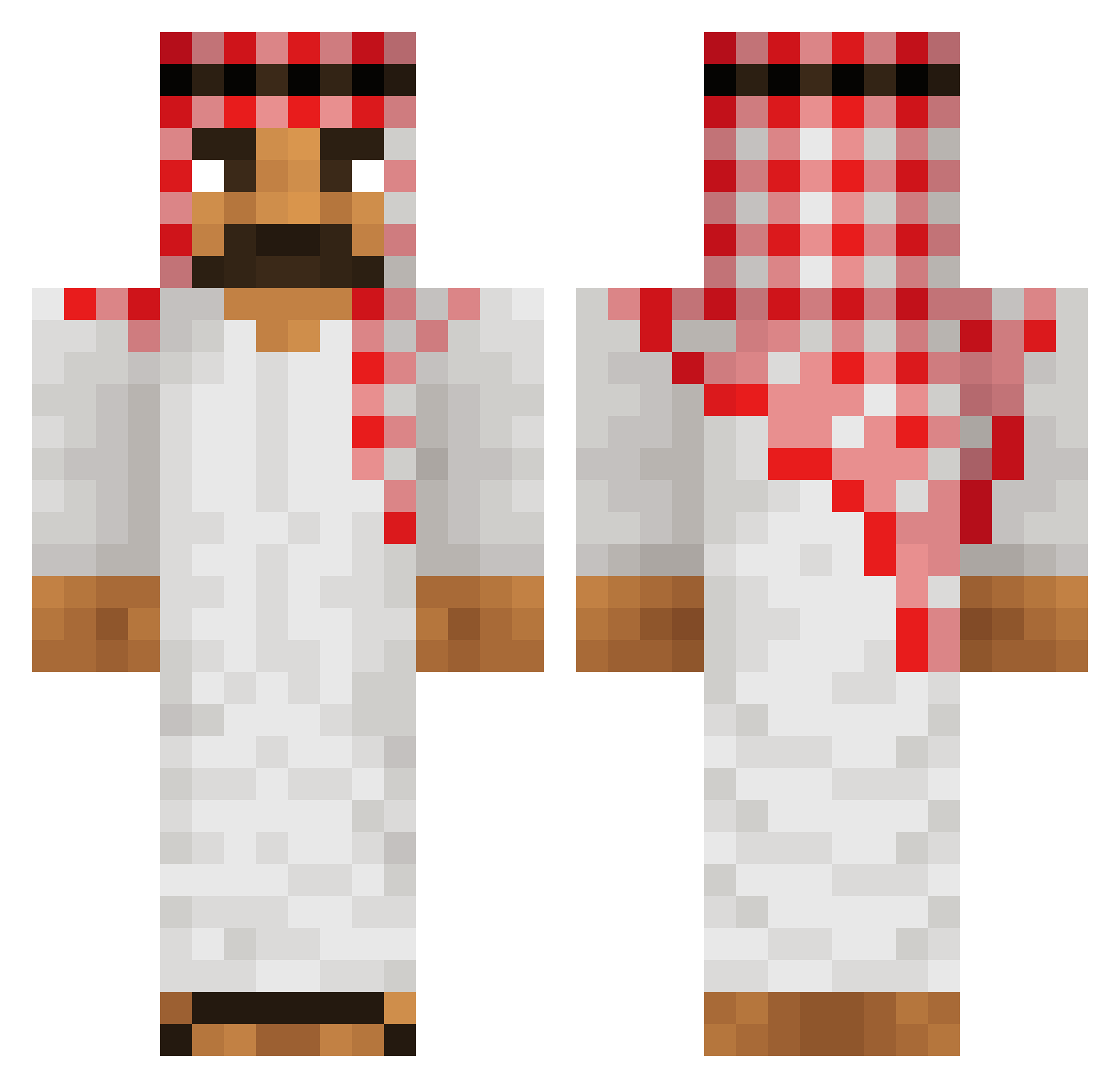
Current Minecraft skin of the player crazycakes100, loaded from the official Mojang API. Rotate the 3D model with your mouse or finger, then download the skin as a PNG file and use it in Minecraft: Bedrock Edition or Java Edition for free. When crazycakes100 changes their skin, this page updates automatically and the old skin stays in the history below.
Other players with this skin (603)
crazycakes100 was the 581st player we have seen with this skin, first spotted on 14.11.2026. The same skin was seen on these players. Open a nickname to see their current skin and skin history.
 Siphite RIKYSIUUUMM Zyoga11F Fr0styX_ Fortrump ryan420_ masinga MRBEAY01 KZ_Kazyb Toetenschlaeger AbuDhabiOilMoney pindolek213u SamBau Trigo92 Ad00mi Perpsy Screechar Salah_NGH Jordazzy sngs Eclipze2509 Zombieprinsen HamudL_1 Soltys_Klucze niko_1213 asas797 X_AE_Xii KAPI_07 ShaneAPlay AVCIAVCISI Momat_Julaab Klaskmo SisGlace rateeb haddenson JoltTYB Sharknado3014 fubi2ube LeonBraun01 TREX84MAN LukasThaGoat NambaOne43 Basti1582 KhalidIbnWalid StyF_ Mimi213DZ HamudL2 BL4CKST4R xXxEMPIRExXx Tobiaserkul123 papilosta D33Z_NUT5_ ImSoPalestinian SCROJA Vshavico1 elChotax stubbs666 MidL1f3Cr1s1s Banjaman07 SalsaRosA14
More Sheikh Minecraft skins
How to install the crazycakes100 skin
- Press the Download button above to save the skin as a PNG file.
- Minecraft: Bedrock Edition (PE): open the Dressing Room from the main menu (or tap your character → Edit Character), go to Classic Skins → Owned, press the + (new skin) button, choose the downloaded PNG and pick the Classic (Steve) model. Works on PC and mobile; consoles cannot import custom skins.
- Minecraft: Java Edition: open the Minecraft Launcher, go to the Skins tab, click New Skin, load the PNG, pick the Classic (Steve) model and press Save & Use. You can also upload it at minecraft.net → Profile → Change Skin.
The skin does not show up after import - what should I do?
Restart Minecraft and open the Dressing Room again - imported skins sometimes appear only after a restart. Also make sure you selected the imported skin and picked the Classic (Steve) model.
Which model should I choose, Classic or Slim?
This skin is designed for the Classic (Steve) model. If you pick the wrong model, the arms of the skin will look stretched or squeezed.
Is the skin of crazycakes100 free to download?
Yes. Press Download, save the PNG file and use it in Minecraft: Bedrock Edition or Java Edition - no payment or registration needed. The skin also works on multiplayer servers and Realms.
More skins
Looking for more? Go back to all Minecraft skins and check the top skins of the week, month and all time, or find any player's skin by nickname.