
craft_blox - Minecraft Skins & Skin History
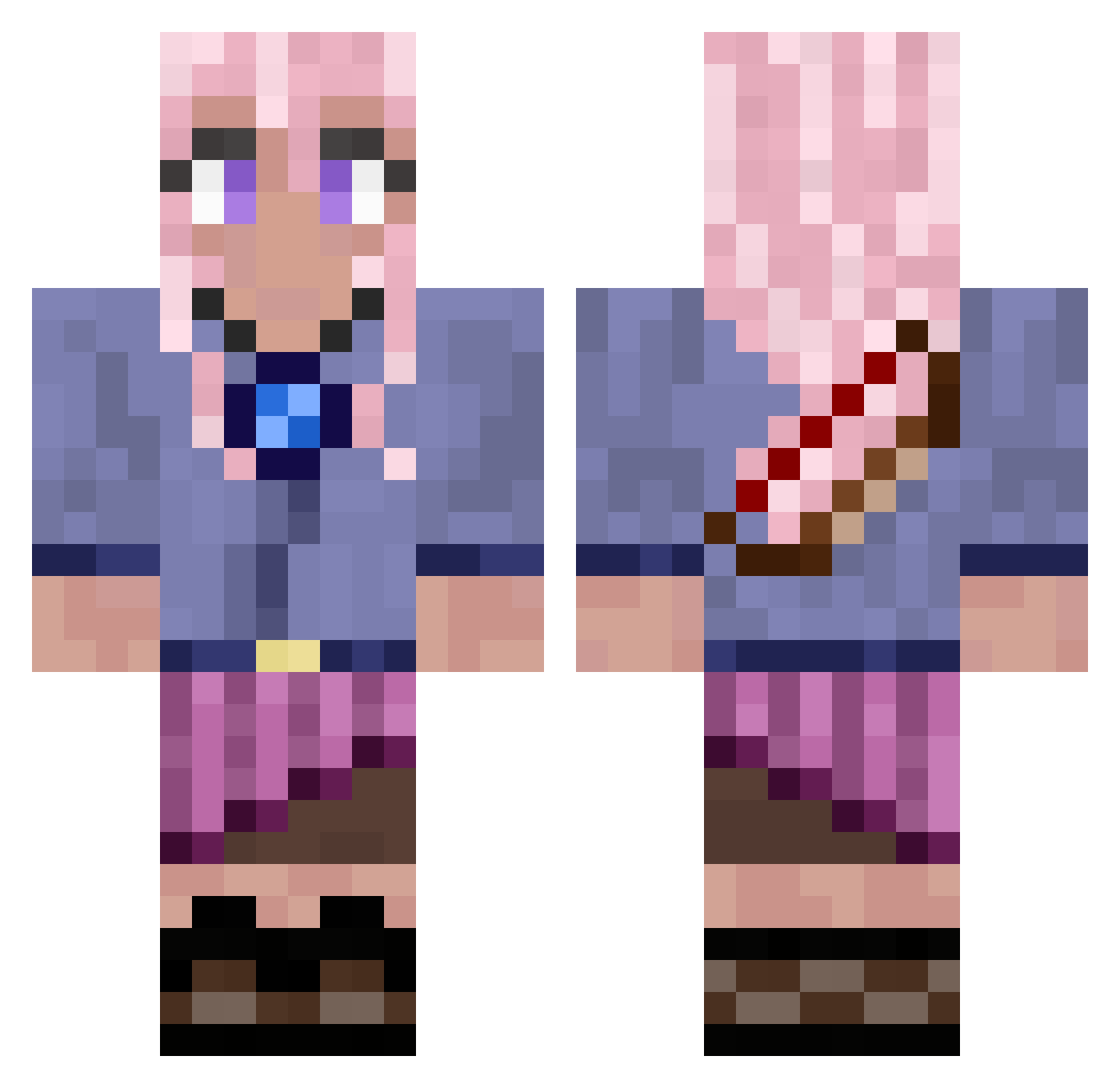
Current Minecraft skin of the player craft_blox, loaded from the official Mojang API. Rotate the 3D model with your mouse or finger, then download the skin as a PNG file and use it in Minecraft: Bedrock Edition or Java Edition for free. When craft_blox changes their skin, this page updates automatically and the old skin stays in the history below.
Other players with this skin (776)
craft_blox was the 703rd player we have seen with this skin, first spotted on 23.10.2026. The same skin was seen on these players. Open a nickname to see their current skin and skin history.
 selkie_ DyeLight LimestoneSam Apocalypse3096 eunak47 Kaeichorn Soosins sopfel MFdez03 DioSaysWryyyy kikib321 Five1eaf gamersgaming vJaym8 Abbie3012 xXfoxpandaXx ecooo3 diegogg07 MeetingLoki7206 dnosiia ItsToast14 VertClair10 sunny_daisy Queenchaos88 chalssocks LunaNova02 Ahether Imnotkiraok uDropper Bisco_TW Labka kumasin666 Dymos16 Kuro_Crimson Septhys Saberoth03 pepperpress simplyred55555 SumaRose flanross ErynSarehl NaoOffi Lemonz1245 VicVLRNT hunkydorable GimGiryeo Verity__ caonomgx zorlandoNL kamransethi hellspawn230 OrenWalker Mihawk9994 PrincessDevil1 supernerdyturtle Shae1004 Nerom4 Macaroon3298 LaughLoveKnit Chireto
More Kyoko Kirigiri Minecraft skins
See all 61 Kyoko Kirigiri skins
How to install the craft_blox skin
- Press the Download button above to save the skin as a PNG file.
- Minecraft: Bedrock Edition (PE): open the Dressing Room from the main menu (or tap your character → Edit Character), go to Classic Skins → Owned, press the + (new skin) button, choose the downloaded PNG and pick the Classic (Steve) model. Works on PC and mobile; consoles cannot import custom skins.
- Minecraft: Java Edition: open the Minecraft Launcher, go to the Skins tab, click New Skin, load the PNG, pick the Classic (Steve) model and press Save & Use. You can also upload it at minecraft.net → Profile → Change Skin.
The skin does not show up after import - what should I do?
Restart Minecraft and open the Dressing Room again - imported skins sometimes appear only after a restart. Also make sure you selected the imported skin and picked the Classic (Steve) model.
Which model should I choose, Classic or Slim?
This skin is designed for the Classic (Steve) model. If you pick the wrong model, the arms of the skin will look stretched or squeezed.
Is the skin of craft_blox free to download?
Yes. Press Download, save the PNG file and use it in Minecraft: Bedrock Edition or Java Edition - no payment or registration needed. The skin also works on multiplayer servers and Realms.
More skins
Looking for more? Go back to all Minecraft skins and check the top skins of the week, month and all time, or find any player's skin by nickname.