
cookiecutter321 - Minecraft Skins & Skin History
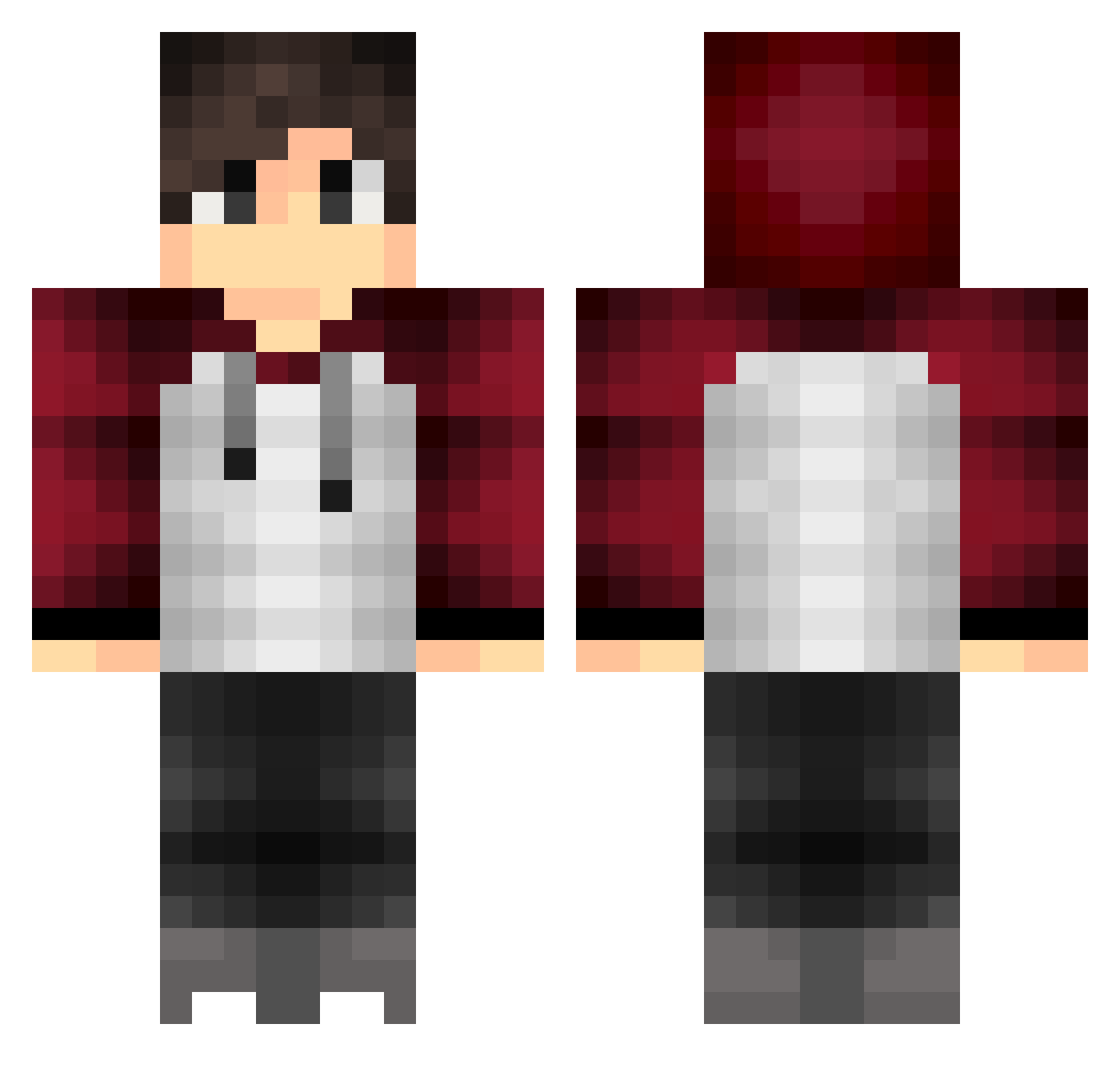
Current Minecraft skin of the player cookiecutter321, loaded from the official Mojang API. Rotate the 3D model with your mouse or finger, then download the skin as a PNG file and use it in Minecraft: Bedrock Edition or Java Edition for free. When cookiecutter321 changes their skin, this page updates automatically and the old skin stays in the history below.
Other players with this skin (318)
cookiecutter321 was the 236th player we have seen with this skin, first spotted on 01.10.2026. The same skin was seen on these players. Open a nickname to see their current skin and skin history.
 rayaangamer8506 DEAD_PEGASUS Chaotic3490 ajswagcookie hamilfan77 RedVelvetPancake KingPrinceYT charles752 FELIX3599 PoisonDragon123 Quinta19 SuperlLame al33x XO_Jamie_OX rickey_T Jezzoo SuPa_MaTT02 MineMasterStar Maroon21 Ravigamer Icekiss42 Ky1233 Marre_GM robin81 SlimeKILLERDK Simobusce AdonisBogGierki Gwoble AcAdW icedice132 DONI75 Bluewilliam Dapps20 Flizzooo Kwahi Squads LarrytheBuckHead NeedAPic Krijjn _LarsDeAansteker Turtle_Power12 AzChohan hak4463 Mad_Fisher Apple2T4ch gamzer9989 BeawulF VPsnipes0627 leworld crazycow575 25ml OliverMx sasasawa28 qazwsxedc03 Meggomegg hurmenator HugoTheB3east syndilate_12 Kevel GladyoooKings
How to install the cookiecutter321 skin
- Press the Download button above to save the skin as a PNG file.
- Minecraft: Bedrock Edition (PE): open the Dressing Room from the main menu (or tap your character → Edit Character), go to Classic Skins → Owned, press the + (new skin) button, choose the downloaded PNG and pick the Classic (Steve) model. Works on PC and mobile; consoles cannot import custom skins.
- Minecraft: Java Edition: open the Minecraft Launcher, go to the Skins tab, click New Skin, load the PNG, pick the Classic (Steve) model and press Save & Use. You can also upload it at minecraft.net → Profile → Change Skin.
The skin does not show up after import - what should I do?
Restart Minecraft and open the Dressing Room again - imported skins sometimes appear only after a restart. Also make sure you selected the imported skin and picked the Classic (Steve) model.
Which model should I choose, Classic or Slim?
This skin is designed for the Classic (Steve) model. If you pick the wrong model, the arms of the skin will look stretched or squeezed.
Is the skin of cookiecutter321 free to download?
Yes. Press Download, save the PNG file and use it in Minecraft: Bedrock Edition or Java Edition - no payment or registration needed. The skin also works on multiplayer servers and Realms.
More skins
Looking for more? Go back to all Minecraft skins and check the top skins of the week, month and all time, or find any player's skin by nickname.