
cookie78970 - Minecraft Skins & Skin History
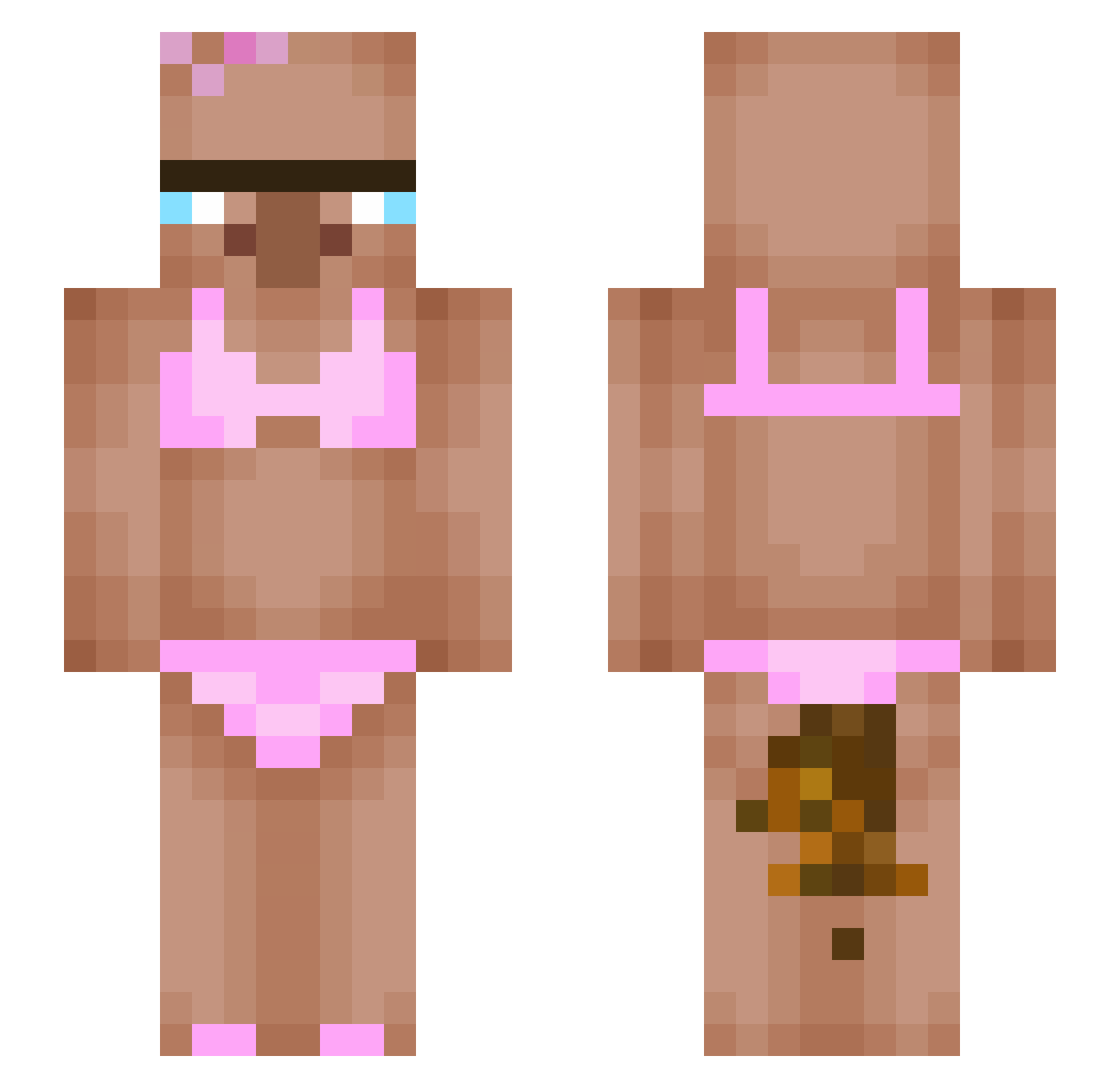
Current Minecraft skin of the player cookie78970, loaded from the official Mojang API. Rotate the 3D model with your mouse or finger, then download the skin as a PNG file and use it in Minecraft: Bedrock Edition or Java Edition for free. When cookie78970 changes their skin, this page updates automatically and the old skin stays in the history below.
Other players with this skin (390)
cookie78970 was the 354th player we have seen with this skin, first spotted on 18.10.2026. The same skin was seen on these players. Open a nickname to see their current skin and skin history.
 DREWNIANYBOB not_luxx guiizn13 jobimaru Porongo ShubhEnough votesystem BebeHehe Robin_63 choiseoin nygaboy KIM5833 DieOmiOnCrack Unkonow_Monke gbaartek abebebikila Andrew10789 thsalswns DarkImperium bik4ini_villager hinase0628 pansusu XT12351 ddeni01 GW4N kinjyu Lionesong LordZwieback lksalla yuuyoungg paulonator25 Anyamoo MPC1412 iKun301 sipsusiili tksthii imgood09f SSIBANGBIRD dndn71 9Lydia _Mateeollo_ Politika electricmice MAXINE_11 Babou639 Souny46g Wykerpiq zoroblade786 pokeinballo jkdsl pomainoitalaino Mateoneitor_4000 Zyw0oPvP matheusin FugalFlower6556 honeysigma Javigav07 ChwalaZmiankom sprite031 pipipipopopo03
More Bikini Minecraft skins
How to install the cookie78970 skin
- Press the Download button above to save the skin as a PNG file.
- Minecraft: Bedrock Edition (PE): open the Dressing Room from the main menu (or tap your character → Edit Character), go to Classic Skins → Owned, press the + (new skin) button, choose the downloaded PNG and pick the Slim (Alex) model. Works on PC and mobile; consoles cannot import custom skins.
- Minecraft: Java Edition: open the Minecraft Launcher, go to the Skins tab, click New Skin, load the PNG, pick the Slim (Alex) model and press Save & Use. You can also upload it at minecraft.net → Profile → Change Skin.
The skin does not show up after import - what should I do?
Restart Minecraft and open the Dressing Room again - imported skins sometimes appear only after a restart. Also make sure you selected the imported skin and picked the Slim (Alex) model.
Which model should I choose, Classic or Slim?
This skin is designed for the Slim (Alex) model. If you pick the wrong model, the arms of the skin will look stretched or squeezed.
Is the skin of cookie78970 free to download?
Yes. Press Download, save the PNG file and use it in Minecraft: Bedrock Edition or Java Edition - no payment or registration needed. The skin also works on multiplayer servers and Realms.
More skins
Looking for more? Go back to all Minecraft skins and check the top skins of the week, month and all time, or find any player's skin by nickname.