
commonlyW4ke - Minecraft Skins & Skin History
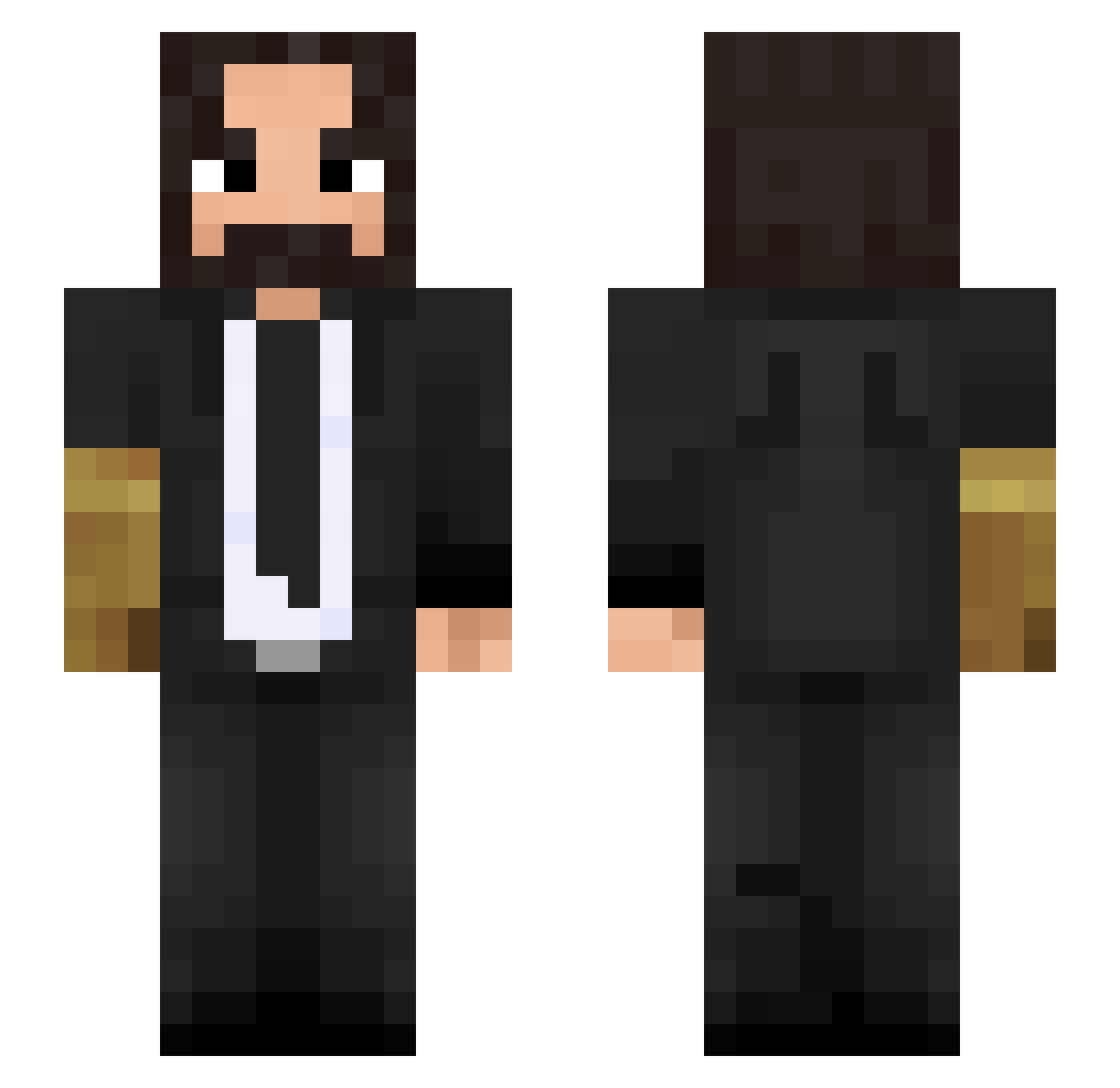
Current Minecraft skin of the player commonlyW4ke, loaded from the official Mojang API. Rotate the 3D model with your mouse or finger, then download the skin as a PNG file and use it in Minecraft: Bedrock Edition or Java Edition for free. When commonlyW4ke changes their skin, this page updates automatically and the old skin stays in the history below.
Other players with this skin (500)
commonlyW4ke was the 470th player we have seen with this skin, first spotted on 12.11.2026. The same skin was seen on these players. Open a nickname to see their current skin and skin history.
 Yoodaz DietCreamSoda Psimax Sebeel stinkesocke_835 AS5ALI BallisticMXK MrPestis Zaceos Justhdead Vapit Edingu kyrogenixz AveChristRex Hajabulla joo777 WoodenPC Jatv13 NotLucky1 TacoLG 4everr_pr ezpogfish Mattydog awesomejeza Revolett FERLIFES Vokevo SanKL753 A_shiaw chrislauderbach SCOOPSCoolio Lordbiscuit113 Starsti ItsMe_Yani Ktrizzle awesomeman23822 DEATH_090 Im_DeadLock elgordotute DukeLoke Aqueronte EmirhanUlucay16 seb_h18 Frothee2 secretman9 Tarrad murki_xoxo BryzonLive gmxluk BlankClipz niklaes197 J0HN_WICK Voldebored Yonatan99 benjamin0404 CaptainDaddyo omgkid1235 DarudeHailstorm Asariiv2 W4yl4n
More John Wick Minecraft skins
How to install the commonlyW4ke skin
- Press the Download button above to save the skin as a PNG file.
- Minecraft: Bedrock Edition (PE): open the Dressing Room from the main menu (or tap your character → Edit Character), go to Classic Skins → Owned, press the + (new skin) button, choose the downloaded PNG and pick the Slim (Alex) model. Works on PC and mobile; consoles cannot import custom skins.
- Minecraft: Java Edition: open the Minecraft Launcher, go to the Skins tab, click New Skin, load the PNG, pick the Slim (Alex) model and press Save & Use. You can also upload it at minecraft.net → Profile → Change Skin.
The skin does not show up after import - what should I do?
Restart Minecraft and open the Dressing Room again - imported skins sometimes appear only after a restart. Also make sure you selected the imported skin and picked the Slim (Alex) model.
Which model should I choose, Classic or Slim?
This skin is designed for the Slim (Alex) model. If you pick the wrong model, the arms of the skin will look stretched or squeezed.
Is the skin of commonlyW4ke free to download?
Yes. Press Download, save the PNG file and use it in Minecraft: Bedrock Edition or Java Edition - no payment or registration needed. The skin also works on multiplayer servers and Realms.
More skins
Looking for more? Go back to all Minecraft skins and check the top skins of the week, month and all time, or find any player's skin by nickname.