
comadrejatactica - Minecraft Skins & Skin History
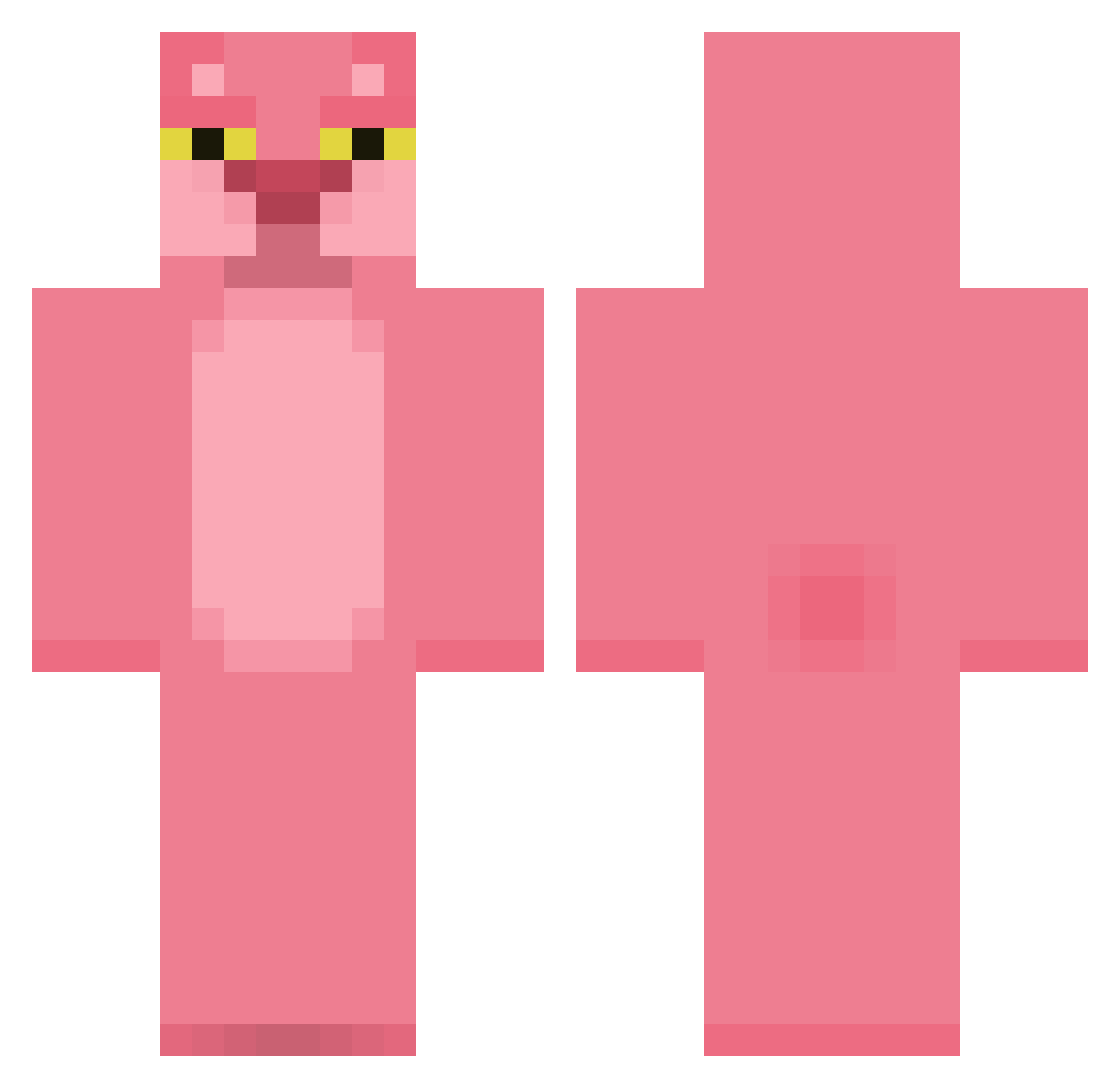
Current Minecraft skin of the player comadrejatactica, loaded from the official Mojang API. Rotate the 3D model with your mouse or finger, then download the skin as a PNG file and use it in Minecraft: Bedrock Edition or Java Edition for free. When comadrejatactica changes their skin, this page updates automatically and the old skin stays in the history below.
Other players with this skin (420)
comadrejatactica was the 319th player we have seen with this skin, first spotted on 15.10.2026. The same skin was seen on these players. Open a nickname to see their current skin and skin history.
 HollowO8 ebihs Bobowaffle T2TL fatcatlover99 Palxse Mrsokka0 Claptraap NosStraimOficial Treyboo mauuu__ Identical YsaReb secret_meat Prozorec tardtasticx trihard17 lovefiesta03 xzzl TheKingMinxy Lasrak22 HazSleep lfvman Eldiablo21 YaYaSure BattlePassChris Lumo245 whdbswls Sh0tz12 MrKoala585 PPPuma SimonPenalba C4ligula BigMatt126 kubamatejicek zaloq MOLBONI Julialady arugom PIRRANS pjyoung niubaoovo HeyMiLit kookoo512 mcmoose Duh__Panda joulyy Trulum Gigallith Iamweifeng Hikra ginja04 Enilev duobomber AchaGranola2003 FadingAmaranth AliceGuilty Kitaya_02 _MOMO_o carinapanz
More The Pink Panther Minecraft skins
See all 147 The Pink Panther skins
How to install the comadrejatactica skin
- Press the Download button above to save the skin as a PNG file.
- Minecraft: Bedrock Edition (PE): open the Dressing Room from the main menu (or tap your character → Edit Character), go to Classic Skins → Owned, press the + (new skin) button, choose the downloaded PNG and pick the Classic (Steve) model. Works on PC and mobile; consoles cannot import custom skins.
- Minecraft: Java Edition: open the Minecraft Launcher, go to the Skins tab, click New Skin, load the PNG, pick the Classic (Steve) model and press Save & Use. You can also upload it at minecraft.net → Profile → Change Skin.
The skin does not show up after import - what should I do?
Restart Minecraft and open the Dressing Room again - imported skins sometimes appear only after a restart. Also make sure you selected the imported skin and picked the Classic (Steve) model.
Which model should I choose, Classic or Slim?
This skin is designed for the Classic (Steve) model. If you pick the wrong model, the arms of the skin will look stretched or squeezed.
Is the skin of comadrejatactica free to download?
Yes. Press Download, save the PNG file and use it in Minecraft: Bedrock Edition or Java Edition - no payment or registration needed. The skin also works on multiplayer servers and Realms.
More skins
Looking for more? Go back to all Minecraft skins and check the top skins of the week, month and all time, or find any player's skin by nickname.