
codi033 - Minecraft Skins & Skin History
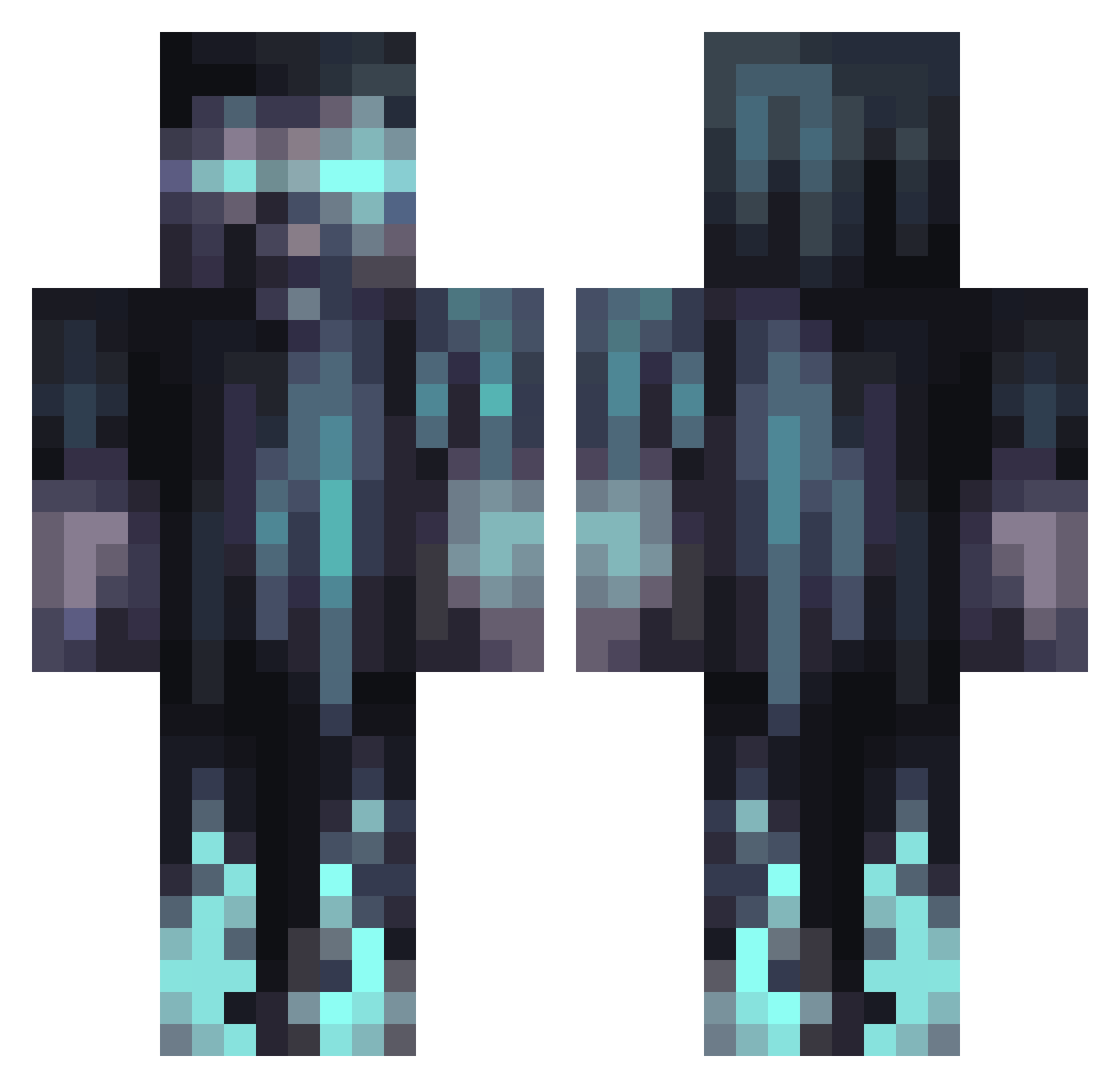
Current Minecraft skin of the player codi033, loaded from the official Mojang API. Rotate the 3D model with your mouse or finger, then download the skin as a PNG file and use it in Minecraft: Bedrock Edition or Java Edition for free. When codi033 changes their skin, this page updates automatically and the old skin stays in the history below.
Other players with this skin (1066)
codi033 was the 855th player we have seen with this skin, first spotted on 15.10.2026. The same skin was seen on these players. Open a nickname to see their current skin and skin history.
 morn1652 GRebonair Henne91 Majkyyy555 Black_Lord69 neonnight004 YYEEZUSS afroditie16 K_Eagle36 NoNick999 ThunderDash86 Snowmen01 ResiaWizard Ayzed121 420_RodHits MinerGamerXd grego1717 IlIlLividIlIl Luggi112 star733778 GBUTCHERR iballisticCP Tonekrash jifavve Lukeamo123 Phiaar Jcamvidi Gorhiny Miilkah __Korosensei__ TheSoris12 Uncle__Gazpacho linodino33 gloryhuang Rasmos Gdraco71 Kamatic Berofo xXjakkXx ItsAPotatoNow Ryansnavy realVALEN Wildwolf21 PotatoFishh KingHarvis OrbusPlay Bathwater___ ClaimingTax8808 eJalbert xXGamer_Guy420Xx Labbylonn Unknown_VR MindFuck95 TheLogie MrAlpha10 Ttvanthony17 NobodyYouKnowBr0 COMETATWITCH VerteX720 LOTYM
More Warden Minecraft skins
How to install the codi033 skin
- Press the Download button above to save the skin as a PNG file.
- Minecraft: Bedrock Edition (PE): open the Dressing Room from the main menu (or tap your character → Edit Character), go to Classic Skins → Owned, press the + (new skin) button, choose the downloaded PNG and pick the Classic (Steve) model. Works on PC and mobile; consoles cannot import custom skins.
- Minecraft: Java Edition: open the Minecraft Launcher, go to the Skins tab, click New Skin, load the PNG, pick the Classic (Steve) model and press Save & Use. You can also upload it at minecraft.net → Profile → Change Skin.
The skin does not show up after import - what should I do?
Restart Minecraft and open the Dressing Room again - imported skins sometimes appear only after a restart. Also make sure you selected the imported skin and picked the Classic (Steve) model.
Which model should I choose, Classic or Slim?
This skin is designed for the Classic (Steve) model. If you pick the wrong model, the arms of the skin will look stretched or squeezed.
Is the skin of codi033 free to download?
Yes. Press Download, save the PNG file and use it in Minecraft: Bedrock Edition or Java Edition - no payment or registration needed. The skin also works on multiplayer servers and Realms.
More skins
Looking for more? Go back to all Minecraft skins and check the top skins of the week, month and all time, or find any player's skin by nickname.