
cocosilex - Minecraft Skins & Skin History
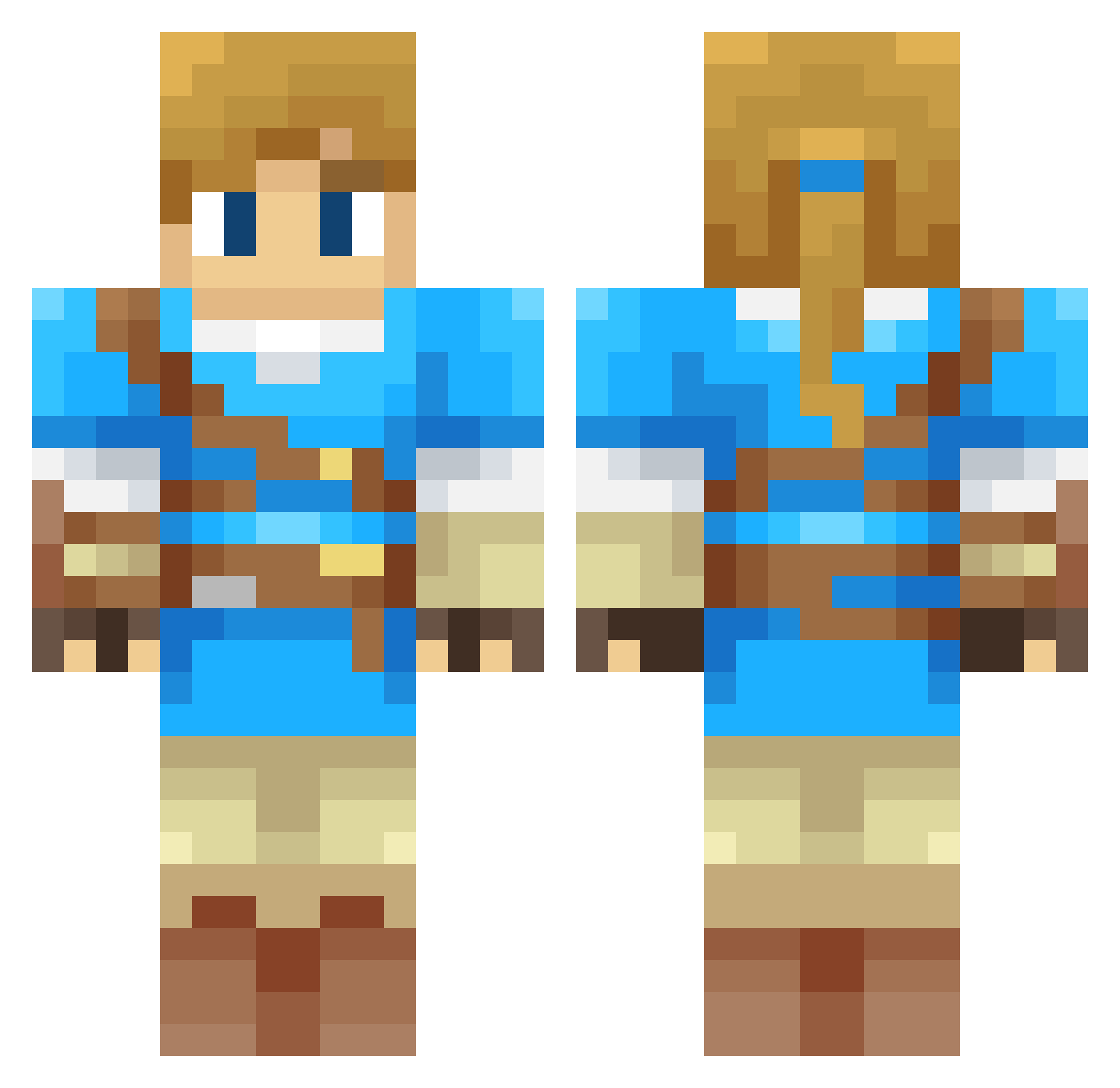
Current Minecraft skin of the player cocosilex, loaded from the official Mojang API. Rotate the 3D model with your mouse or finger, then download the skin as a PNG file and use it in Minecraft: Bedrock Edition or Java Edition for free. When cocosilex changes their skin, this page updates automatically and the old skin stays in the history below.
Other players with this skin (313)
cocosilex was the 300th player we have seen with this skin, first spotted on 27.10.2026. The same skin was seen on these players. Open a nickname to see their current skin and skin history.
 wyzcracks CrusaderKing2112 Catslayer05 VexQ MorgaRen JeremyLin_TW that_fisher_kid altcyro Lonk8344 Phylo606 Kiljoy88 samcinbun BlockToku Jejadu Gaiche Riridemx danjje dom380 CMix1 SurrealShibe Nico3317 CL1005 Welloness STEDiamond Zoomdat Inf4m3_01 Matt_R0 Biaspa Cptnpepper MagicCube134 Bobop64 Wombie_ ABLPB The_Solar_Wolf01 OptimusShaun Linker769 Nailink01 _mimistik_ Filintia Platifire kimkimkim1025 o0BadLink0o Skyzone0102 EduardRay Renlaw JSPJSP LozBotw17 Outwolf mannerbund Dardrok FenChang_der Gnimacz Coxinha_19 Junnior21 Shiftivity lukeyio Link8987 NelTerra sleighboy26 HorseRaddish2000
More Breath Of The Wild Minecraft skins
See all 155 Breath Of The Wild skins
How to install the cocosilex skin
- Press the Download button above to save the skin as a PNG file.
- Minecraft: Bedrock Edition (PE): open the Dressing Room from the main menu (or tap your character → Edit Character), go to Classic Skins → Owned, press the + (new skin) button, choose the downloaded PNG and pick the Classic (Steve) model. Works on PC and mobile; consoles cannot import custom skins.
- Minecraft: Java Edition: open the Minecraft Launcher, go to the Skins tab, click New Skin, load the PNG, pick the Classic (Steve) model and press Save & Use. You can also upload it at minecraft.net → Profile → Change Skin.
The skin does not show up after import - what should I do?
Restart Minecraft and open the Dressing Room again - imported skins sometimes appear only after a restart. Also make sure you selected the imported skin and picked the Classic (Steve) model.
Which model should I choose, Classic or Slim?
This skin is designed for the Classic (Steve) model. If you pick the wrong model, the arms of the skin will look stretched or squeezed.
Is the skin of cocosilex free to download?
Yes. Press Download, save the PNG file and use it in Minecraft: Bedrock Edition or Java Edition - no payment or registration needed. The skin also works on multiplayer servers and Realms.
More skins
Looking for more? Go back to all Minecraft skins and check the top skins of the week, month and all time, or find any player's skin by nickname.