
clownsibi - Minecraft Skins & Skin History
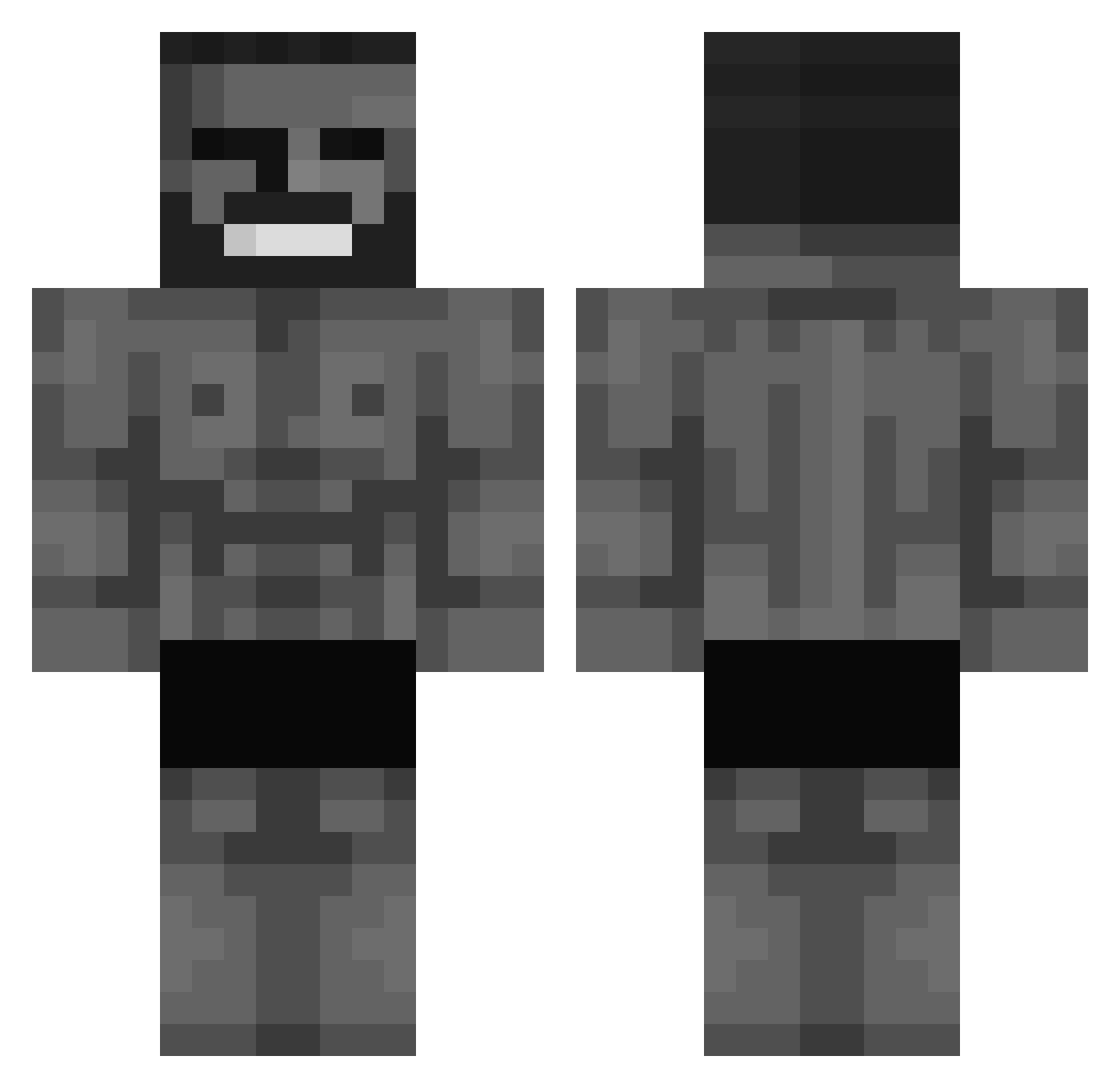
Current Minecraft skin of the player clownsibi, loaded from the official Mojang API. Rotate the 3D model with your mouse or finger, then download the skin as a PNG file and use it in Minecraft: Bedrock Edition or Java Edition for free. When clownsibi changes their skin, this page updates automatically and the old skin stays in the history below.
Other players with this skin (572)
clownsibi was the 327th player we have seen with this skin, first spotted on 25.09.2026. The same skin was seen on these players. Open a nickname to see their current skin and skin history.
 Nebolution Moin_Moin_ StireX_ GardoaxFail seybertprime UltimatePanino Elvis278 flyingsheep42 featherism Zepae daBIGbooi CristoferPV stuzin1 Matabuelas22 BagChild Denizwiped luisgigachad DanishCheez2 1lyxxxxxa mossyco Smilleyzi_ Subnatic2231 japon_1232 AnatolyPlay PresidentEden Mocnygaz1 StygianThorne OC3_ Seauwoune adarso187 Ariekanarie09 Blatant1337 Supncr Gregorius729 Tomzak_ Splyte2 NNigwardd glioth ShacObama JARGD Flutschfinger08 TURCIK2_ Bliwok tfujstary9391 4Nn3siz4rd4 SultanBog00 kyle1002 the_god_of_miniw wsws66 draKs7 iLuis123xdi dodux 28_Uzi rpglaunch PiperliviqtLari Sense8 hamchow uzbek666 bakik061 MT2002TM
More Gigachad Minecraft skins
How to install the clownsibi skin
- Press the Download button above to save the skin as a PNG file.
- Minecraft: Bedrock Edition (PE): open the Dressing Room from the main menu (or tap your character → Edit Character), go to Classic Skins → Owned, press the + (new skin) button, choose the downloaded PNG and pick the Classic (Steve) model. Works on PC and mobile; consoles cannot import custom skins.
- Minecraft: Java Edition: open the Minecraft Launcher, go to the Skins tab, click New Skin, load the PNG, pick the Classic (Steve) model and press Save & Use. You can also upload it at minecraft.net → Profile → Change Skin.
The skin does not show up after import - what should I do?
Restart Minecraft and open the Dressing Room again - imported skins sometimes appear only after a restart. Also make sure you selected the imported skin and picked the Classic (Steve) model.
Which model should I choose, Classic or Slim?
This skin is designed for the Classic (Steve) model. If you pick the wrong model, the arms of the skin will look stretched or squeezed.
Is the skin of clownsibi free to download?
Yes. Press Download, save the PNG file and use it in Minecraft: Bedrock Edition or Java Edition - no payment or registration needed. The skin also works on multiplayer servers and Realms.
More skins
Looking for more? Go back to all Minecraft skins and check the top skins of the week, month and all time, or find any player's skin by nickname.