
closettt - Minecraft Skins & Skin History
Current Minecraft skin of the player closettt, loaded from the official Mojang API. Rotate the 3D model with your mouse or finger, then download the skin as a PNG file and use it in Minecraft: Bedrock Edition or Java Edition for free. When closettt changes their skin, this page updates automatically and the old skin stays in the history below.
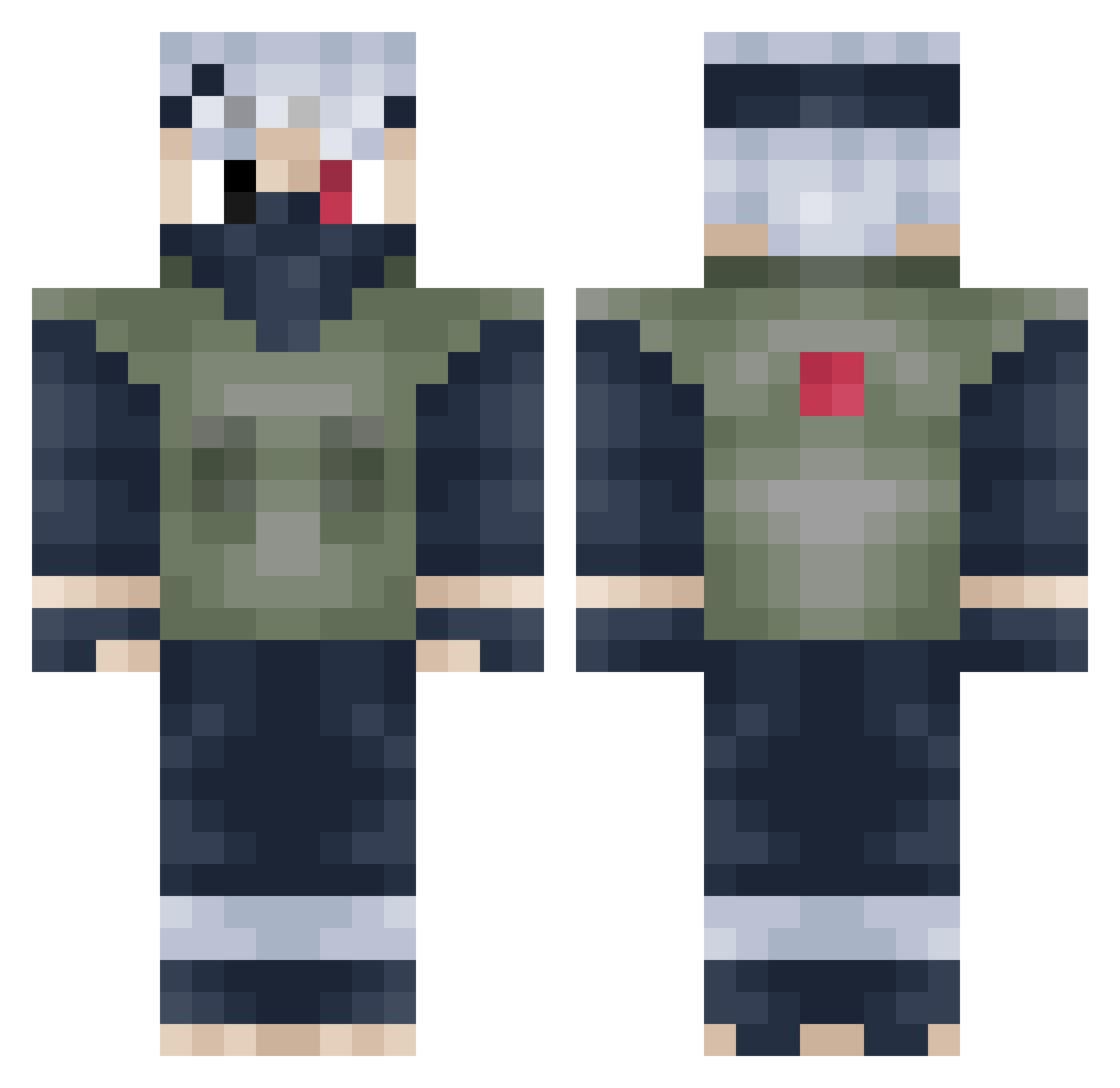
Other players with this skin (491)
closettt was the 462nd player we have seen with this skin, first spotted on 14.11.2026. The same skin was seen on these players. Open a nickname to see their current skin and skin history.
 Miioryu Seltikz27 FDsha nfu0_ __StarLeaf SamJuan01 abhii007 NollieBigHeel PvM_Ocasa RizzIncarnate ib23GREAT RockyGamma Jacopo2098 Q_UpKid Sainteyes SurTim abo3lii Shen23 Bastinou96 iiiRoko 1pilz Renroh3 x_KingArthur_x xXbr3nd3nXx TTMTNT Buchtaaa hellocallme_q TonyWuuu MarkhAm21 camixd4470 breadman020304 Evoidtime81 indigomo915 azzamjhd KakashiReal MileHigh23 XTCDaddy KsyzIsChefsFvIF Bubbleskyle KaMO_35P Jager_2002 hatakekakashi11 TampleCM jakobrxw ExtremelyFast Gabbs209 ZCZCZC666 Cazius_7 WAEZZ Mitrandir1912 xDu5ty sunyiyiyi 44k387 RedFacts Dirty_Dan_1995 GoldenGraham22 PainZxHDx Ry0Tanaka Qweboss akairm
More Kakashi Hatake Minecraft skins
See all 526 Kakashi Hatake skins
How to install the closettt skin
- Press the Download button above to save the skin as a PNG file.
- Minecraft: Bedrock Edition (PE): open the Dressing Room from the main menu (or tap your character → Edit Character), go to Classic Skins → Owned, press the + (new skin) button, choose the downloaded PNG and pick the Classic (Steve) model. Works on PC and mobile; consoles cannot import custom skins.
- Minecraft: Java Edition: open the Minecraft Launcher, go to the Skins tab, click New Skin, load the PNG, pick the Classic (Steve) model and press Save & Use. You can also upload it at minecraft.net → Profile → Change Skin.
The skin does not show up after import - what should I do?
Restart Minecraft and open the Dressing Room again - imported skins sometimes appear only after a restart. Also make sure you selected the imported skin and picked the Classic (Steve) model.
Which model should I choose, Classic or Slim?
This skin is designed for the Classic (Steve) model. If you pick the wrong model, the arms of the skin will look stretched or squeezed.
Is the skin of closettt free to download?
Yes. Press Download, save the PNG file and use it in Minecraft: Bedrock Edition or Java Edition - no payment or registration needed. The skin also works on multiplayer servers and Realms.
More skins
Looking for more? Go back to all Minecraft skins and check the top skins of the week, month and all time, or find any player's skin by nickname.