
clmped - Minecraft Skins & Skin History
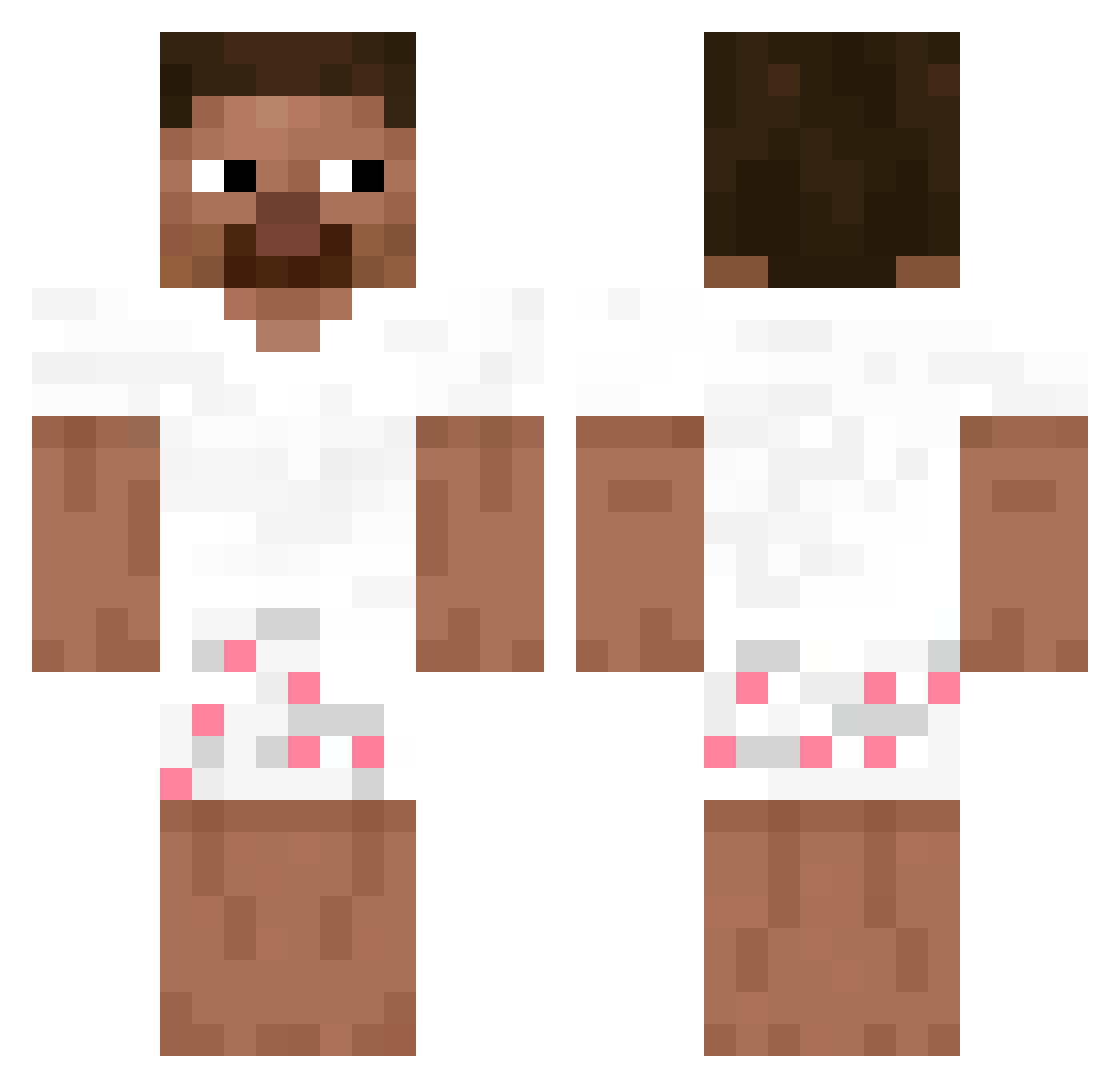
Current Minecraft skin of the player clmped, loaded from the official Mojang API. Rotate the 3D model with your mouse or finger, then download the skin as a PNG file and use it in Minecraft: Bedrock Edition or Java Edition for free. When clmped changes their skin, this page updates automatically and the old skin stays in the history below.
Other players with this skin (278)
clmped was the 247th player we have seen with this skin, first spotted on 08.11.2026. The same skin was seen on these players. Open a nickname to see their current skin and skin history.
 Wemmy Fre3Palestine santititi77777 Basenq x74v Champion587 _k4sPrime killa9000 100nada brdefault2 revio1 KacperDuszek OrcaYK crisbinator hasasfh AmorDeBebeUwU reqode Y_WooXO omar75z Zabivnoy123 moodsy0407 _AimAssist Cellinhoinsta ooby_ AqueleSales oshv Vextt_ _deNyyy ProxPL_SIGMA Xand3r08 lelouhc LumiousOfficial ball5113 67javi dotori AndrewCazares _alexq TITILMS Zab33k NotHorizon_ 71nn Duck19 Pichulon69 WojtekGaming13xd Traxxio_ Luygii ngw1030 bido1212 BorealRanger YoungSteve445672 blvndeed L0GGx Y4WX 77Oshee_ Glitch101_ Paodequeijo2 miliondolaruf Massi3120 ShuLooksFine Lilchickk
How to install the clmped skin
- Press the Download button above to save the skin as a PNG file.
- Minecraft: Bedrock Edition (PE): open the Dressing Room from the main menu (or tap your character → Edit Character), go to Classic Skins → Owned, press the + (new skin) button, choose the downloaded PNG and pick the Classic (Steve) model. Works on PC and mobile; consoles cannot import custom skins.
- Minecraft: Java Edition: open the Minecraft Launcher, go to the Skins tab, click New Skin, load the PNG, pick the Classic (Steve) model and press Save & Use. You can also upload it at minecraft.net → Profile → Change Skin.
The skin does not show up after import - what should I do?
Restart Minecraft and open the Dressing Room again - imported skins sometimes appear only after a restart. Also make sure you selected the imported skin and picked the Classic (Steve) model.
Which model should I choose, Classic or Slim?
This skin is designed for the Classic (Steve) model. If you pick the wrong model, the arms of the skin will look stretched or squeezed.
Is the skin of clmped free to download?
Yes. Press Download, save the PNG file and use it in Minecraft: Bedrock Edition or Java Edition - no payment or registration needed. The skin also works on multiplayer servers and Realms.
More skins
Looking for more? Go back to all Minecraft skins and check the top skins of the week, month and all time, or find any player's skin by nickname.