
clauterx - Minecraft Skins & Skin History
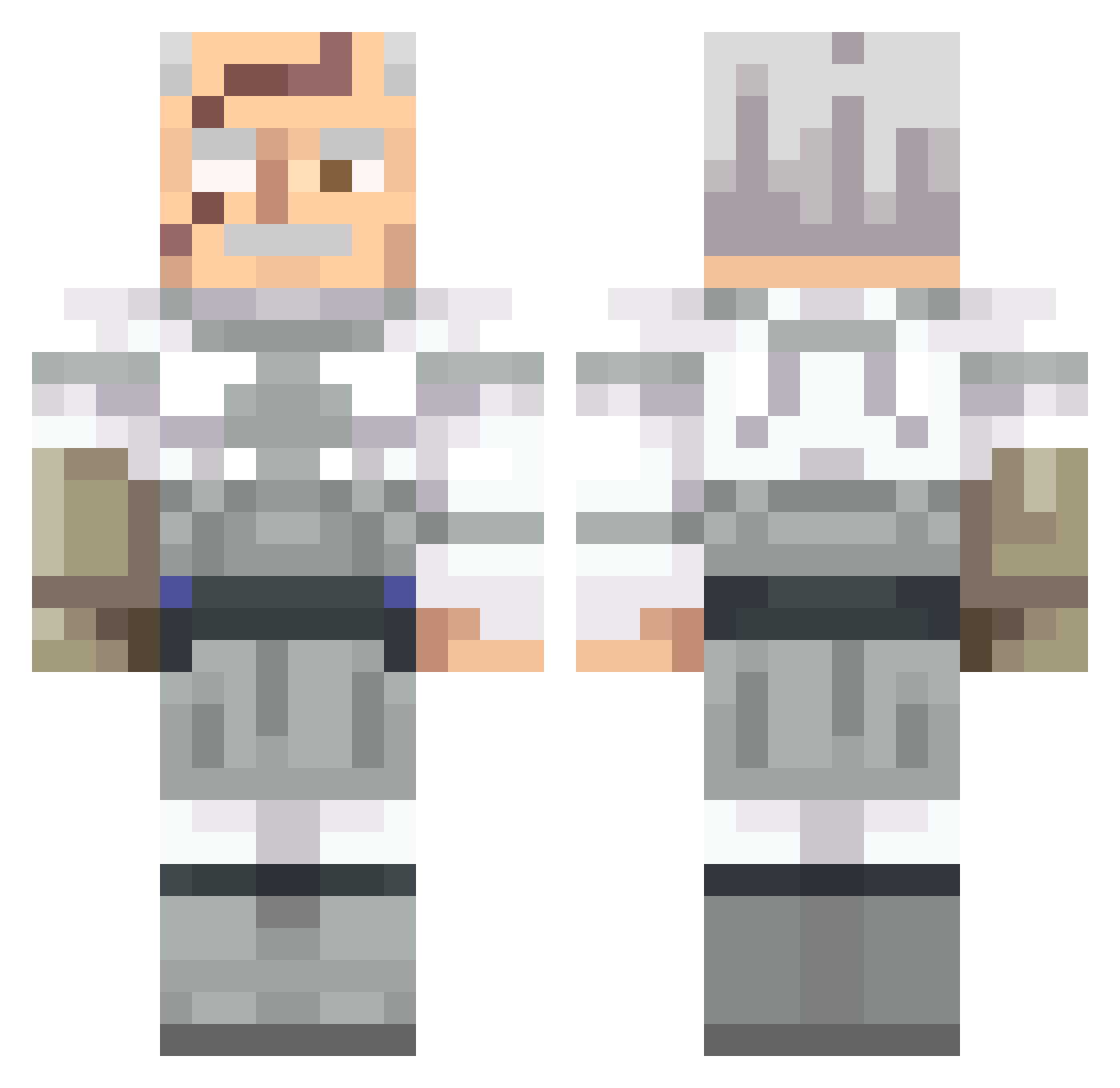
Current Minecraft skin of the player clauterx, loaded from the official Mojang API. Rotate the 3D model with your mouse or finger, then download the skin as a PNG file and use it in Minecraft: Bedrock Edition or Java Edition for free. When clauterx changes their skin, this page updates automatically and the old skin stays in the history below.
Other players with this skin (541)
clauterx was the 55th player we have seen with this skin, first spotted on 02.08.2026. The same skin was seen on these players. Open a nickname to see their current skin and skin history.
 tegister
 Pongu72
 jadeintheshade0 p4p1ll0t3 sviatek_xx ClassySassy29 rockinghunters EntityUnit julian0otero cotti90 p0rkj SIMEY4
 sirarthur__ Slimjim19200 marsi3030 Dr_Johnson777 BOAJCK WooperTroopin WERTYU778 WaZowski45 cx234 TylerMerc
 JoeGoldberg15 Galiantsolid mopxko
 Dinosourmiso pyrose_ MAZZINI_ ThatTMan CurliFriez
 UnchartedPen justin16396 ElLata22 TheFishyMan2 RISHIRAMESH12 JESTER_ASLAN JimbeanSipper TsC7274 Ynx_reborn BlechKartoffel PiratePanda57
 the_frankenfight Gumballetje Tek523 BloodHounds99 AimNorth Diverwarrior123 Sam72191 Wroblik19 DioR4ED MatDex_21 Hades4764 simple3D HaxGm Armin777
 vexxMakc233434 Joenuts250 Blackout1590 BionicFin Fakeacount10
More Commander Pyxis Minecraft skins
See all 3 Commander Pyxis skins
How to install the clauterx skin
- Press the Download button above to save the skin as a PNG file.
- Minecraft: Bedrock Edition (PE): open the Dressing Room from the main menu (or tap your character → Edit Character), go to Classic Skins → Owned, press the + (new skin) button, choose the downloaded PNG and pick the Classic (Steve) model. Works on PC and mobile; consoles cannot import custom skins.
- Minecraft: Java Edition: open the Minecraft Launcher, go to the Skins tab, click New Skin, load the PNG, pick the Classic (Steve) model and press Save & Use. You can also upload it at minecraft.net → Profile → Change Skin.
The skin does not show up after import - what should I do?
Restart Minecraft and open the Dressing Room again - imported skins sometimes appear only after a restart. Also make sure you selected the imported skin and picked the Classic (Steve) model.
Which model should I choose, Classic or Slim?
This skin is designed for the Classic (Steve) model. If you pick the wrong model, the arms of the skin will look stretched or squeezed.
Is the skin of clauterx free to download?
Yes. Press Download, save the PNG file and use it in Minecraft: Bedrock Edition or Java Edition - no payment or registration needed. The skin also works on multiplayer servers and Realms.
More skins
Looking for more? Go back to all Minecraft skins and check the top skins of the week, month and all time, or find any player's skin by nickname.