
chup4p1 - Minecraft Skins & Skin History
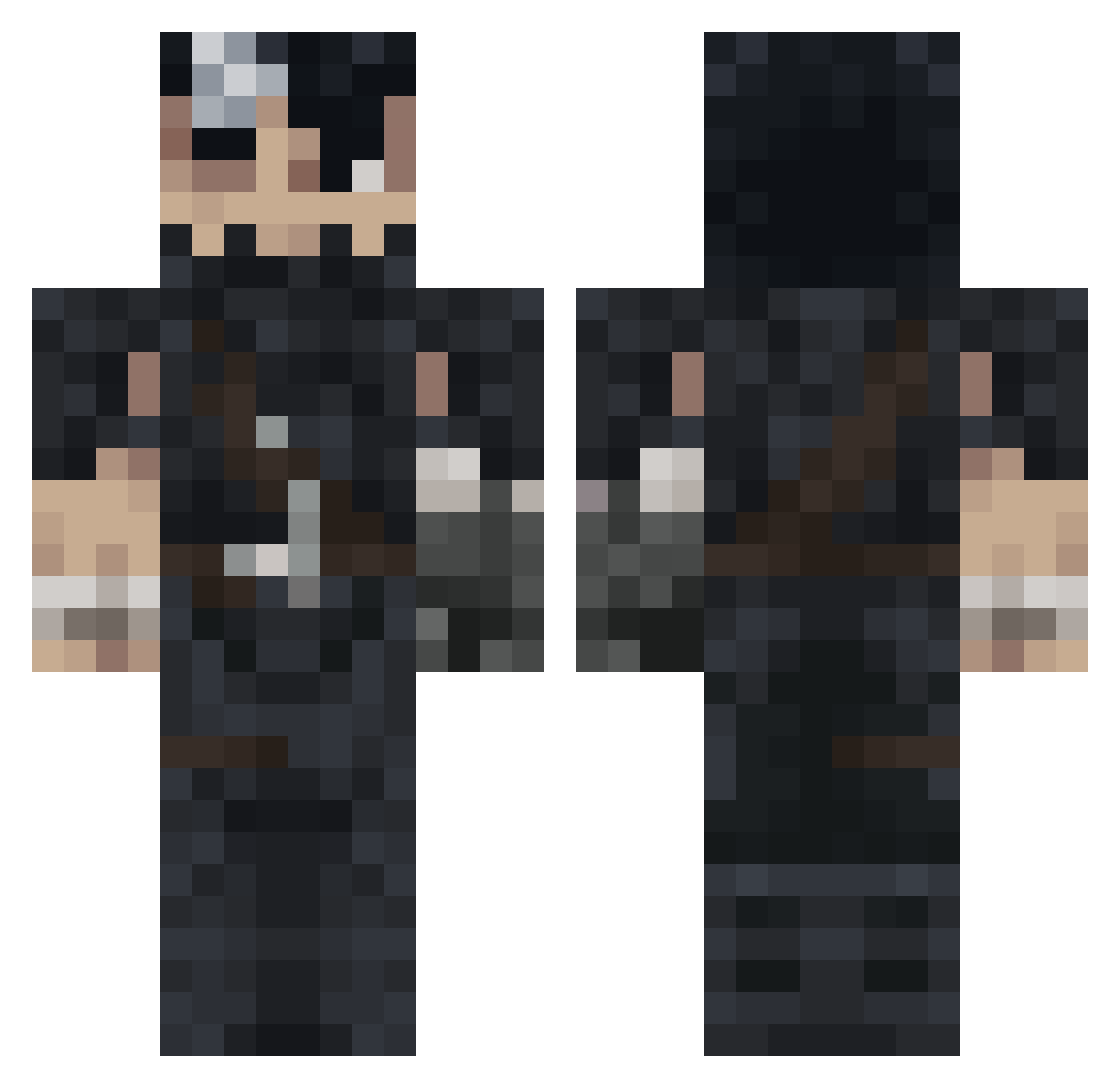
Current Minecraft skin of the player chup4p1, loaded from the official Mojang API. Rotate the 3D model with your mouse or finger, then download the skin as a PNG file and use it in Minecraft: Bedrock Edition or Java Edition for free. When chup4p1 changes their skin, this page updates automatically and the old skin stays in the history below.
Other players with this skin (992)
chup4p1 was the 486th player we have seen with this skin, first spotted on 17.09.2026. The same skin was seen on these players. Open a nickname to see their current skin and skin history.
 NOOdeuseuk NahuelNDM DHawks DafSkeletor DrWaaR kyroozx Yonnkzz jwogns toromax69 Logik316 8WH3 Ch4lngr01 anteomnia LonelyBerserk73 ralyahyar Valkor5674 grimsea_ Cristodown69 rsbooker Criss2209 toovah MariflorGamer777 koji_bear GlizzyGoblin555 Mittelblocker Big_MuShi Svkvna SKRice youngcurly24 Just_Math12 jason117217 8295 _Obsy_ Alessandrocnc The_BABAYEGA Dzejki22 Netinhopb Sumudica Mrkeevan sunsetbanshee Nathops RiechtEr joooe_77 DaddyRaven sIapnutz Reve3110 JesuleErYonki InfiniteParagon iExoTiic3 sebas0822 orawrld ilynight Zbyta VakarianCR r4f4fsss SchnozintoThe3rd SkyniG kyan23 Triwathorr56 MisterDrako
More Guts Minecraft skins
How to install the chup4p1 skin
- Press the Download button above to save the skin as a PNG file.
- Minecraft: Bedrock Edition (PE): open the Dressing Room from the main menu (or tap your character → Edit Character), go to Classic Skins → Owned, press the + (new skin) button, choose the downloaded PNG and pick the Classic (Steve) model. Works on PC and mobile; consoles cannot import custom skins.
- Minecraft: Java Edition: open the Minecraft Launcher, go to the Skins tab, click New Skin, load the PNG, pick the Classic (Steve) model and press Save & Use. You can also upload it at minecraft.net → Profile → Change Skin.
The skin does not show up after import - what should I do?
Restart Minecraft and open the Dressing Room again - imported skins sometimes appear only after a restart. Also make sure you selected the imported skin and picked the Classic (Steve) model.
Which model should I choose, Classic or Slim?
This skin is designed for the Classic (Steve) model. If you pick the wrong model, the arms of the skin will look stretched or squeezed.
Is the skin of chup4p1 free to download?
Yes. Press Download, save the PNG file and use it in Minecraft: Bedrock Edition or Java Edition - no payment or registration needed. The skin also works on multiplayer servers and Realms.
More skins
Looking for more? Go back to all Minecraft skins and check the top skins of the week, month and all time, or find any player's skin by nickname.