
christopher1396 - Minecraft Skins & Skin History
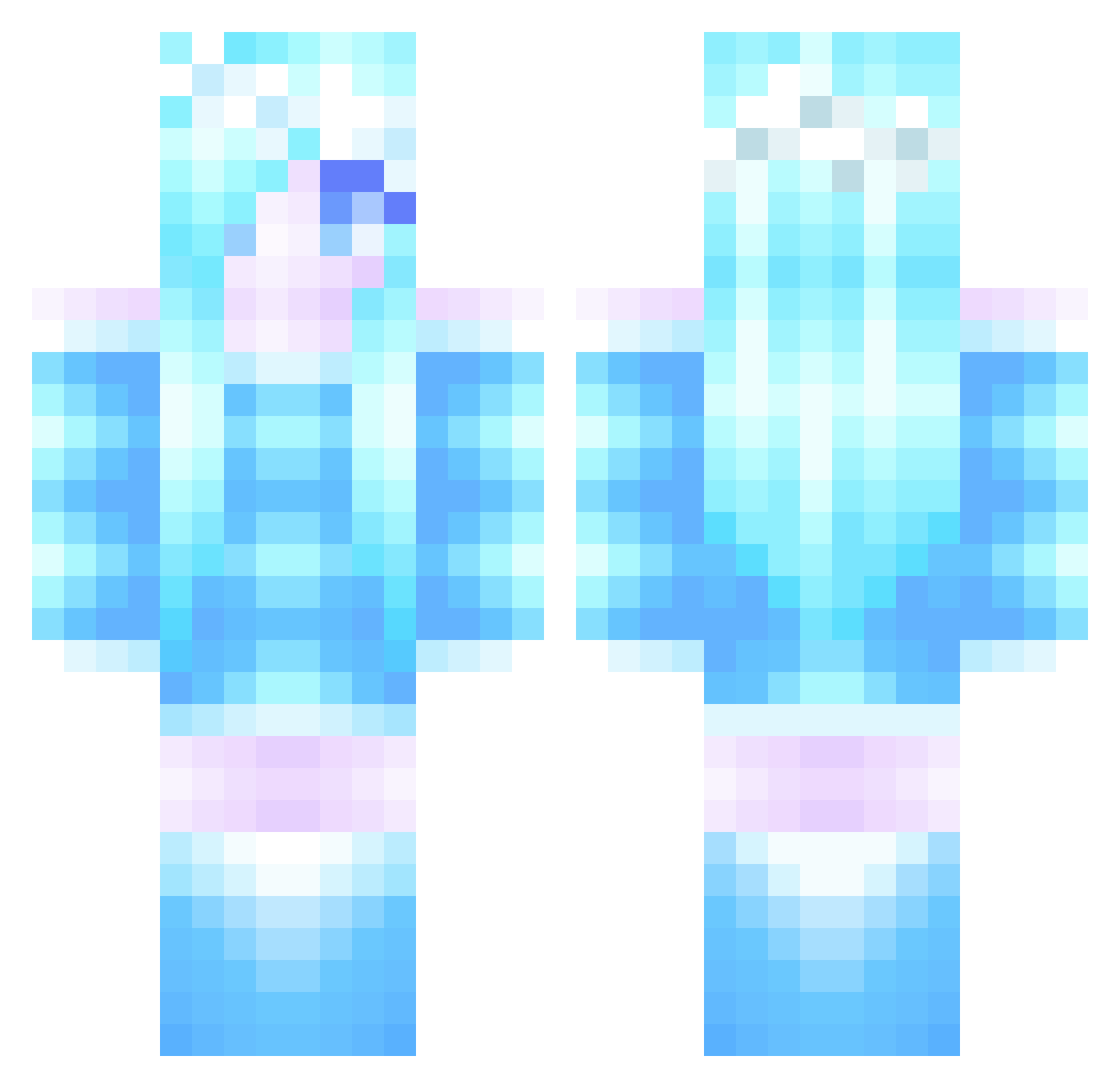
Current Minecraft skin of the player christopher1396, loaded from the official Mojang API. Rotate the 3D model with your mouse or finger, then download the skin as a PNG file and use it in Minecraft: Bedrock Edition or Java Edition for free. When christopher1396 changes their skin, this page updates automatically and the old skin stays in the history below.
Other players with this skin (285)
christopher1396 was the 218th player we have seen with this skin, first spotted on 03.10.2026. The same skin was seen on these players. Open a nickname to see their current skin and skin history.
 olivirapter vanossgaming1 Broding Duckie_MoeMoe strossel13 nati1802 jemimag carro04 woohoo354 Shontaysia Frog_03 Hyuni0214 queenemmie Lesley_ AlphaPisces lylieke LovlyVIP Shimon554 BlueDragonZ666 Sam4799 Kaetara SophisticatedCat Faldt soccergenius99 Endaning Roogeroh hackfan YallMight48 Jac14527 spr1nkl3z Frazeard Eylu_88 WIpois stilbyggaren Musizia RealBadMike duow Catz_LP Elohc Linda_s mcbuddar Frosty_Gamer322 kittykatkl Acselia prettydemoned13 GuidingArrow Cherim MsGhostRider Braiden_Power SapphireGem VeeGirly99 sora_life loreleilinnea elilar02 buttercuplover SoulTheBunny AlexisR02 miamussen ArcticVixen Cardinalstrong5
More Ice Queen Minecraft skins
How to install the christopher1396 skin
- Press the Download button above to save the skin as a PNG file.
- Minecraft: Bedrock Edition (PE): open the Dressing Room from the main menu (or tap your character → Edit Character), go to Classic Skins → Owned, press the + (new skin) button, choose the downloaded PNG and pick the Classic (Steve) model. Works on PC and mobile; consoles cannot import custom skins.
- Minecraft: Java Edition: open the Minecraft Launcher, go to the Skins tab, click New Skin, load the PNG, pick the Classic (Steve) model and press Save & Use. You can also upload it at minecraft.net → Profile → Change Skin.
The skin does not show up after import - what should I do?
Restart Minecraft and open the Dressing Room again - imported skins sometimes appear only after a restart. Also make sure you selected the imported skin and picked the Classic (Steve) model.
Which model should I choose, Classic or Slim?
This skin is designed for the Classic (Steve) model. If you pick the wrong model, the arms of the skin will look stretched or squeezed.
Is the skin of christopher1396 free to download?
Yes. Press Download, save the PNG file and use it in Minecraft: Bedrock Edition or Java Edition - no payment or registration needed. The skin also works on multiplayer servers and Realms.
More skins
Looking for more? Go back to all Minecraft skins and check the top skins of the week, month and all time, or find any player's skin by nickname.