
chotj88 - Minecraft Skins & Skin History
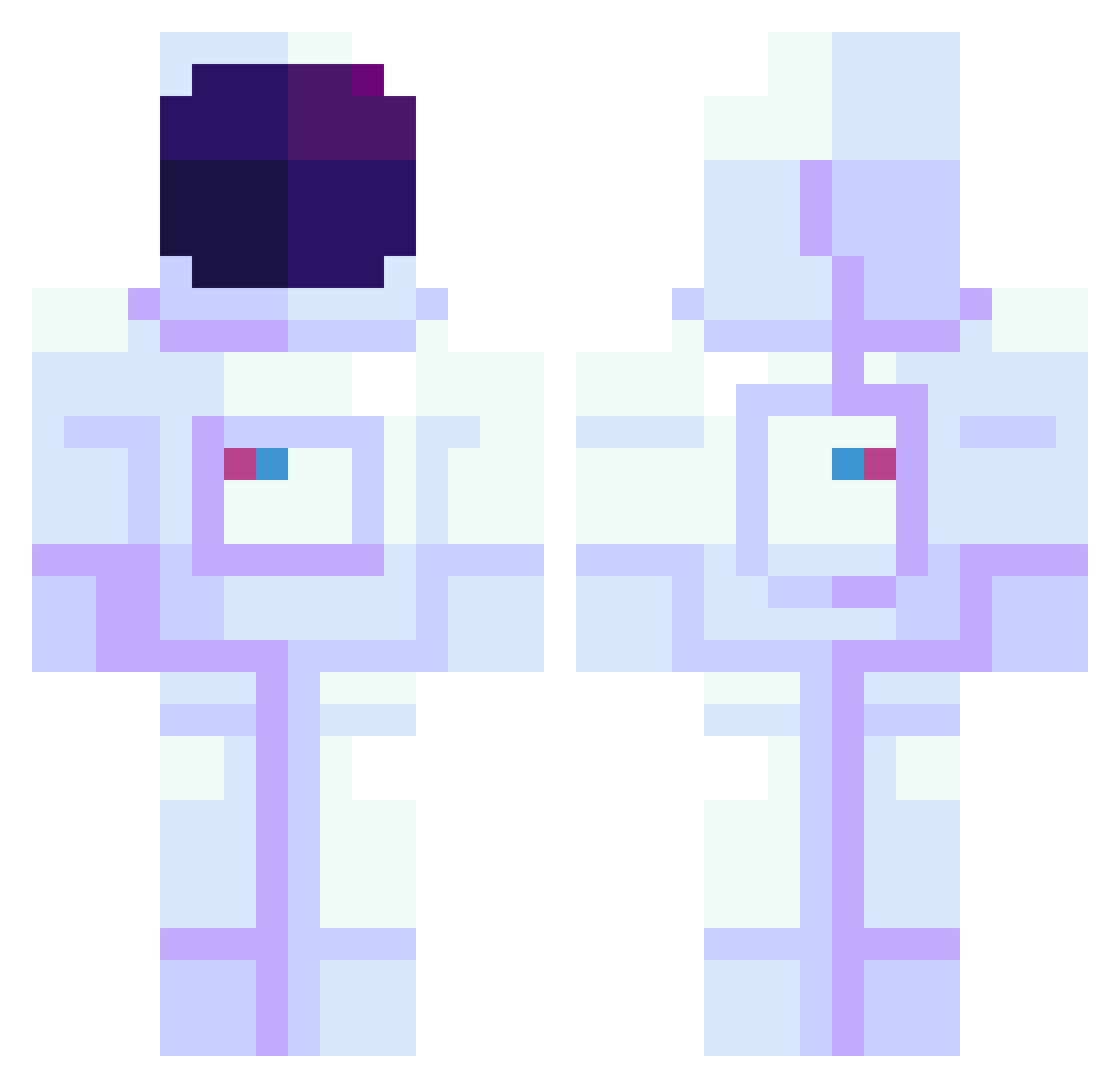
Current Minecraft skin of the player chotj88, loaded from the official Mojang API. Rotate the 3D model with your mouse or finger, then download the skin as a PNG file and use it in Minecraft: Bedrock Edition or Java Edition for free. When chotj88 changes their skin, this page updates automatically and the old skin stays in the history below.
Other players with this skin (335)
chotj88 was the 181st player we have seen with this skin, first spotted on 16.09.2026. The same skin was seen on these players. Open a nickname to see their current skin and skin history.
 ANGELA_MODAS abnadriel ttttlz HABIBIDIAMOND luckybaby_ CometConjurer Fantomas1234 Psyko_29 maklowicz2115 pokopdu78 arley1street23 mimix00 AliceIsWierd tiktok_elias2k19 Speedbird52 Valbracq TrippyMcflaps JunHyeokAn SouWaw Nova0o shelim Prancrake leununes_ deadzombie27 ararbuscus AndorydBR bobbobob tabeast ic17 Apoeticsoul Hayo_on kiQuee Rage_Bait caai JDM420DRAGONWEED srek Adamantine999 TheAlphaQQ Cocoa1234567 BoTHe32 forexafm OldSpice1234 Kuan_Mian AuroraNP03 LhiLhi25 iGekko Deilo Orlando_Magic RBeez DatSnake83 franssssss Dolan_McDuck Fixelauw Aaron_UwU_69 TommyBoyJaden Enora11 Tacobbi mimik6 Dangerfake komugi_c
More Spacesuit Minecraft skins
How to install the chotj88 skin
- Press the Download button above to save the skin as a PNG file.
- Minecraft: Bedrock Edition (PE): open the Dressing Room from the main menu (or tap your character → Edit Character), go to Classic Skins → Owned, press the + (new skin) button, choose the downloaded PNG and pick the Classic (Steve) model. Works on PC and mobile; consoles cannot import custom skins.
- Minecraft: Java Edition: open the Minecraft Launcher, go to the Skins tab, click New Skin, load the PNG, pick the Classic (Steve) model and press Save & Use. You can also upload it at minecraft.net → Profile → Change Skin.
The skin does not show up after import - what should I do?
Restart Minecraft and open the Dressing Room again - imported skins sometimes appear only after a restart. Also make sure you selected the imported skin and picked the Classic (Steve) model.
Which model should I choose, Classic or Slim?
This skin is designed for the Classic (Steve) model. If you pick the wrong model, the arms of the skin will look stretched or squeezed.
Is the skin of chotj88 free to download?
Yes. Press Download, save the PNG file and use it in Minecraft: Bedrock Edition or Java Edition - no payment or registration needed. The skin also works on multiplayer servers and Realms.
More skins
Looking for more? Go back to all Minecraft skins and check the top skins of the week, month and all time, or find any player's skin by nickname.