
chocolate_ninja_ - Minecraft Skins & Skin History
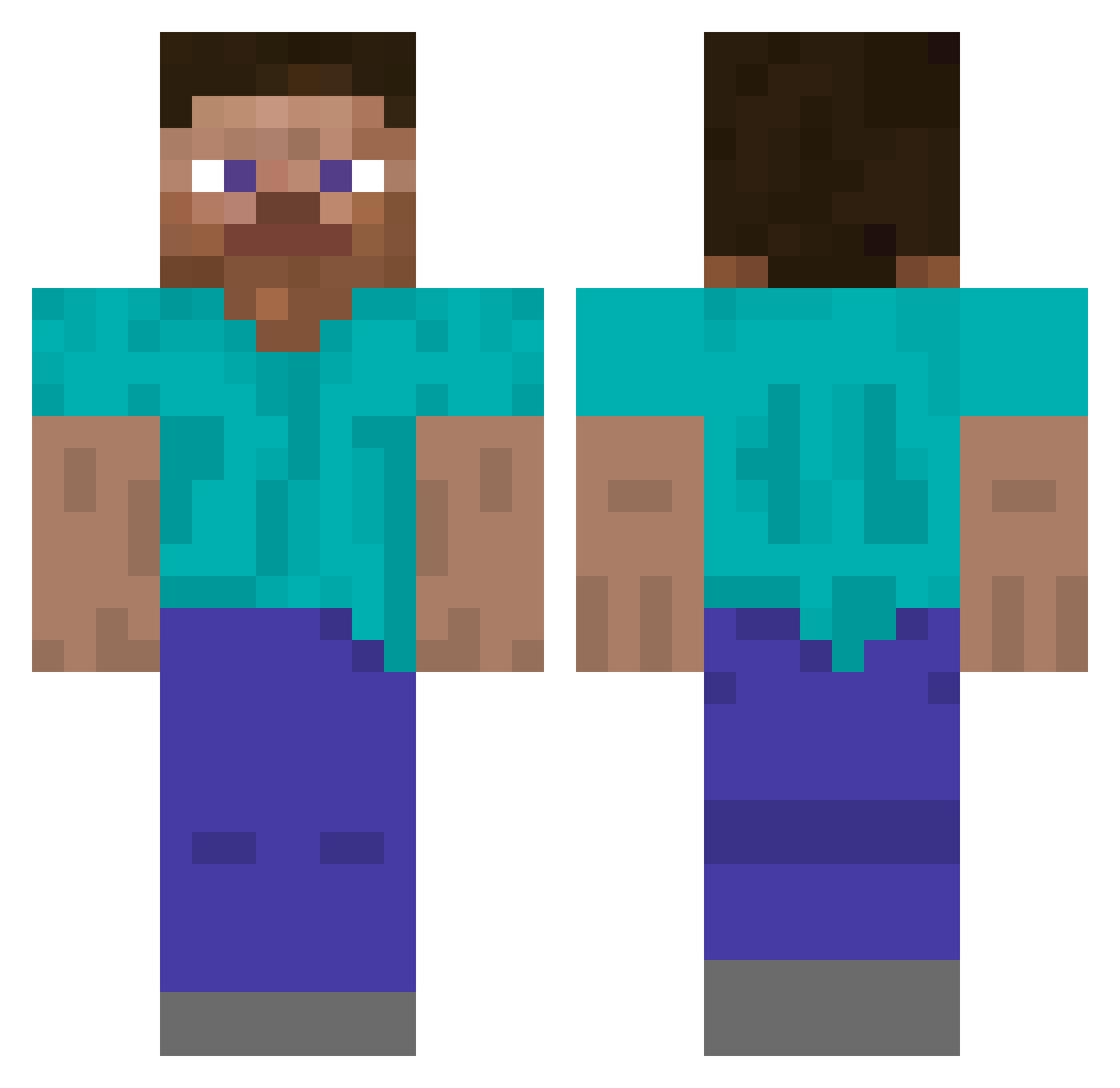
Current Minecraft skin of the player chocolate_ninja_, loaded from the official Mojang API. Rotate the 3D model with your mouse or finger, then download the skin as a PNG file and use it in Minecraft: Bedrock Edition or Java Edition for free. When chocolate_ninja_ changes their skin, this page updates automatically and the old skin stays in the history below.
Other players with this skin (251)
chocolate_ninja_ was the 140th player we have seen with this skin, first spotted on 12.09.2026. The same skin was seen on these players. Open a nickname to see their current skin and skin history.
 blahdfg oattrim crevices klaurbs PlayingSinetic sweetc0rnn pdgc Knochenknacker98 weul_ Mohamojo GoffoKiwi wudizr GwiintL fnjk 0rNot Balks Goodwilled AnAverageNoob Tryzooo
 Bauersohn123
 Cept RossKemp LuizB Transfusing merkxy fmika optic0
 Elsebaa6 rayleaea Vintzzz Hyuni_2 eliobou yungeshy LieuEmCoTrinh_ hfzh_4396 t0ntsa disproving AriesK1 c7rt illegalstrafe Skye_cube_356 cons Nikiria SkyblockChunkMan KouseiXD letriet ChilledPlate iTzK1ngSh Hueng 5KC Louhaharota Weaken boohavinnn Bonas___ Tembli _xr5 Lunar_task Horme cyneek tkashiii
How to install the chocolate_ninja_ skin
- Press the Download button above to save the skin as a PNG file.
- Minecraft: Bedrock Edition (PE): open the Dressing Room from the main menu (or tap your character → Edit Character), go to Classic Skins → Owned, press the + (new skin) button, choose the downloaded PNG and pick the Classic (Steve) model. Works on PC and mobile; consoles cannot import custom skins.
- Minecraft: Java Edition: open the Minecraft Launcher, go to the Skins tab, click New Skin, load the PNG, pick the Classic (Steve) model and press Save & Use. You can also upload it at minecraft.net → Profile → Change Skin.
The skin does not show up after import - what should I do?
Restart Minecraft and open the Dressing Room again - imported skins sometimes appear only after a restart. Also make sure you selected the imported skin and picked the Classic (Steve) model.
Which model should I choose, Classic or Slim?
This skin is designed for the Classic (Steve) model. If you pick the wrong model, the arms of the skin will look stretched or squeezed.
Is the skin of chocolate_ninja_ free to download?
Yes. Press Download, save the PNG file and use it in Minecraft: Bedrock Edition or Java Edition - no payment or registration needed. The skin also works on multiplayer servers and Realms.
More skins
Looking for more? Go back to all Minecraft skins and check the top skins of the week, month and all time, or find any player's skin by nickname.