
chloejade123xx - Minecraft Skins & Skin History
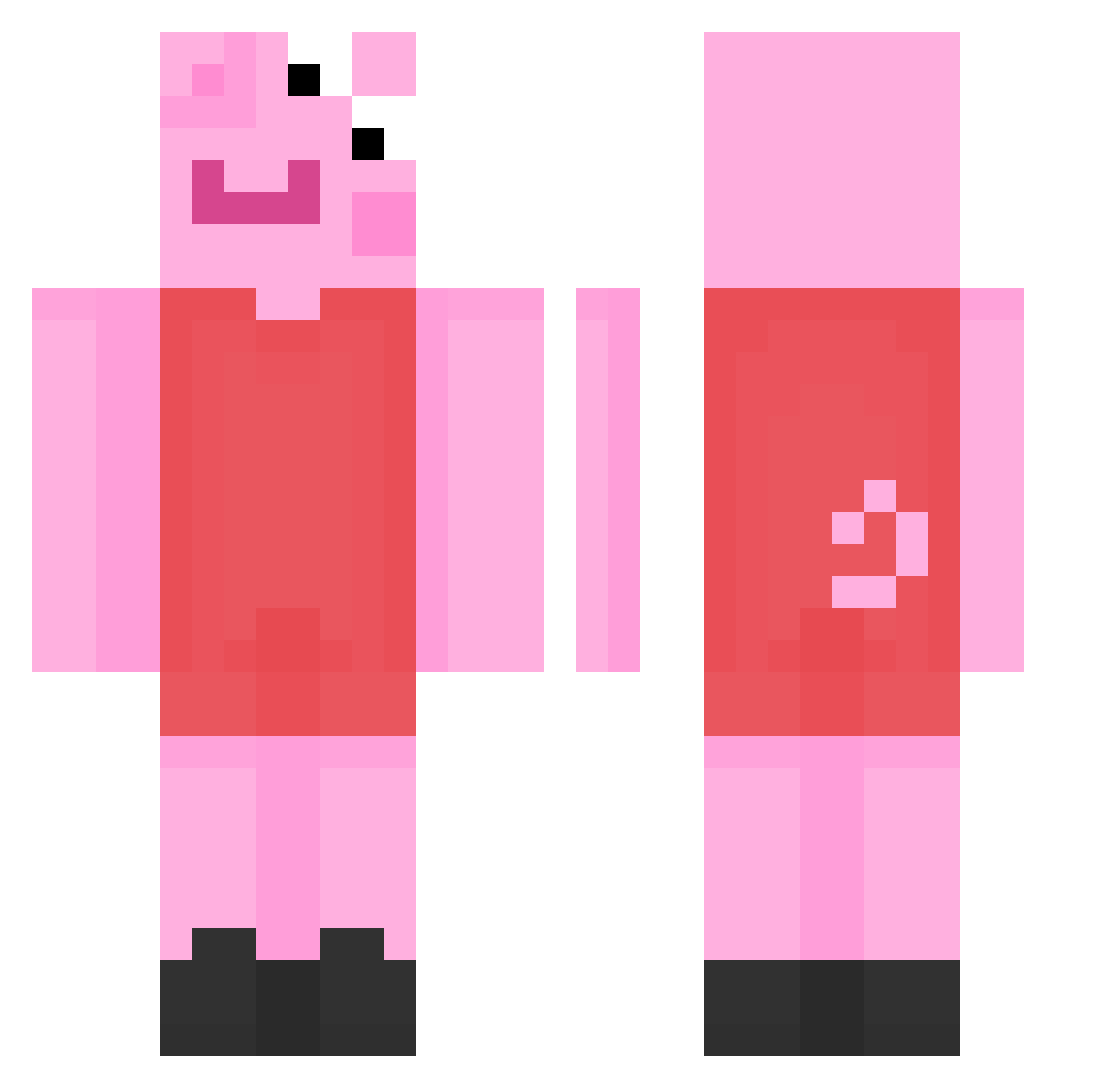
Current Minecraft skin of the player chloejade123xx, loaded from the official Mojang API. Rotate the 3D model with your mouse or finger, then download the skin as a PNG file and use it in Minecraft: Bedrock Edition or Java Edition for free. When chloejade123xx changes their skin, this page updates automatically and the old skin stays in the history below.
Other players with this skin (193)
chloejade123xx was the 69th player we have seen with this skin, first spotted on 02.09.2026. The same skin was seen on these players. Open a nickname to see their current skin and skin history.
 _Mozz1_ katekitty1 ZhiXunn UndueXRay awesomemilo DeadGameXD _natattack sparklynoises PeppaPig1000 Orchadus GarisenZ YanMagic334 Loloxelcapo mermaidqueenbck WasabiTofu candybobadancer_ MojoKun lindahe _M0CHI_ IvanMa0119 topuli123 CoppleJuice AKP5 a31258114 IrisGris dangamer1224 Watchify leogardo01 Sebastian1234P nataszkaaa KylieBurchett dannyboi3005 maddiemaas22 Kropka152011 kulkaa123 ArfAlex Cxcxiito naomithehomie DiuLeiLa PikaDaChia ianVeti honeybee16 DaBuns purpthanos sheep9417 lezed13 Ford_KA wweajoliver2009 RCN616 doejico Samantha_3905 BigBoy_MathiaS Clymenee L1amwastaken Din_mah Susu___ _Busta08_ reatyy_Will Sergets Hardcorito
More Peppa Pig Minecraft skins
How to install the chloejade123xx skin
- Press the Download button above to save the skin as a PNG file.
- Minecraft: Bedrock Edition (PE): open the Dressing Room from the main menu (or tap your character → Edit Character), go to Classic Skins → Owned, press the + (new skin) button, choose the downloaded PNG and pick the Classic (Steve) model. Works on PC and mobile; consoles cannot import custom skins.
- Minecraft: Java Edition: open the Minecraft Launcher, go to the Skins tab, click New Skin, load the PNG, pick the Classic (Steve) model and press Save & Use. You can also upload it at minecraft.net → Profile → Change Skin.
The skin does not show up after import - what should I do?
Restart Minecraft and open the Dressing Room again - imported skins sometimes appear only after a restart. Also make sure you selected the imported skin and picked the Classic (Steve) model.
Which model should I choose, Classic or Slim?
This skin is designed for the Classic (Steve) model. If you pick the wrong model, the arms of the skin will look stretched or squeezed.
Is the skin of chloejade123xx free to download?
Yes. Press Download, save the PNG file and use it in Minecraft: Bedrock Edition or Java Edition - no payment or registration needed. The skin also works on multiplayer servers and Realms.
More skins
Looking for more? Go back to all Minecraft skins and check the top skins of the week, month and all time, or find any player's skin by nickname.