
chingching01 - Minecraft Skins & Skin History
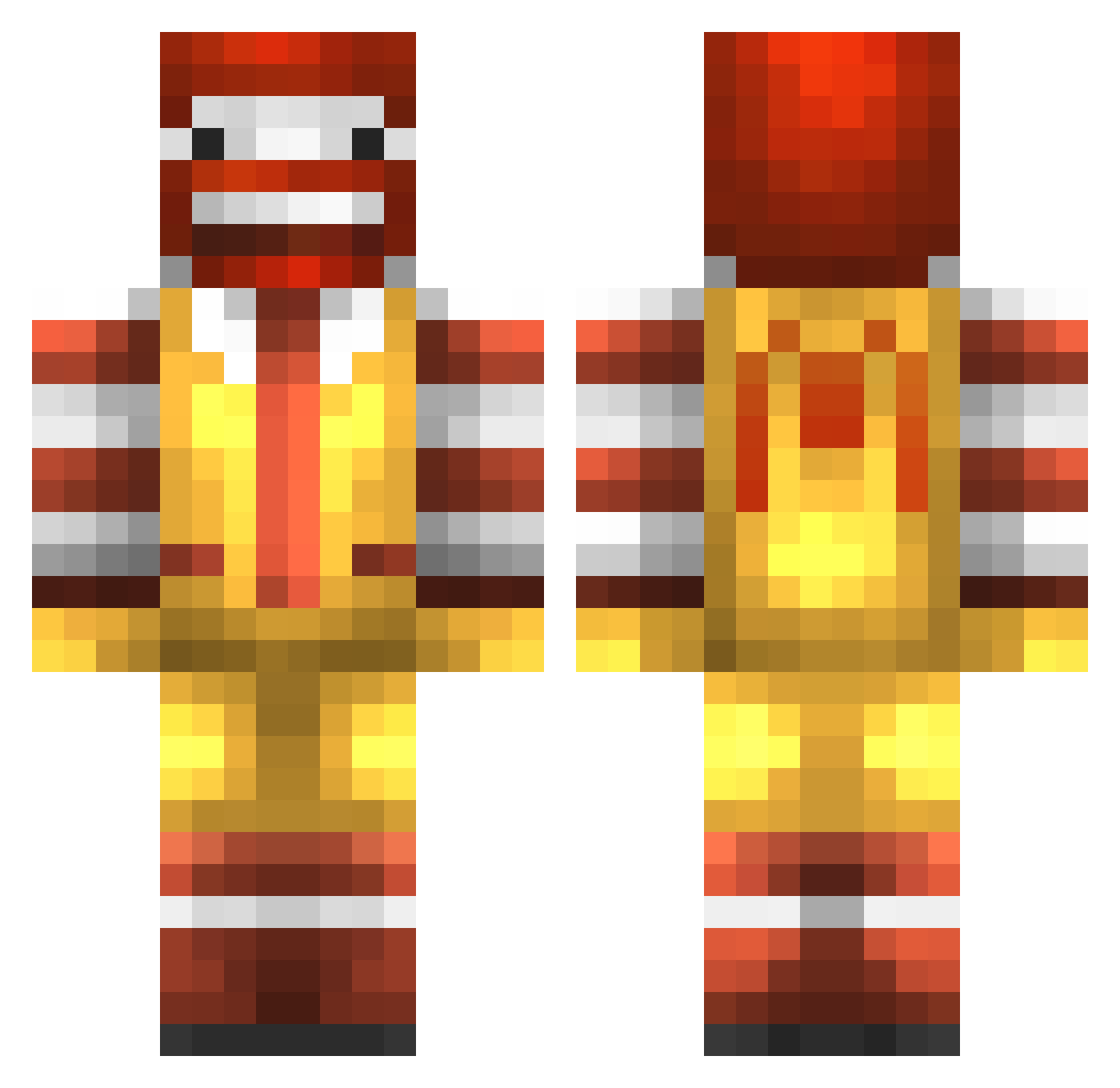
Current Minecraft skin of the player chingching01, loaded from the official Mojang API. Rotate the 3D model with your mouse or finger, then download the skin as a PNG file and use it in Minecraft: Bedrock Edition or Java Edition for free. When chingching01 changes their skin, this page updates automatically and the old skin stays in the history below.
Other players with this skin (989)
chingching01 was the 936th player we have seen with this skin, first spotted on 05.11.2026. The same skin was seen on these players. Open a nickname to see their current skin and skin history.
 DiamondHacker17 Michael0918 RecHiii davin75 Estzon WhiteEye48 MiniMineur101 Ben538212 kane110 vlad_007 HollehP TgIT2244 kkownedyou Vodka_Sauce KushMasterFlex69 theboys36 commandantWoodie tOmlikesmEn Mc_Slave_Daz Tynerra ThiccestFella Galilali pandapowerd Mike_Glotzkowski moneymaker1919 Oreo2Dusty diegui11 iHuntPlatinum clur_ham0 Diatomic47 watfordswoodsy snakeeater1232 BCoat TheLastBow GunnerPeapod 4t0m1c_w07f HadesPluto skiiiizO JoeKadi MikaylaSch ebbe151068 mcmedarbejder Tree_Topz YourBoyFuture RonaldMcJesus mr_creepzilla Milkymoooo rickyrad XxPlayFun Gustatrop Riddellz CaptainElephant Farenor osbyskolan29 PIGHUNTER429 Conviction_pali enriquerb anarhaj jamesbulldog BigRascal
More Ronald Mcdonald Minecraft skins
See all 139 Ronald Mcdonald skins
How to install the chingching01 skin
- Press the Download button above to save the skin as a PNG file.
- Minecraft: Bedrock Edition (PE): open the Dressing Room from the main menu (or tap your character → Edit Character), go to Classic Skins → Owned, press the + (new skin) button, choose the downloaded PNG and pick the Classic (Steve) model. Works on PC and mobile; consoles cannot import custom skins.
- Minecraft: Java Edition: open the Minecraft Launcher, go to the Skins tab, click New Skin, load the PNG, pick the Classic (Steve) model and press Save & Use. You can also upload it at minecraft.net → Profile → Change Skin.
The skin does not show up after import - what should I do?
Restart Minecraft and open the Dressing Room again - imported skins sometimes appear only after a restart. Also make sure you selected the imported skin and picked the Classic (Steve) model.
Which model should I choose, Classic or Slim?
This skin is designed for the Classic (Steve) model. If you pick the wrong model, the arms of the skin will look stretched or squeezed.
Is the skin of chingching01 free to download?
Yes. Press Download, save the PNG file and use it in Minecraft: Bedrock Edition or Java Edition - no payment or registration needed. The skin also works on multiplayer servers and Realms.
More skins
Looking for more? Go back to all Minecraft skins and check the top skins of the week, month and all time, or find any player's skin by nickname.