
chi7ri - Minecraft Skins & Skin History
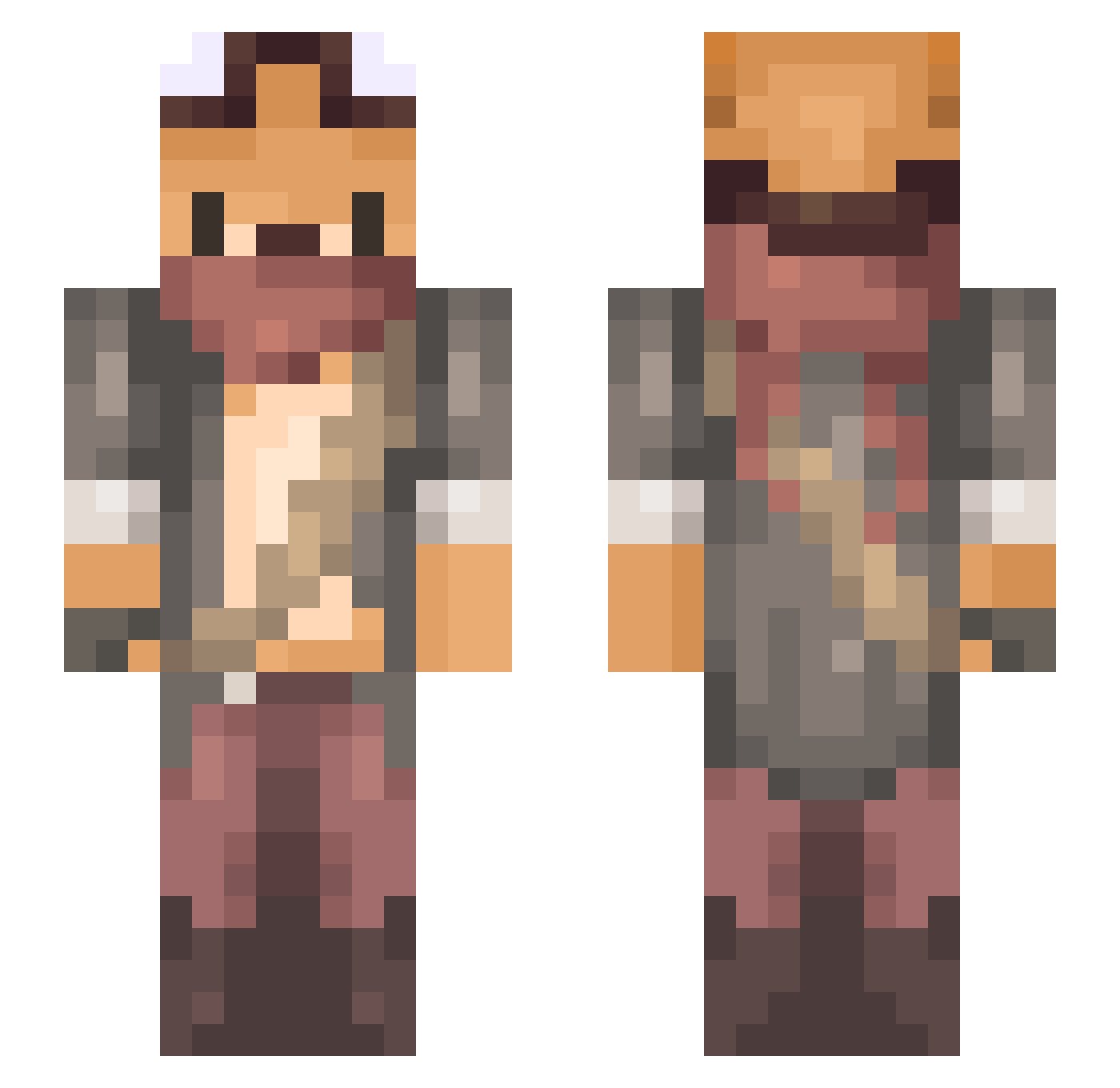
Current Minecraft skin of the player chi7ri, loaded from the official Mojang API. Rotate the 3D model with your mouse or finger, then download the skin as a PNG file and use it in Minecraft: Bedrock Edition or Java Edition for free. When chi7ri changes their skin, this page updates automatically and the old skin stays in the history below.
Other players with this skin (246)
chi7ri was the 220th player we have seen with this skin, first spotted on 23.10.2026. The same skin was seen on these players. Open a nickname to see their current skin and skin history.
 Belfebor Arhene 5tonedFox HI__nu Starvetor EdwinIV sekhmet73881 Azeria_iluna Zuzet3 Cqbs Ryusakiie gabhuss DOODAN Hyeondomi ImSixer MaruiToufuDaruma Hydreroquette90 Kunstwiese Xaniar TychoCubed Strink05 Sovaak SamerPo _shuuki Skeellet Aragliel dongaim TylesK7 JohnnyBagHead Morsmordre Wookers16 JestemFox JamJin_2 Oratorin Claireeity _xodid HazedSkunk Nedira Explicit___ Voslaarum_ Spooky_Blak FriedEevee Nablyadish lklastime faxofafox Timrigged Guns_Shiny Snapdrake Tagadapink MigaloxVz BielCillo Maclmd A22A22A Hyyuk Mariusber FallOutForEver PreZer0710 Osato rose12 PinkCat99
More Outlaw Minecraft skins
How to install the chi7ri skin
- Press the Download button above to save the skin as a PNG file.
- Minecraft: Bedrock Edition (PE): open the Dressing Room from the main menu (or tap your character → Edit Character), go to Classic Skins → Owned, press the + (new skin) button, choose the downloaded PNG and pick the Slim (Alex) model. Works on PC and mobile; consoles cannot import custom skins.
- Minecraft: Java Edition: open the Minecraft Launcher, go to the Skins tab, click New Skin, load the PNG, pick the Slim (Alex) model and press Save & Use. You can also upload it at minecraft.net → Profile → Change Skin.
The skin does not show up after import - what should I do?
Restart Minecraft and open the Dressing Room again - imported skins sometimes appear only after a restart. Also make sure you selected the imported skin and picked the Slim (Alex) model.
Which model should I choose, Classic or Slim?
This skin is designed for the Slim (Alex) model. If you pick the wrong model, the arms of the skin will look stretched or squeezed.
Is the skin of chi7ri free to download?
Yes. Press Download, save the PNG file and use it in Minecraft: Bedrock Edition or Java Edition - no payment or registration needed. The skin also works on multiplayer servers and Realms.
More skins
Looking for more? Go back to all Minecraft skins and check the top skins of the week, month and all time, or find any player's skin by nickname.