
chezboy5562 - Minecraft Skins & Skin History
Current Minecraft skin of the player chezboy5562, loaded from the official Mojang API. Rotate the 3D model with your mouse or finger, then download the skin as a PNG file and use it in Minecraft: Bedrock Edition or Java Edition for free. When chezboy5562 changes their skin, this page updates automatically and the old skin stays in the history below.
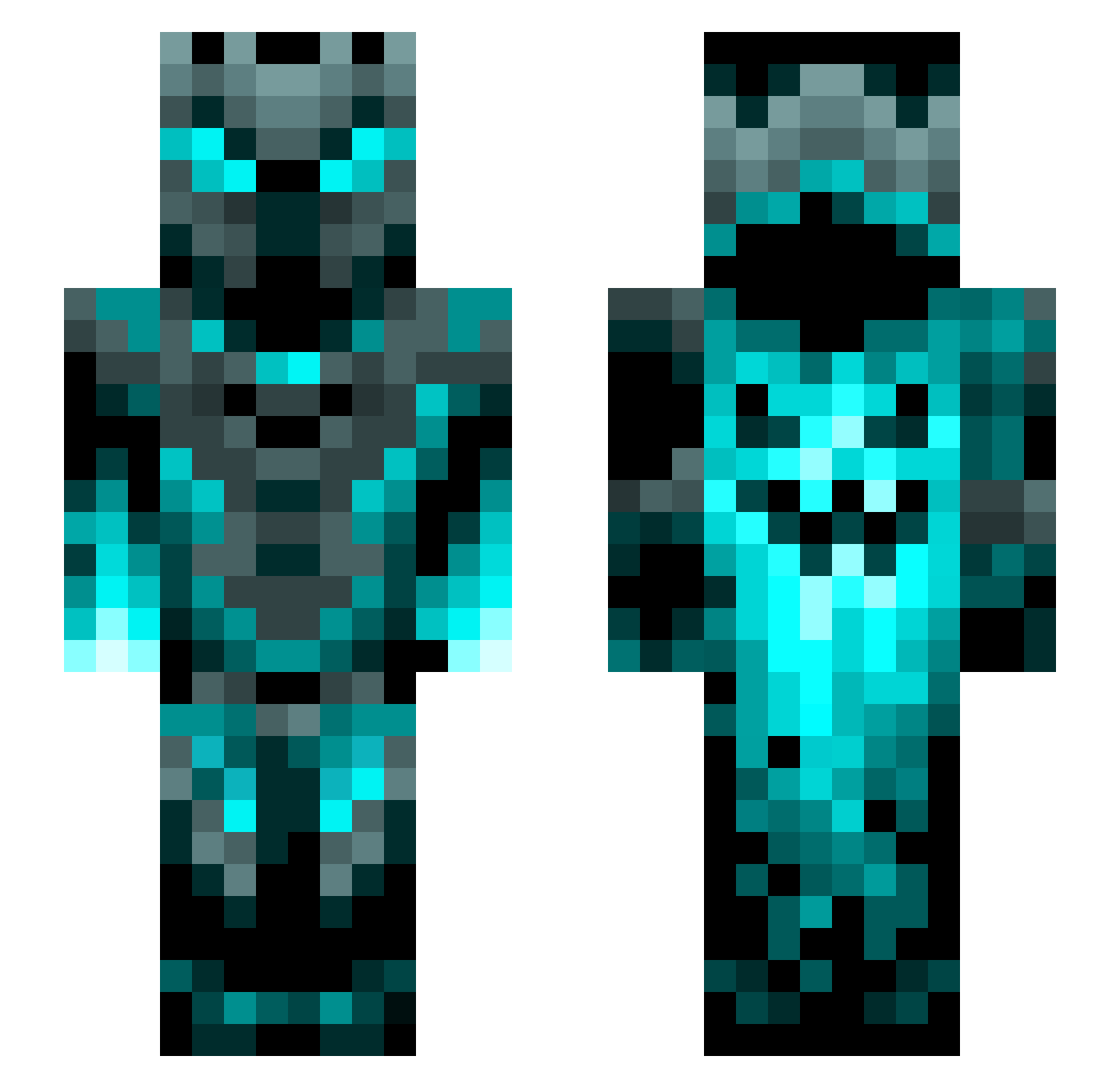
Other players with this skin (1199)
chezboy5562 was the 42nd player we have seen with this skin, first spotted on 27.07.2026. The same skin was seen on these players. Open a nickname to see their current skin and skin history.
 Grim_Reaper_15 FGbigCheeto Chase_Edwards divertido389 LightingLux MrSilent26 Kanimas95 TheMartyr_ Chrioo CASDK Capemsx JediMikey CopeFraz Juswen JanHoe MarkTCrafter 1oll1e DocYTX HYDRA1701
 BaelTheDread champ12435 joseph507 TheIronYuppie aceof12 serhat_1111 TatteredTorn i_Spec_ Ryanth56 UrAFeen Kai3232 DodgeRam_Hemi MrDorian97 BlackWolf371 Fouge123 kvesteri MOCLAS moisegamer Xxsoulman4109xX Twistedkilla96 karamanzoo2 NOOB1742 MIMON10
 chainsawman987 13USO88 NamelessOne1212 JaviDones Theyazan123 synnabon MonkeyTron_101 Krypt1c_MC Tolau YEJI_YONG Dilo965 Horrorcow76 YTAyaanplayz linnepinneZ7 15192630 StealChaos Hatterz AimerBay
More Phantom Minecraft skins
How to install the chezboy5562 skin
- Press the Download button above to save the skin as a PNG file.
- Minecraft: Bedrock Edition (PE): open the Dressing Room from the main menu (or tap your character → Edit Character), go to Classic Skins → Owned, press the + (new skin) button, choose the downloaded PNG and pick the Slim (Alex) model. Works on PC and mobile; consoles cannot import custom skins.
- Minecraft: Java Edition: open the Minecraft Launcher, go to the Skins tab, click New Skin, load the PNG, pick the Slim (Alex) model and press Save & Use. You can also upload it at minecraft.net → Profile → Change Skin.
The skin does not show up after import - what should I do?
Restart Minecraft and open the Dressing Room again - imported skins sometimes appear only after a restart. Also make sure you selected the imported skin and picked the Slim (Alex) model.
Which model should I choose, Classic or Slim?
This skin is designed for the Slim (Alex) model. If you pick the wrong model, the arms of the skin will look stretched or squeezed.
Is the skin of chezboy5562 free to download?
Yes. Press Download, save the PNG file and use it in Minecraft: Bedrock Edition or Java Edition - no payment or registration needed. The skin also works on multiplayer servers and Realms.
More skins
Looking for more? Go back to all Minecraft skins and check the top skins of the week, month and all time, or find any player's skin by nickname.