
chefonions11 - Minecraft Skins & Skin History
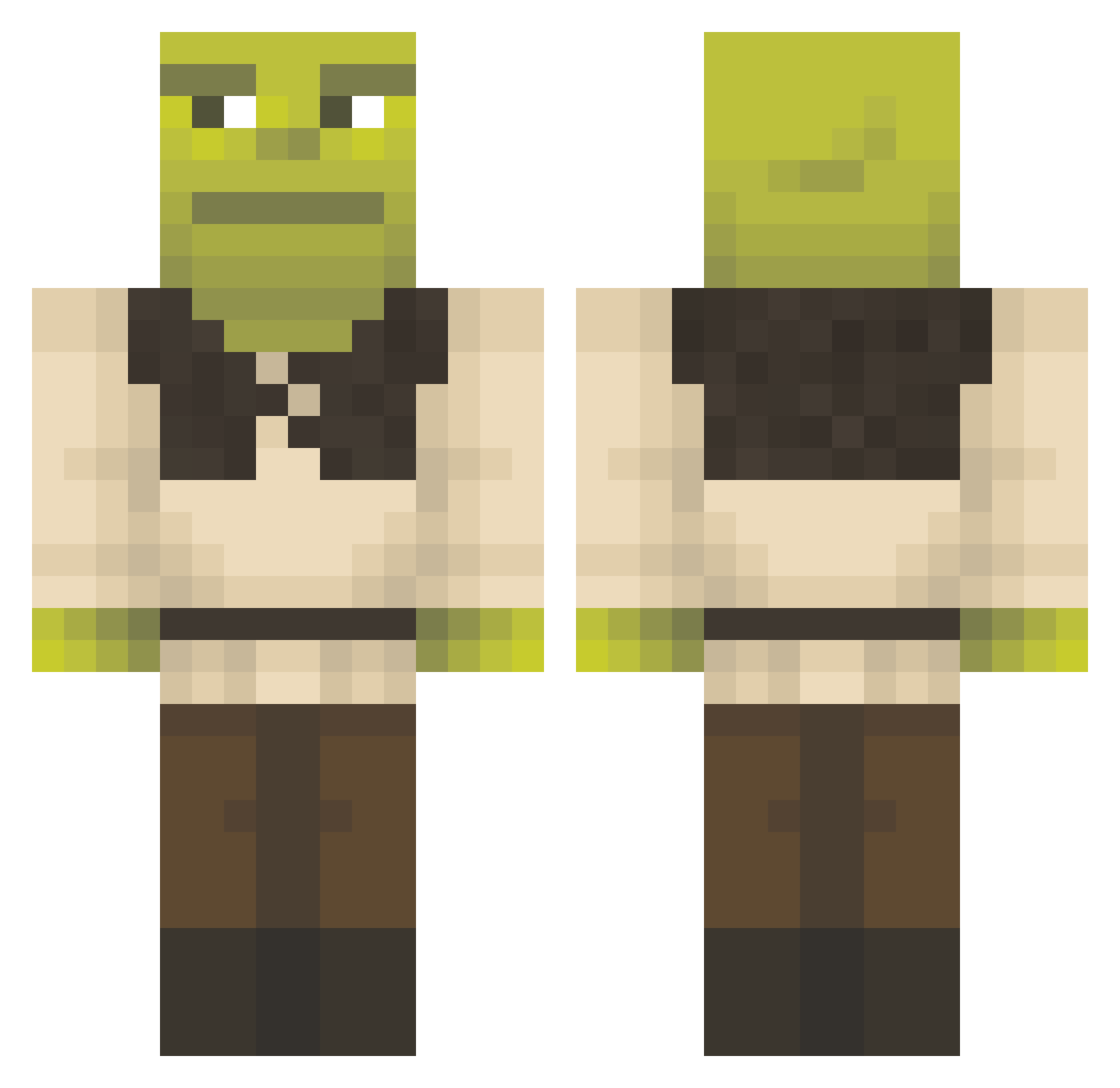
Current Minecraft skin of the player chefonions11, loaded from the official Mojang API. Rotate the 3D model with your mouse or finger, then download the skin as a PNG file and use it in Minecraft: Bedrock Edition or Java Edition for free. When chefonions11 changes their skin, this page updates automatically and the old skin stays in the history below.
Other players with this skin (1157)
chefonions11 was the 14th player we have seen with this skin, first spotted on 22.07.2026. The same skin was seen on these players. Open a nickname to see their current skin and skin history.
 thatonegurl11 _Leonard02_ hermanekeli
 traymuny WnsTOFF Matthew229511 Trump8 JYOUNG14 Dchan2005 andresayao BUZZpunk Jazzx1904 ReubenBnsn FredrikFugl Romkidu Kree314 Waluiga24601 BraianBritadeira Crazy__Dani MrBalu1 Aikuro_Mikisugi EJFox666 Gabrieo081 storm_ball O6518 elcuh575 skullyk7239 Not_Brand0n DonFrijolito69 meryyx164
 FakedCell896322 coop306 B3astM0de484 Pepega_noob ashrobusy Ghost_00090 poopinmypants_ uziwork1 jung104kr
 Bdballer9 billybobjrthe5 Theira EnzoMC73
 Goobl1n HigleyFlow PG_Edi CONNERxz NunezFam5 Mateito javierlo Kosith00 Bymathews99 Putling1 Timotheusss elisethebeast01 kiwikiana Viideer_ kulebaka_ yourlocalturk TheJuan9
More Shrek Minecraft skins
How to install the chefonions11 skin
- Press the Download button above to save the skin as a PNG file.
- Minecraft: Bedrock Edition (PE): open the Dressing Room from the main menu (or tap your character → Edit Character), go to Classic Skins → Owned, press the + (new skin) button, choose the downloaded PNG and pick the Classic (Steve) model. Works on PC and mobile; consoles cannot import custom skins.
- Minecraft: Java Edition: open the Minecraft Launcher, go to the Skins tab, click New Skin, load the PNG, pick the Classic (Steve) model and press Save & Use. You can also upload it at minecraft.net → Profile → Change Skin.
The skin does not show up after import - what should I do?
Restart Minecraft and open the Dressing Room again - imported skins sometimes appear only after a restart. Also make sure you selected the imported skin and picked the Classic (Steve) model.
Which model should I choose, Classic or Slim?
This skin is designed for the Classic (Steve) model. If you pick the wrong model, the arms of the skin will look stretched or squeezed.
Is the skin of chefonions11 free to download?
Yes. Press Download, save the PNG file and use it in Minecraft: Bedrock Edition or Java Edition - no payment or registration needed. The skin also works on multiplayer servers and Realms.
More skins
Looking for more? Go back to all Minecraft skins and check the top skins of the week, month and all time, or find any player's skin by nickname.