
chazzz123 - Minecraft Skins & Skin History
Current Minecraft skin of the player chazzz123, loaded from the official Mojang API. Rotate the 3D model with your mouse or finger, then download the skin as a PNG file and use it in Minecraft: Bedrock Edition or Java Edition for free. When chazzz123 changes their skin, this page updates automatically and the old skin stays in the history below.
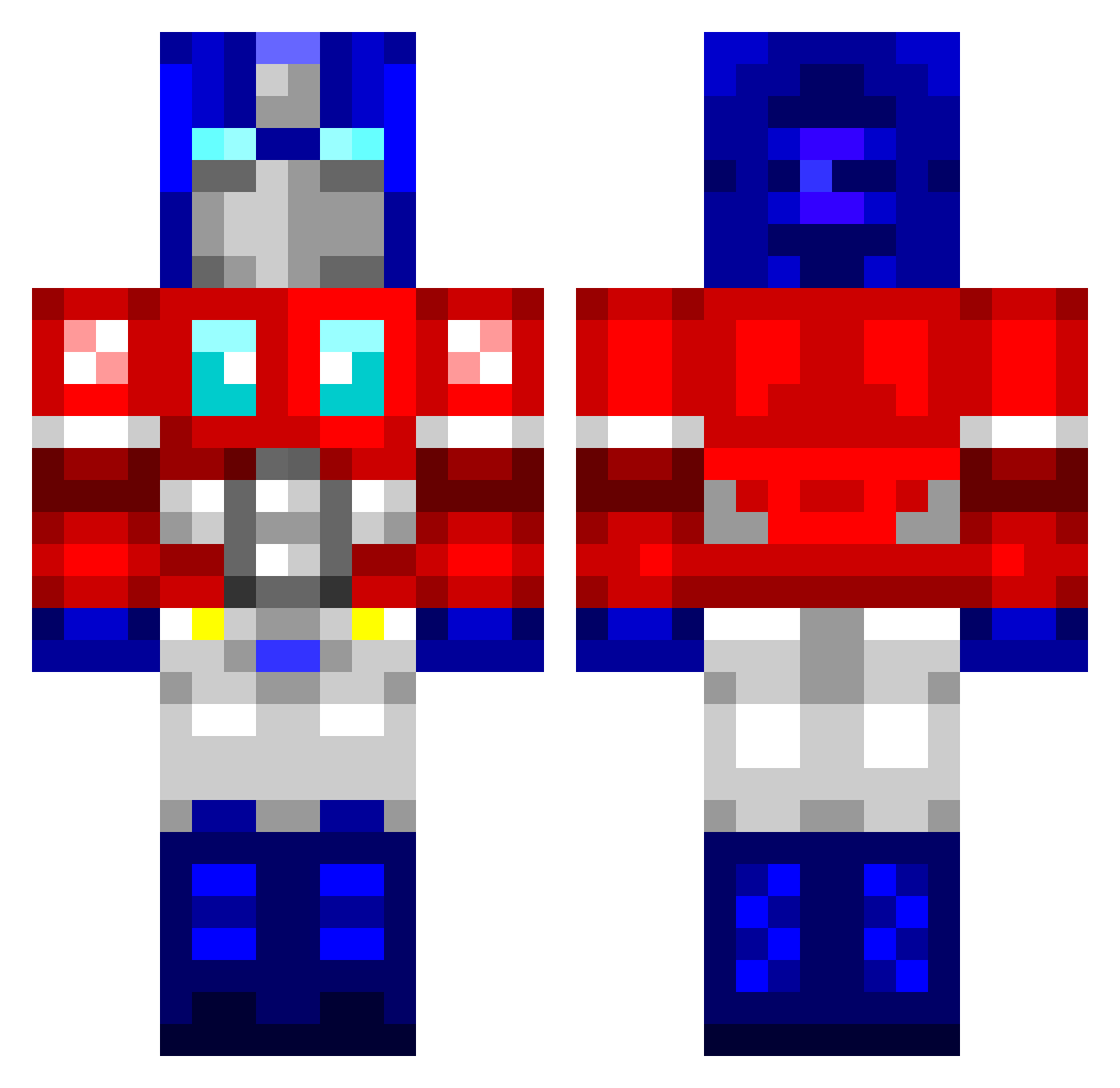
Other players with this skin (760)
chazzz123 was the 29th player we have seen with this skin, first spotted on 24.07.2026. The same skin was seen on these players. Open a nickname to see their current skin and skin history.
 mreus15 Tijo87 rogden26 C_R_4_C_K TianRunty Freaker4evr jwagner2 DjangoUnchainMan KasiWalli PSM11 dynasty1158 Cryillnis masonmeek Iamthegriefer HarleyHurd puma80 jakkeri PandoraDCLXVI EVO_X_MR CaptainWillis HitchhikerSA gokels Dbloc23 carbikid nikush Supreme_Royalty Depressed_Jim 1UPotatoe Narco28 xAv13r aarli rad4456 geton BitPusher16 DromeDroid Icrid lady_sunshine Squidmire DirtyDozen12 Stark001 Stangs59 jonmonji Gj0k3N Fallecido Jinso24 Ipsofactoid SKisM18 o0WillDaBeast0o vioxome bford EmperorSWE SillyBilbo WeToddo alexxxrusty dochz FiXiTRiX Seanymc purplelime Canar83 Cobalt_TC
More Optimus Prime Minecraft skins
See all 87 Optimus Prime skins
How to install the chazzz123 skin
- Press the Download button above to save the skin as a PNG file.
- Minecraft: Bedrock Edition (PE): open the Dressing Room from the main menu (or tap your character → Edit Character), go to Classic Skins → Owned, press the + (new skin) button, choose the downloaded PNG and pick the Classic (Steve) model. Works on PC and mobile; consoles cannot import custom skins.
- Minecraft: Java Edition: open the Minecraft Launcher, go to the Skins tab, click New Skin, load the PNG, pick the Classic (Steve) model and press Save & Use. You can also upload it at minecraft.net → Profile → Change Skin.
The skin does not show up after import - what should I do?
Restart Minecraft and open the Dressing Room again - imported skins sometimes appear only after a restart. Also make sure you selected the imported skin and picked the Classic (Steve) model.
Which model should I choose, Classic or Slim?
This skin is designed for the Classic (Steve) model. If you pick the wrong model, the arms of the skin will look stretched or squeezed.
Is the skin of chazzz123 free to download?
Yes. Press Download, save the PNG file and use it in Minecraft: Bedrock Edition or Java Edition - no payment or registration needed. The skin also works on multiplayer servers and Realms.
More skins
Looking for more? Go back to all Minecraft skins and check the top skins of the week, month and all time, or find any player's skin by nickname.