
chaseA02 - Minecraft Skins & Skin History
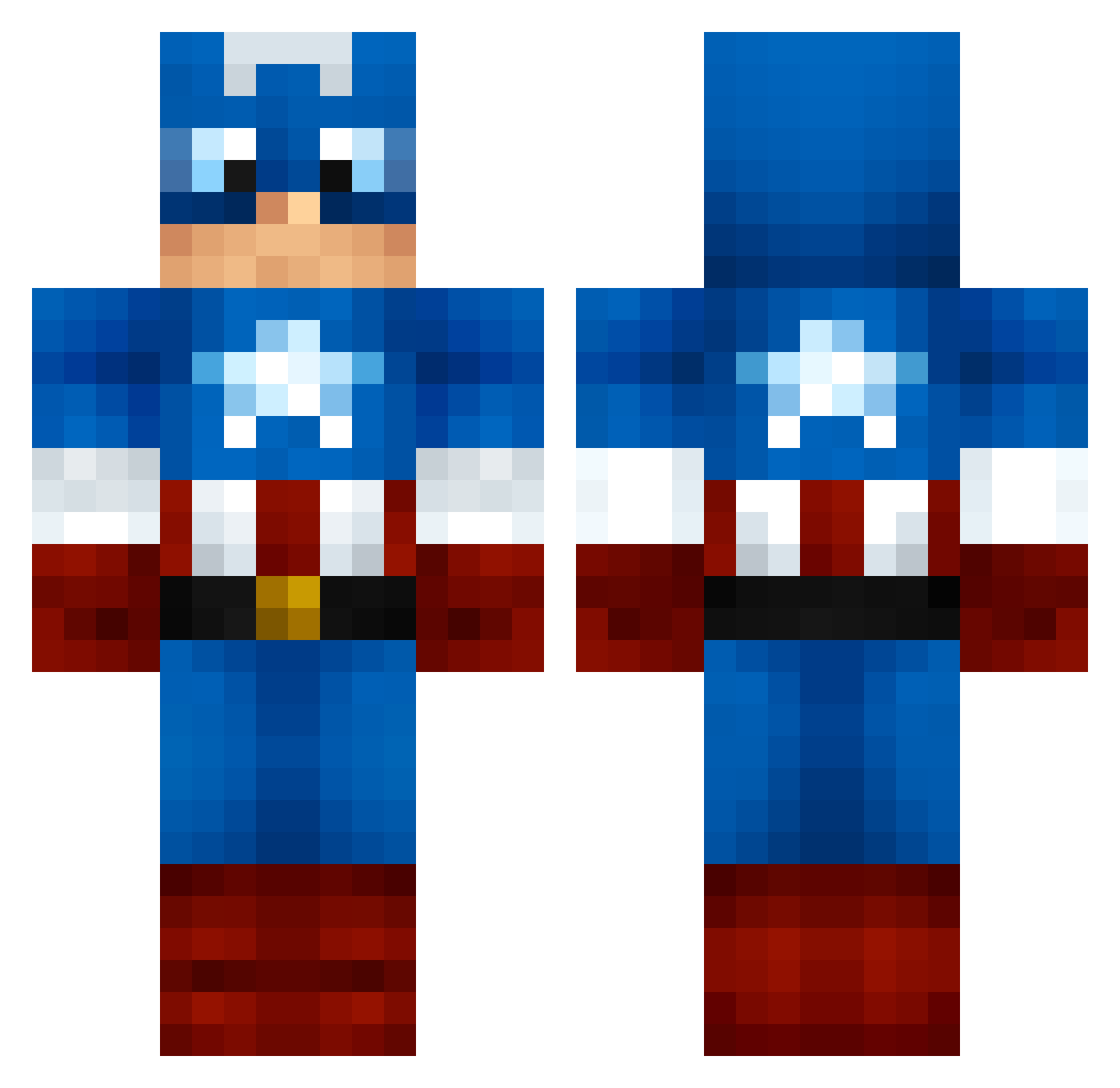
Current Minecraft skin of the player chaseA02, loaded from the official Mojang API. Rotate the 3D model with your mouse or finger, then download the skin as a PNG file and use it in Minecraft: Bedrock Edition or Java Edition for free. When chaseA02 changes their skin, this page updates automatically and the old skin stays in the history below.
Other players with this skin (1000)
chaseA02 was the 370th player we have seen with this skin, first spotted on 26.08.2026. The same skin was seen on these players. Open a nickname to see their current skin and skin history.
 Desert_Rat_ Pancho4342 iambubba2 hyunchoi98 gaminglily229 DonJohn9214 ratatainmyheart leathal_waffler Buckmister02 ariellim Bassman03 DSShaw PAPA_F Becs25 AlexMovieMan captus13 benjaminlogan numbawan Father_Satan Captain_Spider GnG_HD photonman325 baldinternetman TheNaterz Boxopotimus Willofer ssok ACarterMSP Nextius KingFinn03 TIMMAY975 ChronicTrain taydaman Publiccer BEYinator tensorFlow1 AngusCage JQuaLin SubtleToast311 Mfbjoernsen Statz27 Basketballgrazer headslicerbrad sonicavenger Puglife0001 docks5680 REACH1028 HAIRYoldDEAN Klakek Mr_SaxoBeat_ NathanBarr00 matek10 TheMarcusOne Baymose Gumball621 uu7798 timbo1970 DopeyBird Ironic_Icon serrotta
More Captain America Minecraft skins
See all 148 Captain America skins
How to install the chaseA02 skin
- Press the Download button above to save the skin as a PNG file.
- Minecraft: Bedrock Edition (PE): open the Dressing Room from the main menu (or tap your character → Edit Character), go to Classic Skins → Owned, press the + (new skin) button, choose the downloaded PNG and pick the Classic (Steve) model. Works on PC and mobile; consoles cannot import custom skins.
- Minecraft: Java Edition: open the Minecraft Launcher, go to the Skins tab, click New Skin, load the PNG, pick the Classic (Steve) model and press Save & Use. You can also upload it at minecraft.net → Profile → Change Skin.
The skin does not show up after import - what should I do?
Restart Minecraft and open the Dressing Room again - imported skins sometimes appear only after a restart. Also make sure you selected the imported skin and picked the Classic (Steve) model.
Which model should I choose, Classic or Slim?
This skin is designed for the Classic (Steve) model. If you pick the wrong model, the arms of the skin will look stretched or squeezed.
Is the skin of chaseA02 free to download?
Yes. Press Download, save the PNG file and use it in Minecraft: Bedrock Edition or Java Edition - no payment or registration needed. The skin also works on multiplayer servers and Realms.
More skins
Looking for more? Go back to all Minecraft skins and check the top skins of the week, month and all time, or find any player's skin by nickname.