
charizard832 - Minecraft Skins & Skin History
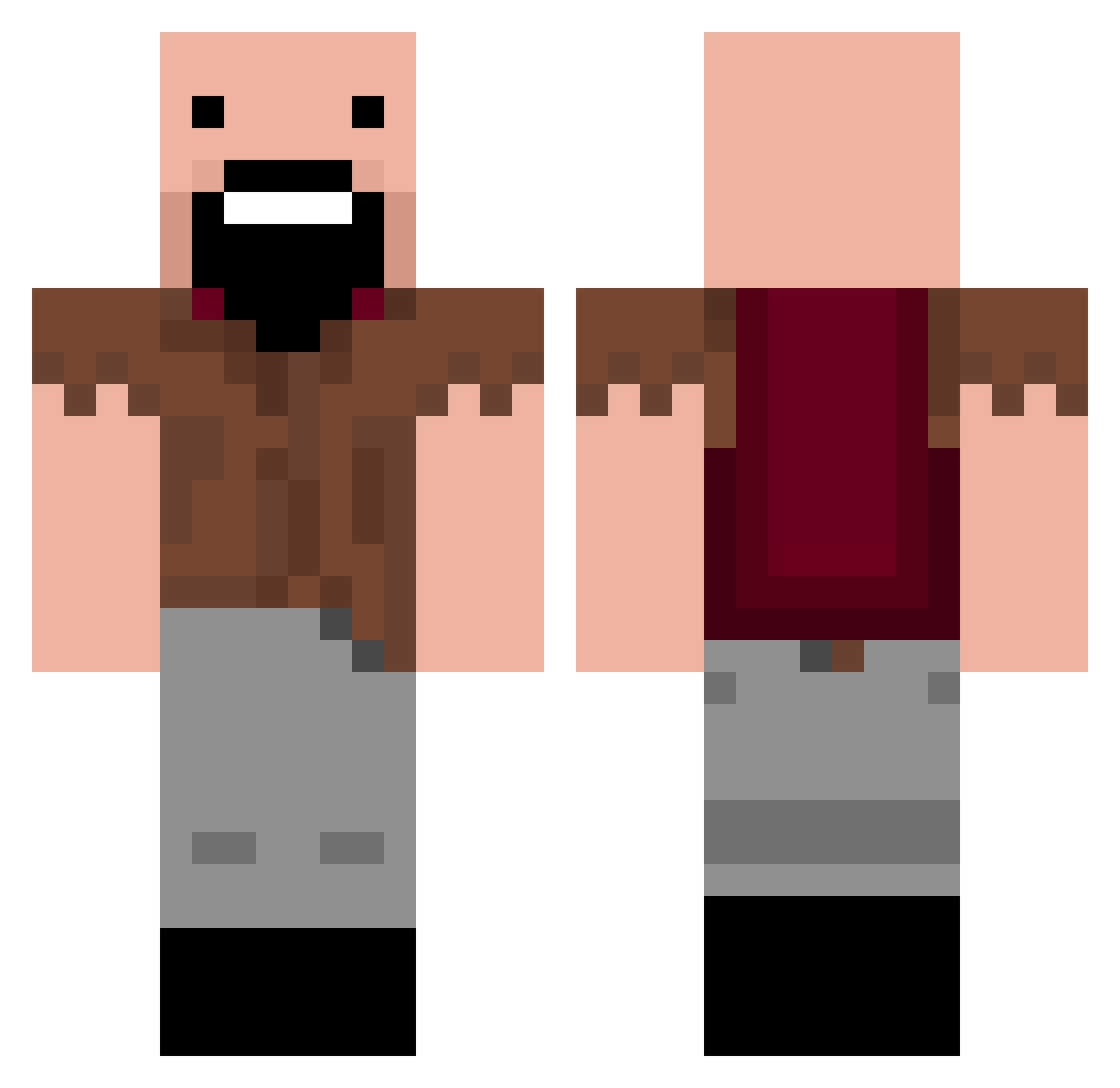
Current Minecraft skin of the player charizard832, loaded from the official Mojang API. Rotate the 3D model with your mouse or finger, then download the skin as a PNG file and use it in Minecraft: Bedrock Edition or Java Edition for free. When charizard832 changes their skin, this page updates automatically and the old skin stays in the history below.
Other players with this skin (253)
charizard832 was the 219th player we have seen with this skin, first spotted on 06.11.2026. The same skin was seen on these players. Open a nickname to see their current skin and skin history.
 SeasyMinI animecraze TanTheMan04 luggi110 vlaze_ NatsumeRyunosuke katrina12377 FaceMechanic decory7 simpleloser nathanJ1234 Patchyg2012 fuffy5858 jerome75 Leblis hamozy BaseballKid4 gummygabo HockeyVinny APM6 Chocolate_Poop UncommonEight feilix989898 Kanofighter rainbowapple Logie1106 pop_fizz620 lind710 brycezemp wildwolfie sharkboy5098 emeadows hampusjib ripziz chrisi2k DARRAGHQ tyroberts1 Gr1mr3aper206 MatthewCRichter matty1602 vampier345 xYuHix foofy2712 tenalexander1991 TheGoatJordan FIubbie McMiniminer kaitlyn_janine XiGua521 Kimguny ronnie112211 Jam8o Tinyninja212 OliverParkin Chucky610 Miner10155 CornHulio1977 Andrewh08 SkyTheDJ rileyboyle27
More Notch Minecraft skins
How to install the charizard832 skin
- Press the Download button above to save the skin as a PNG file.
- Minecraft: Bedrock Edition (PE): open the Dressing Room from the main menu (or tap your character → Edit Character), go to Classic Skins → Owned, press the + (new skin) button, choose the downloaded PNG and pick the Classic (Steve) model. Works on PC and mobile; consoles cannot import custom skins.
- Minecraft: Java Edition: open the Minecraft Launcher, go to the Skins tab, click New Skin, load the PNG, pick the Classic (Steve) model and press Save & Use. You can also upload it at minecraft.net → Profile → Change Skin.
The skin does not show up after import - what should I do?
Restart Minecraft and open the Dressing Room again - imported skins sometimes appear only after a restart. Also make sure you selected the imported skin and picked the Classic (Steve) model.
Which model should I choose, Classic or Slim?
This skin is designed for the Classic (Steve) model. If you pick the wrong model, the arms of the skin will look stretched or squeezed.
Is the skin of charizard832 free to download?
Yes. Press Download, save the PNG file and use it in Minecraft: Bedrock Edition or Java Edition - no payment or registration needed. The skin also works on multiplayer servers and Realms.
More skins
Looking for more? Go back to all Minecraft skins and check the top skins of the week, month and all time, or find any player's skin by nickname.