
ch0rum - Minecraft Skins & Skin History
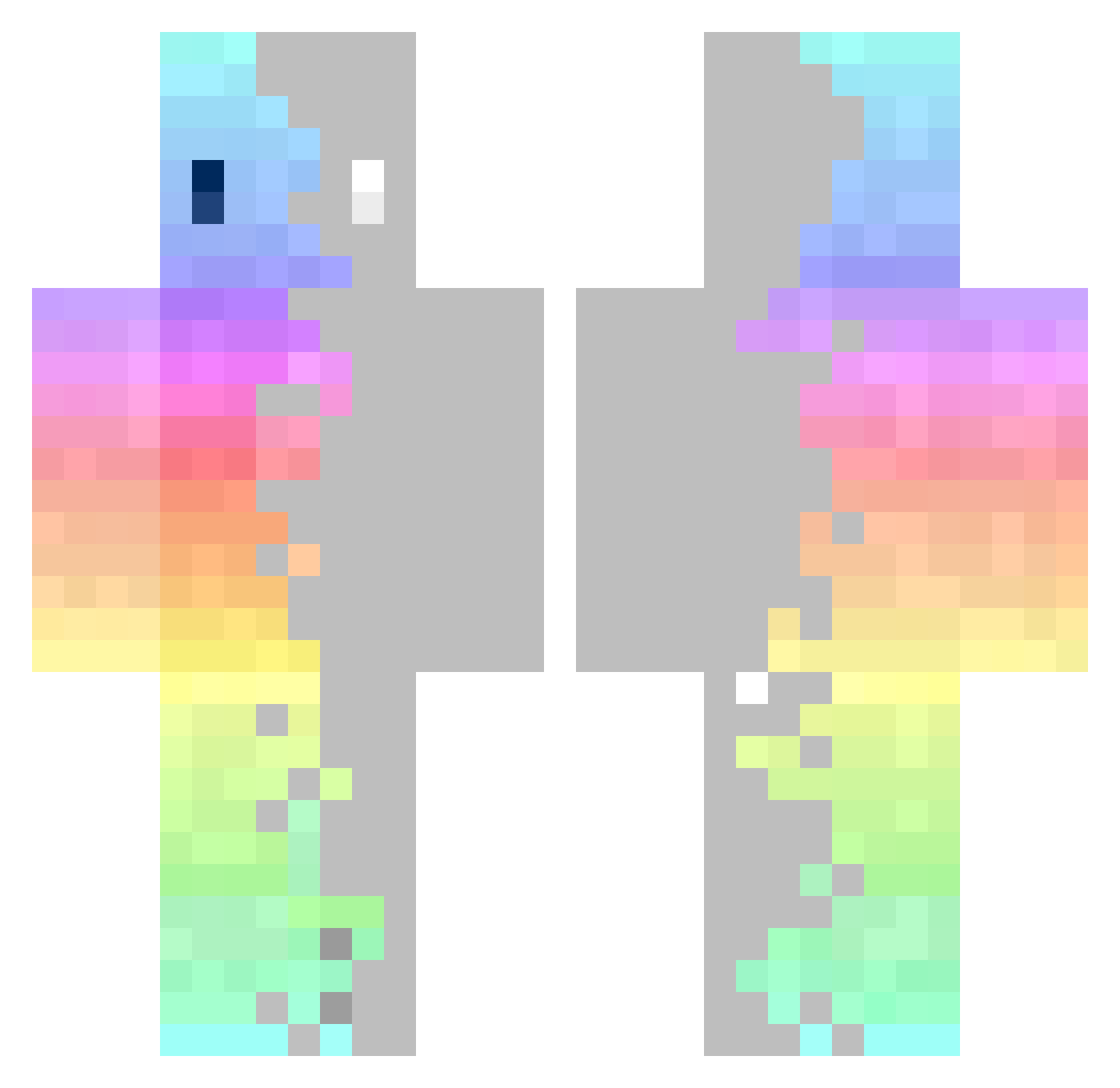
Current Minecraft skin of the player ch0rum, loaded from the official Mojang API. Rotate the 3D model with your mouse or finger, then download the skin as a PNG file and use it in Minecraft: Bedrock Edition or Java Edition for free. When ch0rum changes their skin, this page updates automatically and the old skin stays in the history below.
Other players with this skin (325)
ch0rum was the 272nd player we have seen with this skin, first spotted on 18.10.2026. The same skin was seen on these players. Open a nickname to see their current skin and skin history.
 Dipskey samurai_143 RedX_ kidd3930 Flantieer DexD3000 Z3DDI CAPY_LK7 WhiteHacker WaterTree0v0 banzzok rigierka Legk oof069 Yagusad AalleL luxifa SIA06 Xaltra_ VerifiedSSL __Ryzen__ megumisukuna Hungg102 Reu___ sharkim under_space Bruce0314 SCMJ91 Wireless Draconium03 IMpastaga DaddyCam03 Tavin1 Luky_14 lus_cas Blbi LATTETOONZ Ray_999 arraignment TryBulls FrAnzzz_TW daptoper0126 tarako_onigiri77 Calebss Kirby_TYK brunintrol FILP_3326 Raxis_prime LastDance_LD T1_Buzz kawaiAquaaa MrAnimaster sarahboxed CHAN_0611 CDJK pibroch Geohandy TangentCandy899 Koookosz AZeKyo
How to install the ch0rum skin
- Press the Download button above to save the skin as a PNG file.
- Minecraft: Bedrock Edition (PE): open the Dressing Room from the main menu (or tap your character → Edit Character), go to Classic Skins → Owned, press the + (new skin) button, choose the downloaded PNG and pick the Classic (Steve) model. Works on PC and mobile; consoles cannot import custom skins.
- Minecraft: Java Edition: open the Minecraft Launcher, go to the Skins tab, click New Skin, load the PNG, pick the Classic (Steve) model and press Save & Use. You can also upload it at minecraft.net → Profile → Change Skin.
The skin does not show up after import - what should I do?
Restart Minecraft and open the Dressing Room again - imported skins sometimes appear only after a restart. Also make sure you selected the imported skin and picked the Classic (Steve) model.
Which model should I choose, Classic or Slim?
This skin is designed for the Classic (Steve) model. If you pick the wrong model, the arms of the skin will look stretched or squeezed.
Is the skin of ch0rum free to download?
Yes. Press Download, save the PNG file and use it in Minecraft: Bedrock Edition or Java Edition - no payment or registration needed. The skin also works on multiplayer servers and Realms.
More skins
Looking for more? Go back to all Minecraft skins and check the top skins of the week, month and all time, or find any player's skin by nickname.