
cenarules - Minecraft Skins & Skin History
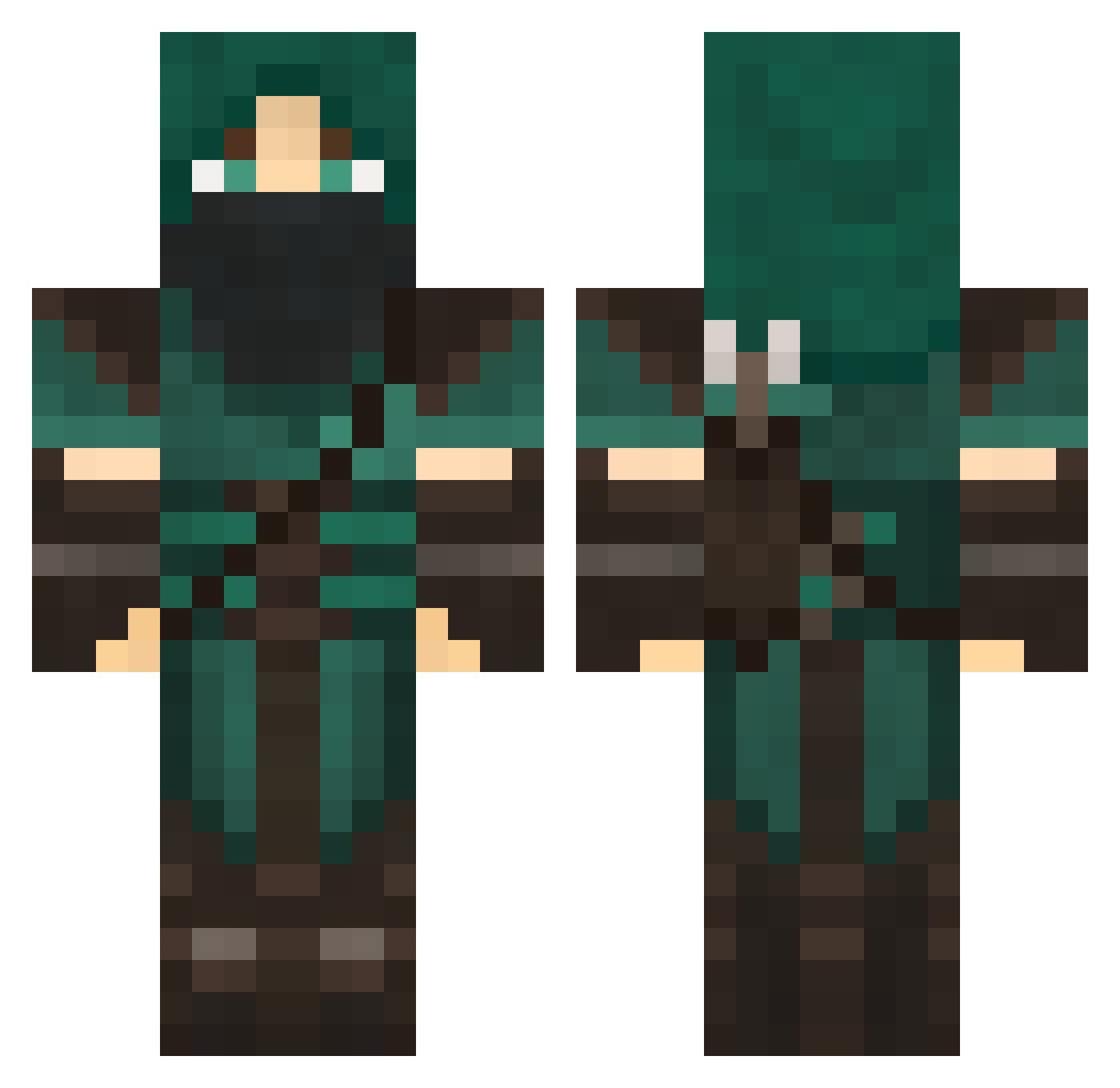
Current Minecraft skin of the player cenarules, loaded from the official Mojang API. Rotate the 3D model with your mouse or finger, then download the skin as a PNG file and use it in Minecraft: Bedrock Edition or Java Edition for free. When cenarules changes their skin, this page updates automatically and the old skin stays in the history below.
Other players with this skin (708)
cenarules was the 251st player we have seen with this skin, first spotted on 30.08.2026. The same skin was seen on these players. Open a nickname to see their current skin and skin history.
 dellman12 F0ul_Play _Three_Sixty_ Wiilzu xXsaileXx Domovoii BOUNT3HUNT3R spiritchild GreenDwarf2 zaquat survival39 PINTO11 triggerman86 viler 1sxvl CiceroLelouch EV1L_K1LL3R1772 x6kew PlasticBuddha Arelx_ Wyrmdan Mordecai43 ChaosEmpire117 xVesienx indianzombie skittlesf2000 Erine2711 apojapo caspianlind Zackboy29 Bradfos Mr_Pink1991 xloy XDmajorX Seraxin MajaBienkowska Patosch002 vonraga Luddiputti ExecutiveFruit cagno93 VKMP strongVirus Duumknight CapnKeegs Readwin Dawndere KAYLEECHAMBERS Rukizain JohnnieFox6 LonelyZephyrite skywalker005 The_Ninja_Toast LuGkra eidegaard living_mayhem Veroy DarkElf364 Jackrc678 fireyking
More Rogue Minecraft skins
How to install the cenarules skin
- Press the Download button above to save the skin as a PNG file.
- Minecraft: Bedrock Edition (PE): open the Dressing Room from the main menu (or tap your character → Edit Character), go to Classic Skins → Owned, press the + (new skin) button, choose the downloaded PNG and pick the Classic (Steve) model. Works on PC and mobile; consoles cannot import custom skins.
- Minecraft: Java Edition: open the Minecraft Launcher, go to the Skins tab, click New Skin, load the PNG, pick the Classic (Steve) model and press Save & Use. You can also upload it at minecraft.net → Profile → Change Skin.
The skin does not show up after import - what should I do?
Restart Minecraft and open the Dressing Room again - imported skins sometimes appear only after a restart. Also make sure you selected the imported skin and picked the Classic (Steve) model.
Which model should I choose, Classic or Slim?
This skin is designed for the Classic (Steve) model. If you pick the wrong model, the arms of the skin will look stretched or squeezed.
Is the skin of cenarules free to download?
Yes. Press Download, save the PNG file and use it in Minecraft: Bedrock Edition or Java Edition - no payment or registration needed. The skin also works on multiplayer servers and Realms.
More skins
Looking for more? Go back to all Minecraft skins and check the top skins of the week, month and all time, or find any player's skin by nickname.