
cemcem666 - Minecraft Skins & Skin History
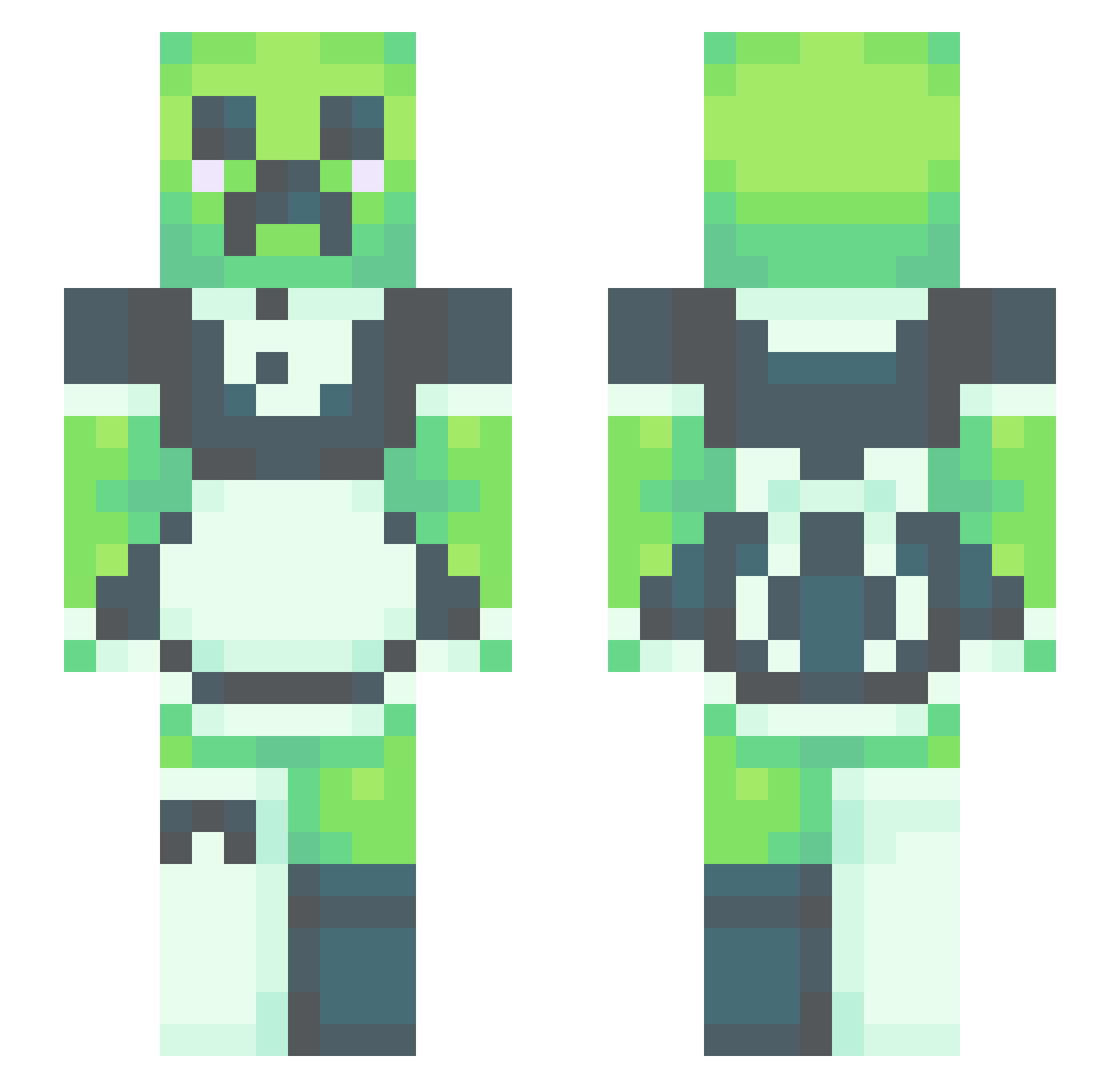
Current Minecraft skin of the player cemcem666, loaded from the official Mojang API. Rotate the 3D model with your mouse or finger, then download the skin as a PNG file and use it in Minecraft: Bedrock Edition or Java Edition for free. When cemcem666 changes their skin, this page updates automatically and the old skin stays in the history below.
Other players with this skin (531)
cemcem666 was the 260th player we have seen with this skin, first spotted on 20.09.2026. The same skin was seen on these players. Open a nickname to see their current skin and skin history.
 gghowinn1 Mangolak KallieTheBest ZATO0501 Slipcrocs OMANKOOTINKO DrFormalBanana Enjoyskyblue2 Bamboozlinbanana eggawoo KeeganEberly NightingaleSky muddis0n Peron2030 y00in azshka Marcel3112 lily_1_ TonosamagaeruEF LACHU1 dupahan LilPh3onix ripmilo semifreesi yoshi_gimozzi Spaghetti117 BEEBOBIX Rawredi becbecbecbecbecb fruitsnack624 VinylRec0rds TwistedBulletXx Alex3424 Skullpankakes ZonaryBaton bakscubecraft098 Kigo0407 PyroMellon katymaate BritzBrigtmore opaquenimbus vFalcon24 Yabiloula KannaOre arizz56 Jessithy Emrahinho THEKILLS2013 VoxZappy vegetron666 _carotte PixalKat Zoob94 Mafafana crunchysoap Dead_Creeper Iath__ McNuggz2460 NEESQUIIK CMG4696
More Maid Minecraft skins
How to install the cemcem666 skin
- Press the Download button above to save the skin as a PNG file.
- Minecraft: Bedrock Edition (PE): open the Dressing Room from the main menu (or tap your character → Edit Character), go to Classic Skins → Owned, press the + (new skin) button, choose the downloaded PNG and pick the Slim (Alex) model. Works on PC and mobile; consoles cannot import custom skins.
- Minecraft: Java Edition: open the Minecraft Launcher, go to the Skins tab, click New Skin, load the PNG, pick the Slim (Alex) model and press Save & Use. You can also upload it at minecraft.net → Profile → Change Skin.
The skin does not show up after import - what should I do?
Restart Minecraft and open the Dressing Room again - imported skins sometimes appear only after a restart. Also make sure you selected the imported skin and picked the Slim (Alex) model.
Which model should I choose, Classic or Slim?
This skin is designed for the Slim (Alex) model. If you pick the wrong model, the arms of the skin will look stretched or squeezed.
Is the skin of cemcem666 free to download?
Yes. Press Download, save the PNG file and use it in Minecraft: Bedrock Edition or Java Edition - no payment or registration needed. The skin also works on multiplayer servers and Realms.
More skins
Looking for more? Go back to all Minecraft skins and check the top skins of the week, month and all time, or find any player's skin by nickname.