
catwithanak47 - Minecraft Skins & Skin History
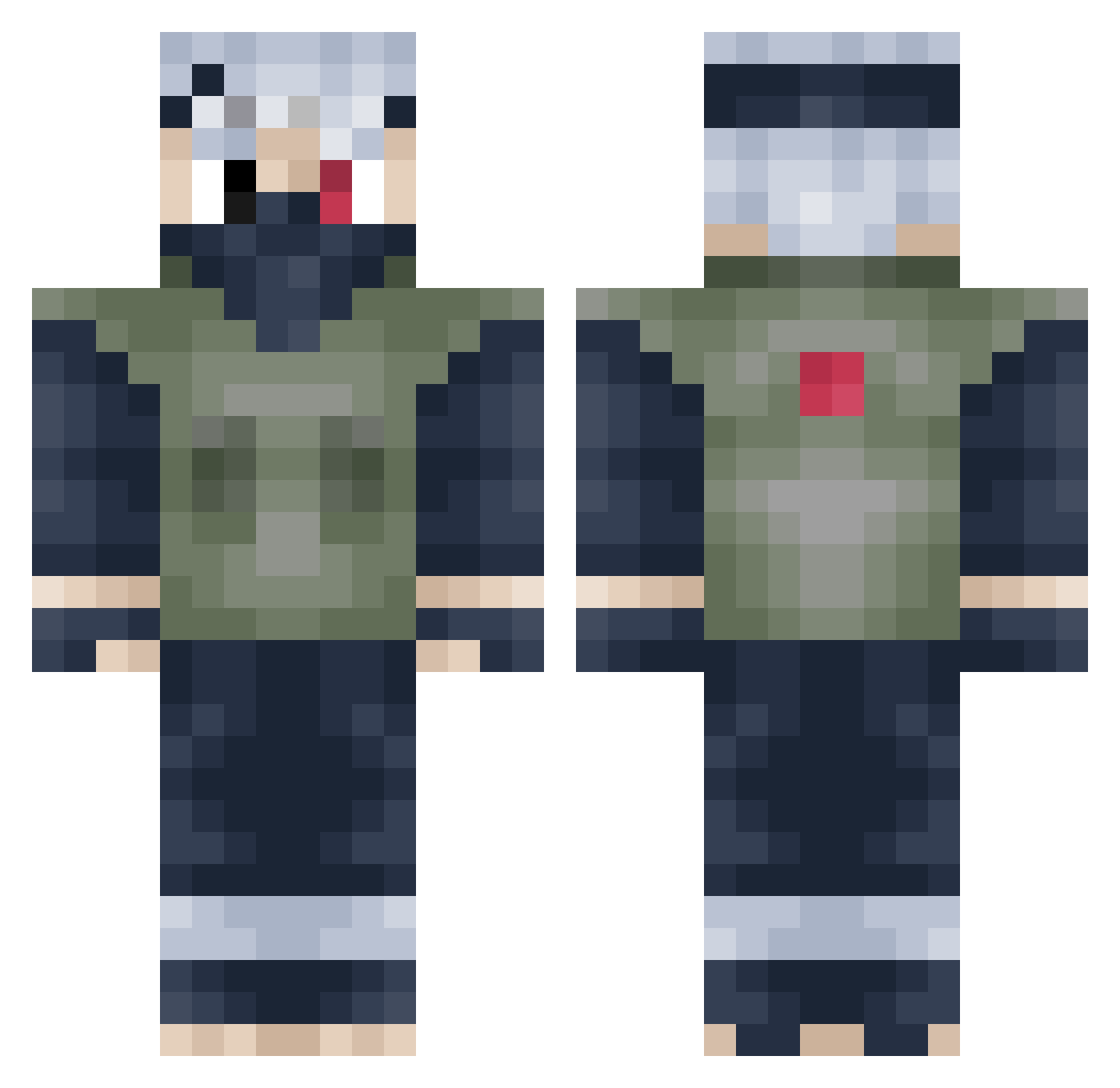
Current Minecraft skin of the player catwithanak47, loaded from the official Mojang API. Rotate the 3D model with your mouse or finger, then download the skin as a PNG file and use it in Minecraft: Bedrock Edition or Java Edition for free. When catwithanak47 changes their skin, this page updates automatically and the old skin stays in the history below.
Other players with this skin (273)
catwithanak47 was the 145th player we have seen with this skin, first spotted on 25.09.2026. The same skin was seen on these players. Open a nickname to see their current skin and skin history.
 chickenLittleJr1 amxix The_Rice_Rocket Shyneee TiVengoDentro quietlostsoul Pixel1996 willywonka09 roalypain GangsterRobot jdhjghj XXXimi TannerBub13662 minecraft51799 Torrre00 DolmioPaiva 10upain norwaygamer2001 EneXce MattRIXhA ARCHANGELxx99 Nick_Da_6_1 Brief_Subject Kitaie EatMyDirtyhole Rifled nicandriley 400chris ninesword Gobynut rooxxoar cookiecrummz7 AlexanderAGreat KevC WebPoet Ryu12349 timmylon BlankGaming2016 drrofl178 Nopixelation kalle2072 MutantPanda117 Slhu95 brilligkheldar EL_REY25 Sminge xCivilglory dasjones pancake_1996 TGUNNER87 akasumi123 Rekarion IIM_JERICHO iceysx TheUnluckyBoy tbonebeaty Ch_Ris_ UphillSquirrel0 meppie123 Nasa_X
More Kakashi Hatake Minecraft skins
See all 471 Kakashi Hatake skins
How to install the catwithanak47 skin
- Press the Download button above to save the skin as a PNG file.
- Minecraft: Bedrock Edition (PE): open the Dressing Room from the main menu (or tap your character → Edit Character), go to Classic Skins → Owned, press the + (new skin) button, choose the downloaded PNG and pick the Classic (Steve) model. Works on PC and mobile; consoles cannot import custom skins.
- Minecraft: Java Edition: open the Minecraft Launcher, go to the Skins tab, click New Skin, load the PNG, pick the Classic (Steve) model and press Save & Use. You can also upload it at minecraft.net → Profile → Change Skin.
The skin does not show up after import - what should I do?
Restart Minecraft and open the Dressing Room again - imported skins sometimes appear only after a restart. Also make sure you selected the imported skin and picked the Classic (Steve) model.
Which model should I choose, Classic or Slim?
This skin is designed for the Classic (Steve) model. If you pick the wrong model, the arms of the skin will look stretched or squeezed.
Is the skin of catwithanak47 free to download?
Yes. Press Download, save the PNG file and use it in Minecraft: Bedrock Edition or Java Edition - no payment or registration needed. The skin also works on multiplayer servers and Realms.
More skins
Looking for more? Go back to all Minecraft skins and check the top skins of the week, month and all time, or find any player's skin by nickname.