
catsrule66 - Minecraft Skins & Skin History
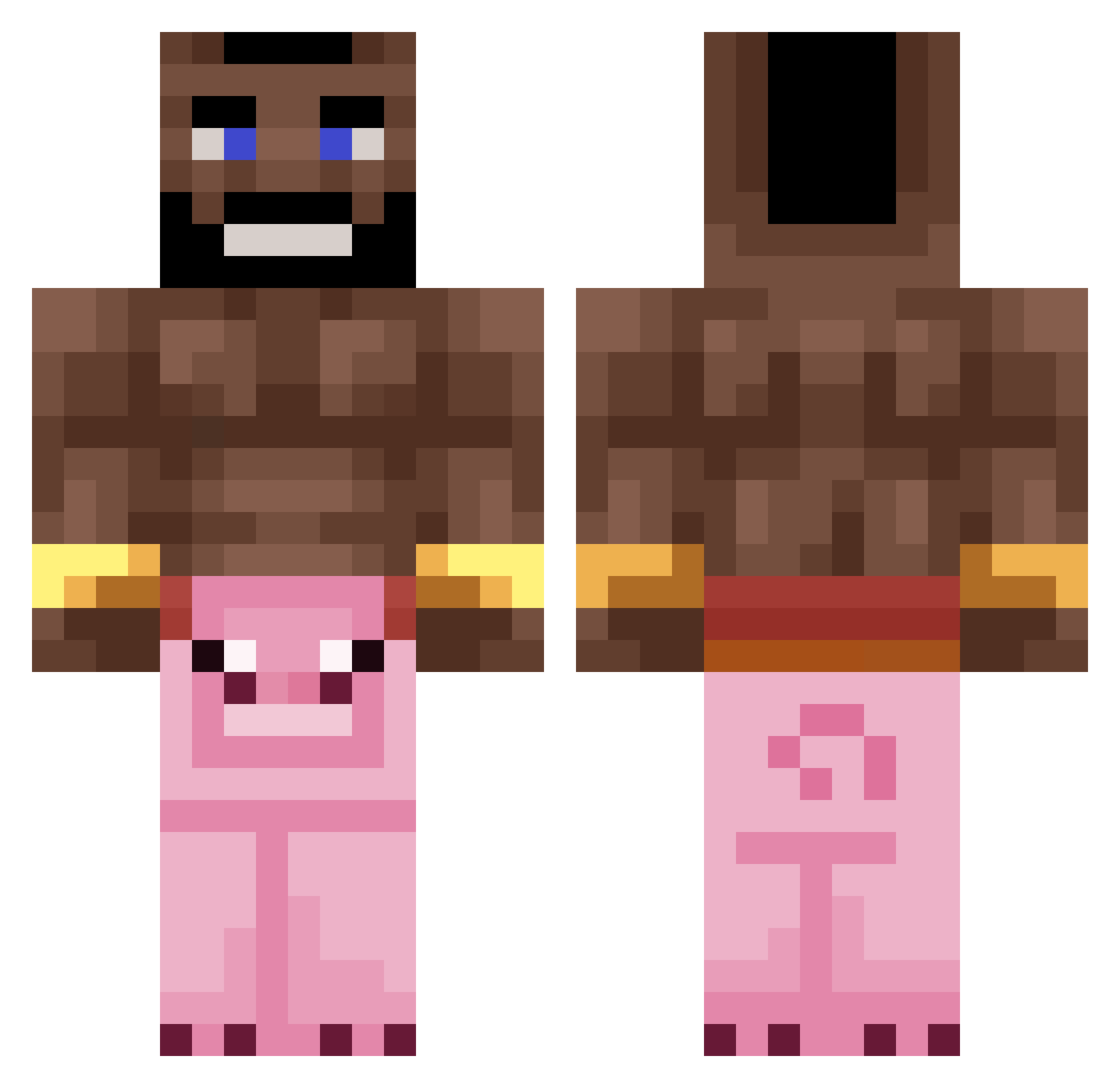
Current Minecraft skin of the player catsrule66, loaded from the official Mojang API. Rotate the 3D model with your mouse or finger, then download the skin as a PNG file and use it in Minecraft: Bedrock Edition or Java Edition for free. When catsrule66 changes their skin, this page updates automatically and the old skin stays in the history below.
Other players with this skin (235)
catsrule66 was the 88th player we have seen with this skin, first spotted on 27.08.2026. The same skin was seen on these players. Open a nickname to see their current skin and skin history.
 brokral
 miloviv ijqk Andy_081003 Lennartttt Settkk csullo Marcintokox Taddo1234 mniemeijer Daanish_ Guitargamer5 No_Ares_ Tempery lil_qq11 dprtm Levyytate Elchup4p4nochas kimishh 5ric joseph118811 Mintex4real Furiouso_o HAHA_NOt_FunNy Zinarr The_Big_Rya AndrzejPojazd Ju1es59 pawk62 Oldmanwillaker Its_Maximo Afrikaanje nobu311 VladimirPuttin ICGToM23 arielovaa FlashMacKouil
 SamuGamer277 SSebus lenny78 Lithification BannedAufGomme chmieleq_ idksomeoneig 13doctorho yakovzoar123 BraiN_BuckeT_ Real_Tom_Clancy Neshu TyronOnBusiness mAAdden5467 Sculio YungBeetleThug apd1830999 matsit WitteTepel Slowni Latif123 zencigoats SyrupPotato
More Mohawk Minecraft skins
How to install the catsrule66 skin
- Press the Download button above to save the skin as a PNG file.
- Minecraft: Bedrock Edition (PE): open the Dressing Room from the main menu (or tap your character → Edit Character), go to Classic Skins → Owned, press the + (new skin) button, choose the downloaded PNG and pick the Classic (Steve) model. Works on PC and mobile; consoles cannot import custom skins.
- Minecraft: Java Edition: open the Minecraft Launcher, go to the Skins tab, click New Skin, load the PNG, pick the Classic (Steve) model and press Save & Use. You can also upload it at minecraft.net → Profile → Change Skin.
The skin does not show up after import - what should I do?
Restart Minecraft and open the Dressing Room again - imported skins sometimes appear only after a restart. Also make sure you selected the imported skin and picked the Classic (Steve) model.
Which model should I choose, Classic or Slim?
This skin is designed for the Classic (Steve) model. If you pick the wrong model, the arms of the skin will look stretched or squeezed.
Is the skin of catsrule66 free to download?
Yes. Press Download, save the PNG file and use it in Minecraft: Bedrock Edition or Java Edition - no payment or registration needed. The skin also works on multiplayer servers and Realms.
More skins
Looking for more? Go back to all Minecraft skins and check the top skins of the week, month and all time, or find any player's skin by nickname.