
cat11418 - Minecraft Skins & Skin History
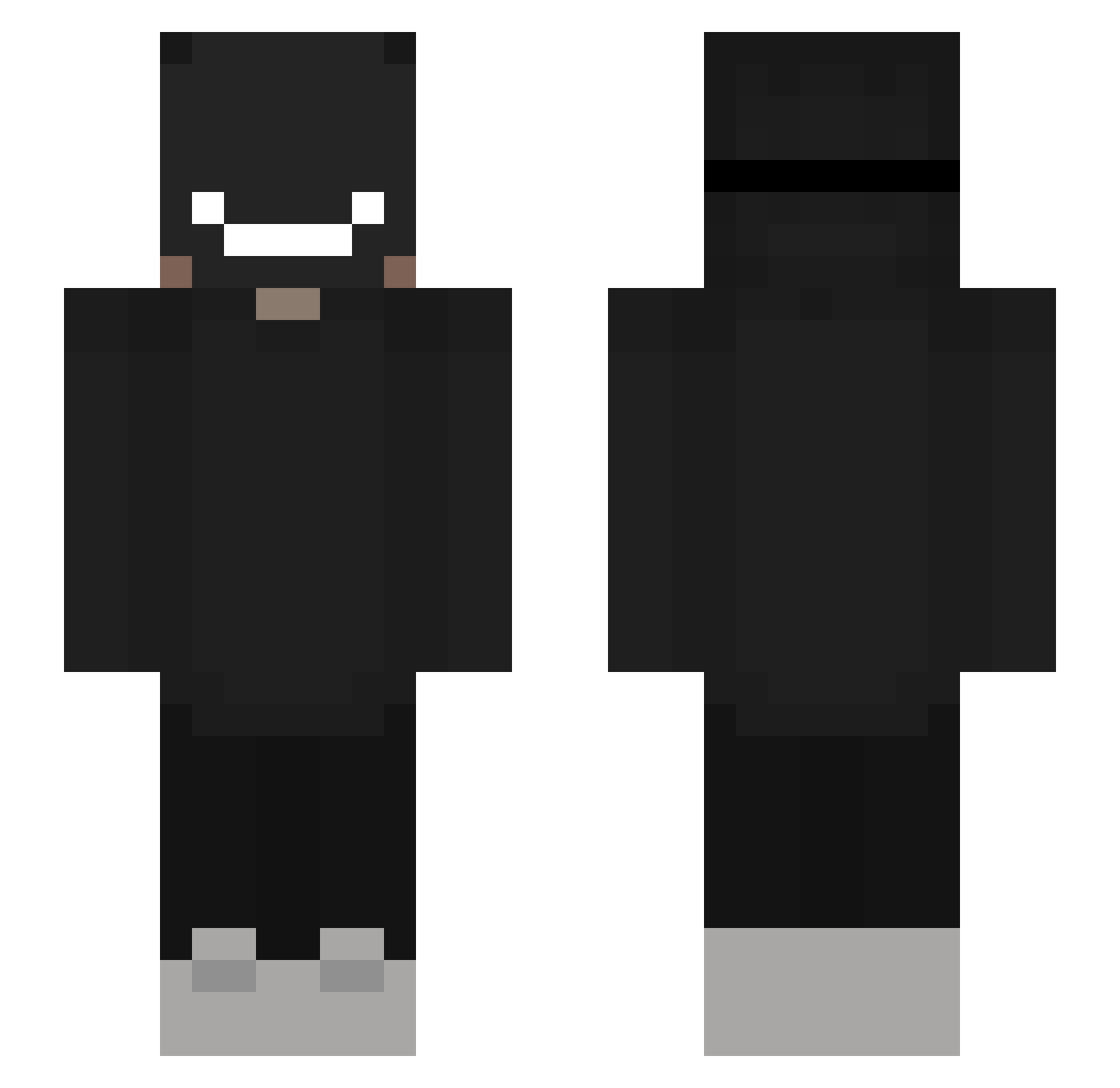
Current Minecraft skin of the player cat11418, loaded from the official Mojang API. Rotate the 3D model with your mouse or finger, then download the skin as a PNG file and use it in Minecraft: Bedrock Edition or Java Edition for free. When cat11418 changes their skin, this page updates automatically and the old skin stays in the history below.
Other players with this skin (370)
cat11418 was the 338th player we have seen with this skin, first spotted on 08.11.2026. The same skin was seen on these players. Open a nickname to see their current skin and skin history.
 BrotMitHundEssen Wolfk2 ItzKissmy2sik WraithMagnif900 mau_jpg alcamara4 SecretAcc X_Rise_X AboveLawyer4051 MafiosoLEGIT natascha12 derQl DJS111912 AbbzzB Tqxiec123 Storm687 Wavyyyyyyyy humi_xd _SpacePotato_ Anoonymoous010 ThinkLettuce Vupix_DerEchte Dnzd NiYan3233 kool_david citron_masque Pxyby itznotIsaac Tim_Marshmallow sungjind Sbx_ CarmelDragon4 matheuw7 T4K4D4_ dkwjdb Personn3 PHzin157 victorgamer69824 Marquis_01 Loading__NotABot StaLinqx DracoFrags AgusBLOOD91 CuzImGodSmoke YesLimit Ethannnn__ Not_A_Historian Horrions xPrecious_ Sheng_guang_233 RoyaleisNotHere itzdarklight_ Ethan387 hjchun Xande7719 ShiranuiGaru zenknyght PogTheChamp7 RocketHFT Ralf1700
More Badboyhalo Minecraft skins
How to install the cat11418 skin
- Press the Download button above to save the skin as a PNG file.
- Minecraft: Bedrock Edition (PE): open the Dressing Room from the main menu (or tap your character → Edit Character), go to Classic Skins → Owned, press the + (new skin) button, choose the downloaded PNG and pick the Slim (Alex) model. Works on PC and mobile; consoles cannot import custom skins.
- Minecraft: Java Edition: open the Minecraft Launcher, go to the Skins tab, click New Skin, load the PNG, pick the Slim (Alex) model and press Save & Use. You can also upload it at minecraft.net → Profile → Change Skin.
The skin does not show up after import - what should I do?
Restart Minecraft and open the Dressing Room again - imported skins sometimes appear only after a restart. Also make sure you selected the imported skin and picked the Slim (Alex) model.
Which model should I choose, Classic or Slim?
This skin is designed for the Slim (Alex) model. If you pick the wrong model, the arms of the skin will look stretched or squeezed.
Is the skin of cat11418 free to download?
Yes. Press Download, save the PNG file and use it in Minecraft: Bedrock Edition or Java Edition - no payment or registration needed. The skin also works on multiplayer servers and Realms.
More skins
Looking for more? Go back to all Minecraft skins and check the top skins of the week, month and all time, or find any player's skin by nickname.