
caseino - Minecraft Skins & Skin History
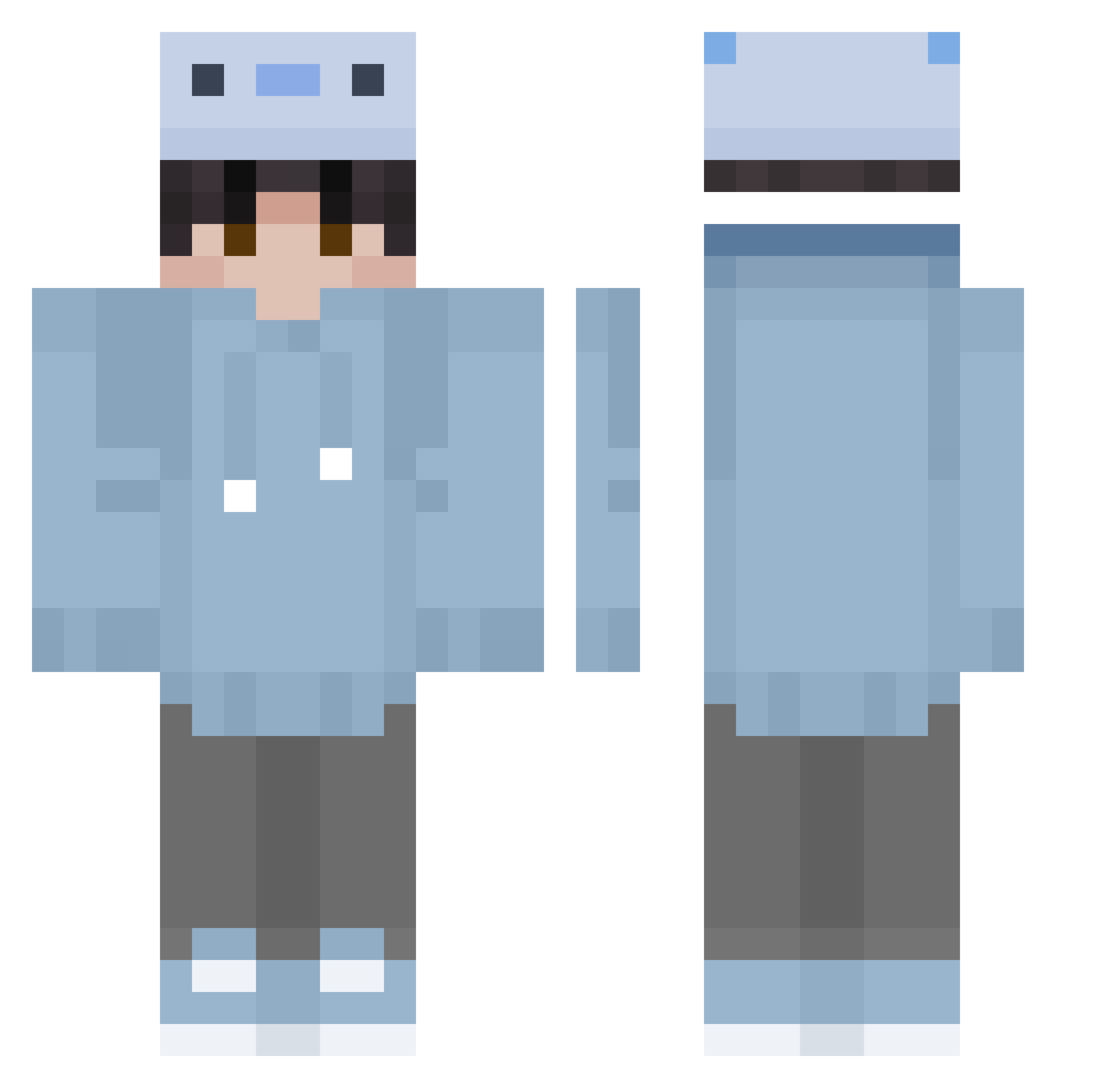
Current Minecraft skin of the player caseino, loaded from the official Mojang API. Rotate the 3D model with your mouse or finger, then download the skin as a PNG file and use it in Minecraft: Bedrock Edition or Java Edition for free. When caseino changes their skin, this page updates automatically and the old skin stays in the history below.
Other players with this skin (417)
caseino was the 385th player we have seen with this skin, first spotted on 10.11.2026. The same skin was seen on these players. Open a nickname to see their current skin and skin history.
 BigJJCNM Kerem5809 itsalexiso ovalpants miontgyu que11a MMIAOKI Vapourzx_ Axel678 NagibasterTop minefreak26 minicaptain_jim bendothe kanaderu_oto Qxes TickTag _sdvity NEMO2007x koocie_N_kream cqrl1toss FireRage_ PianoAstro JavinSosa Overflow_s2 LOL_0816 shiryuu1 boboussyenjoyer IcyPenguinx LoveOfCoffee GOLXY_ yoonshin08 uyhdgr MarioElTroll nooker_777 tumynty MisterReeMachine YuriZilla ocean5g KA1ST Little_Admiral fast_exe SummerTaken ppmen0 JakkuOfficial TioDaaark ataluizks YuanJie20230411 Blaubarschbube77 P2k_ PrinceOfHobos Zxley_ Witon_ alexi_lane s0kend PlasteredKnave yeliv Jhonierpro28_UwU TakeTheL__ Dradster CRuzterr
How to install the caseino skin
- Press the Download button above to save the skin as a PNG file.
- Minecraft: Bedrock Edition (PE): open the Dressing Room from the main menu (or tap your character → Edit Character), go to Classic Skins → Owned, press the + (new skin) button, choose the downloaded PNG and pick the Classic (Steve) model. Works on PC and mobile; consoles cannot import custom skins.
- Minecraft: Java Edition: open the Minecraft Launcher, go to the Skins tab, click New Skin, load the PNG, pick the Classic (Steve) model and press Save & Use. You can also upload it at minecraft.net → Profile → Change Skin.
The skin does not show up after import - what should I do?
Restart Minecraft and open the Dressing Room again - imported skins sometimes appear only after a restart. Also make sure you selected the imported skin and picked the Classic (Steve) model.
Which model should I choose, Classic or Slim?
This skin is designed for the Classic (Steve) model. If you pick the wrong model, the arms of the skin will look stretched or squeezed.
Is the skin of caseino free to download?
Yes. Press Download, save the PNG file and use it in Minecraft: Bedrock Edition or Java Edition - no payment or registration needed. The skin also works on multiplayer servers and Realms.
More skins
Looking for more? Go back to all Minecraft skins and check the top skins of the week, month and all time, or find any player's skin by nickname.