
carnaemilie - Minecraft Skins & Skin History
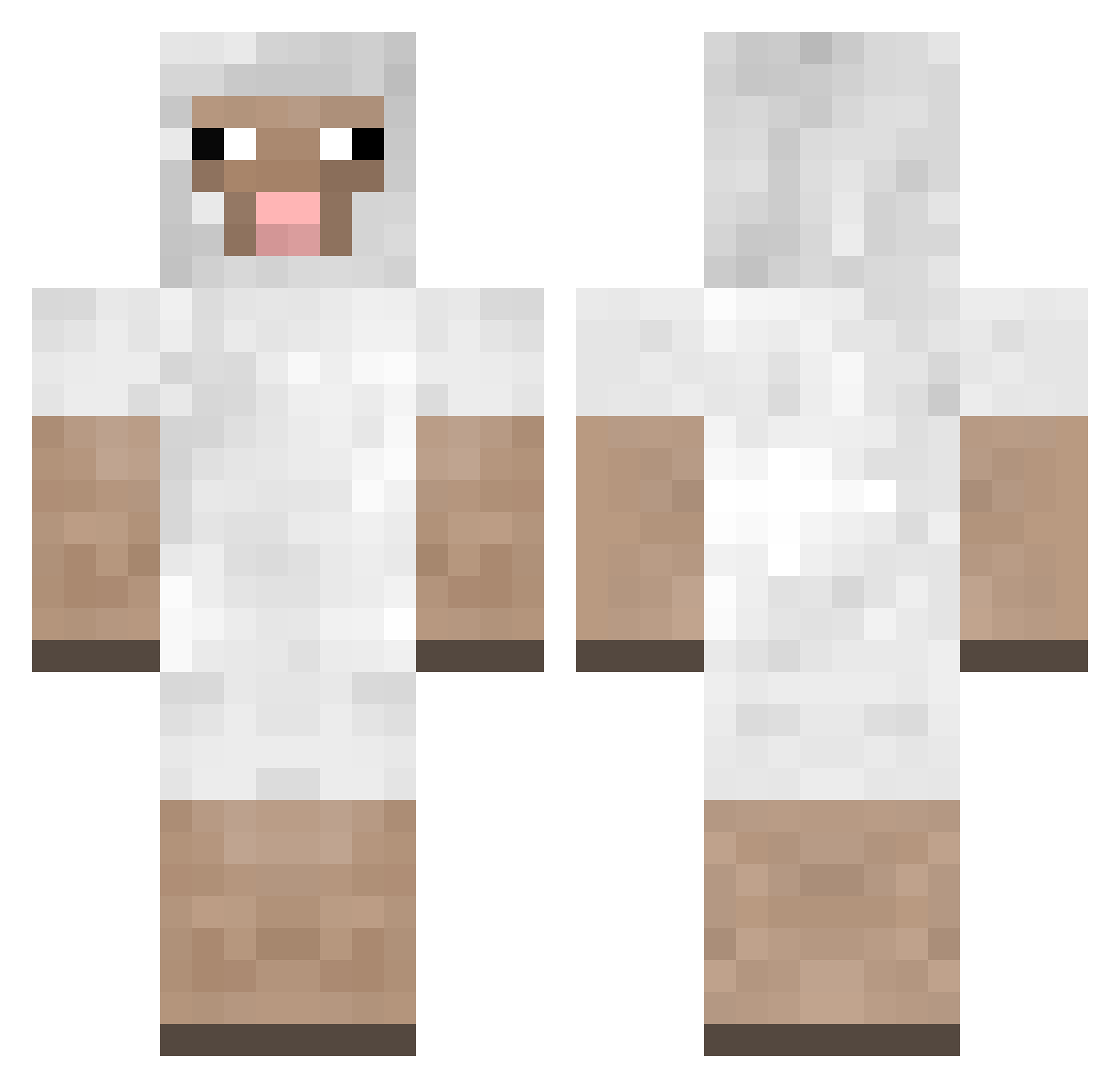
Current Minecraft skin of the player carnaemilie, loaded from the official Mojang API. Rotate the 3D model with your mouse or finger, then download the skin as a PNG file and use it in Minecraft: Bedrock Edition or Java Edition for free. When carnaemilie changes their skin, this page updates automatically and the old skin stays in the history below.
Other players with this skin (241)
carnaemilie was the 170th player we have seen with this skin, first spotted on 08.10.2026. The same skin was seen on these players. Open a nickname to see their current skin and skin history.
 bellebutlerFTW bark_raving_mad AeroBrick Fizzylemon BasskRoken Dys_ Glolight Alpha_Leader1 GracePerrow sejong65 bustyhire halley123 DummWieBrot24 chocopokii BBStar09 PapparoniBread1 sheep_69 sc_slayerage VakaCraft N3wBuilder pinkmilk72 MicroDave opeehSle FunkyMonkey090 2O20 gundam6819 ElTomo300 eeeykay chanao Vindic LAKlE elstoncoolguy05 daman371 TheCaitCait DiamondLamb THEchase sheeeepsy knittedpie EHazeK Henryjo8095 ironbottom ken7260 waeungjun Jclown526 dannybhoy13 haleyjoe badboy_hogan danischick DanethePain matte459 Woolleybag ss0ll Eelilehtonen Recit jens303 ermermerm123 heqeee1 VinyyHD missan2003 StewyMist
More Sheep Minecraft skins
How to install the carnaemilie skin
- Press the Download button above to save the skin as a PNG file.
- Minecraft: Bedrock Edition (PE): open the Dressing Room from the main menu (or tap your character → Edit Character), go to Classic Skins → Owned, press the + (new skin) button, choose the downloaded PNG and pick the Classic (Steve) model. Works on PC and mobile; consoles cannot import custom skins.
- Minecraft: Java Edition: open the Minecraft Launcher, go to the Skins tab, click New Skin, load the PNG, pick the Classic (Steve) model and press Save & Use. You can also upload it at minecraft.net → Profile → Change Skin.
The skin does not show up after import - what should I do?
Restart Minecraft and open the Dressing Room again - imported skins sometimes appear only after a restart. Also make sure you selected the imported skin and picked the Classic (Steve) model.
Which model should I choose, Classic or Slim?
This skin is designed for the Classic (Steve) model. If you pick the wrong model, the arms of the skin will look stretched or squeezed.
Is the skin of carnaemilie free to download?
Yes. Press Download, save the PNG file and use it in Minecraft: Bedrock Edition or Java Edition - no payment or registration needed. The skin also works on multiplayer servers and Realms.
More skins
Looking for more? Go back to all Minecraft skins and check the top skins of the week, month and all time, or find any player's skin by nickname.