
carcinoma - Minecraft Skins & Skin History
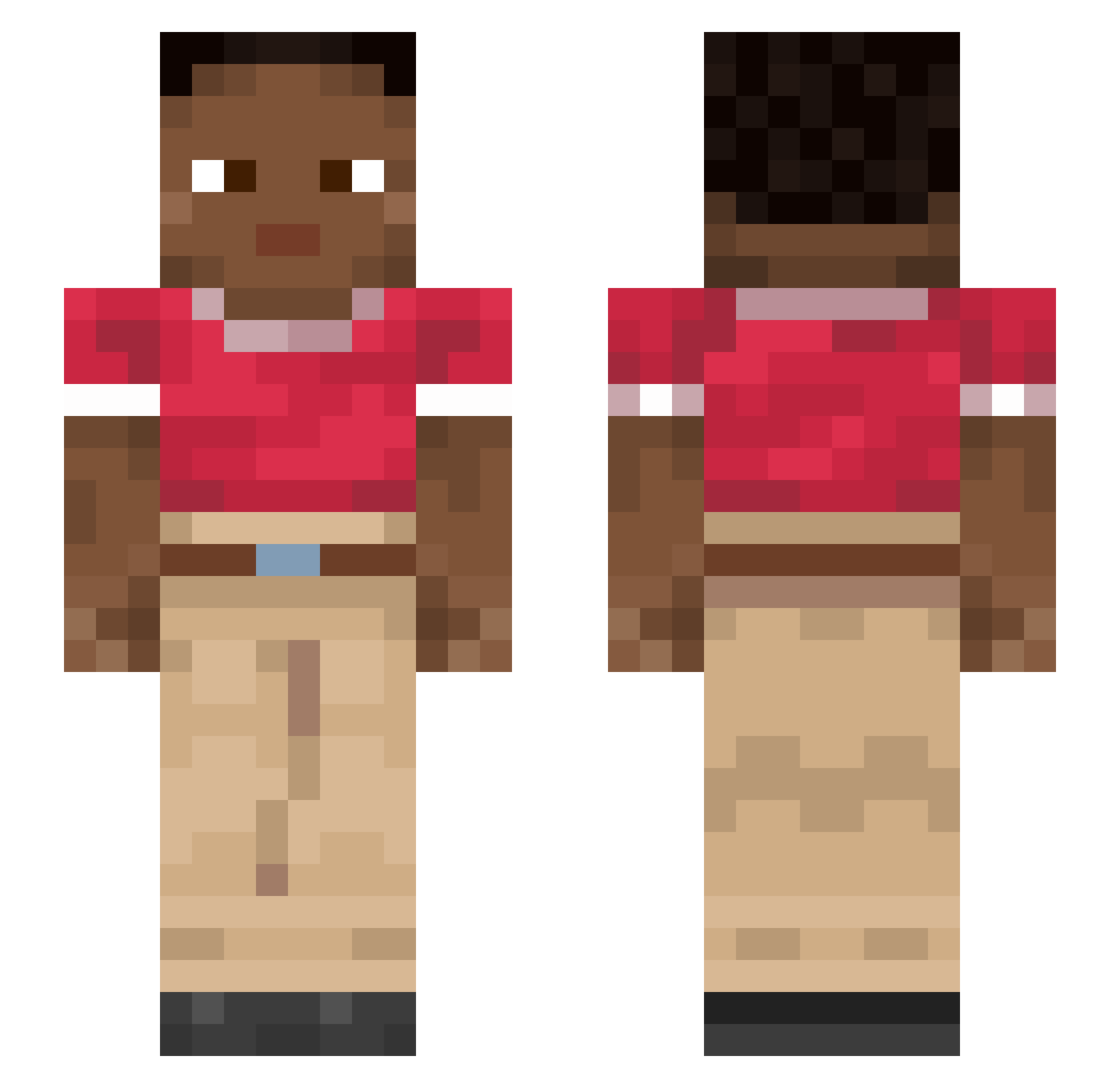
Current Minecraft skin of the player carcinoma, loaded from the official Mojang API. Rotate the 3D model with your mouse or finger, then download the skin as a PNG file and use it in Minecraft: Bedrock Edition or Java Edition for free. When carcinoma changes their skin, this page updates automatically and the old skin stays in the history below.
Other players with this skin (913)
carcinoma was the 361st player we have seen with this skin, first spotted on 06.09.2026. The same skin was seen on these players. Open a nickname to see their current skin and skin history.
 iLoma Marianna Darrendy SFCH6H6O6 matisldc LilyTheFuglyFish seaward Feamil KingNegro Versets Moderngooner xenozxc8912 Zanquini SaylerMoon gamerrr MONTANE Its_Nuni BounceBack WAIQUEE Dhoon Tern Trulcent Localizes Mabolo emus Pedalling Pimpar AustinGarza Cerebritis
 TOTIN2V1HAHAHA pzlv Granduncle Eightball Xanthates Rozza_Dozza Altaid dittu xXUwumaster69Xx HappyForzik Almma Perpetrates SuetaBobra bemoan MINDORI01 Fellator Nikolai3006 pxka0 curliest STEVEGOD999911 Supps02 Reroller lowly86 luq02 huskiness cosmicmango69 shiers KReese SolidStache MFDOOM1 Swaggymeee
How to install the carcinoma skin
- Press the Download button above to save the skin as a PNG file.
- Minecraft: Bedrock Edition (PE): open the Dressing Room from the main menu (or tap your character → Edit Character), go to Classic Skins → Owned, press the + (new skin) button, choose the downloaded PNG and pick the Slim (Alex) model. Works on PC and mobile; consoles cannot import custom skins.
- Minecraft: Java Edition: open the Minecraft Launcher, go to the Skins tab, click New Skin, load the PNG, pick the Slim (Alex) model and press Save & Use. You can also upload it at minecraft.net → Profile → Change Skin.
The skin does not show up after import - what should I do?
Restart Minecraft and open the Dressing Room again - imported skins sometimes appear only after a restart. Also make sure you selected the imported skin and picked the Slim (Alex) model.
Which model should I choose, Classic or Slim?
This skin is designed for the Slim (Alex) model. If you pick the wrong model, the arms of the skin will look stretched or squeezed.
Is the skin of carcinoma free to download?
Yes. Press Download, save the PNG file and use it in Minecraft: Bedrock Edition or Java Edition - no payment or registration needed. The skin also works on multiplayer servers and Realms.
More skins
Looking for more? Go back to all Minecraft skins and check the top skins of the week, month and all time, or find any player's skin by nickname.