
captianhowdy - Minecraft Skins & Skin History
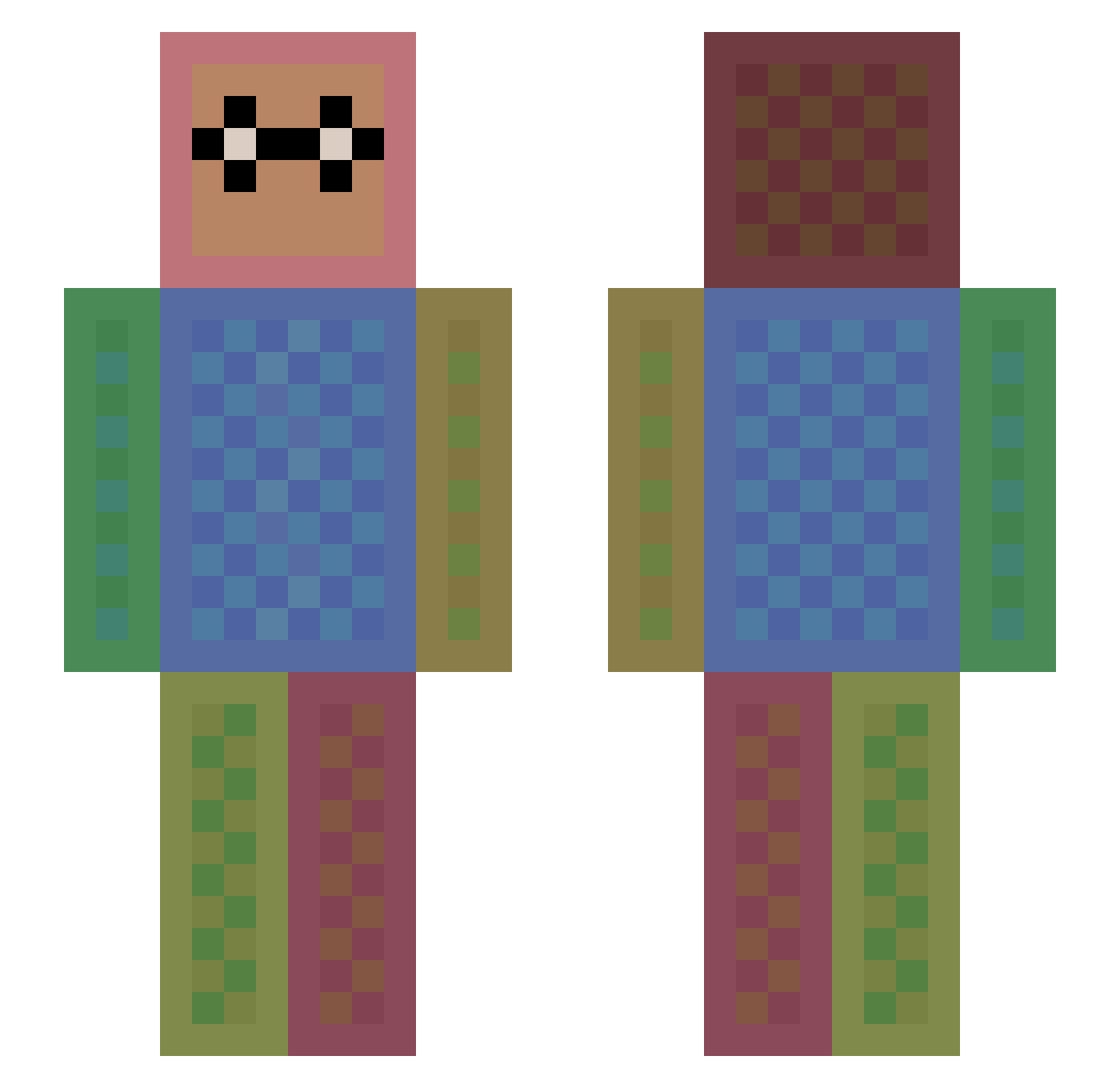
Current Minecraft skin of the player captianhowdy, loaded from the official Mojang API. Rotate the 3D model with your mouse or finger, then download the skin as a PNG file and use it in Minecraft: Bedrock Edition or Java Edition for free. When captianhowdy changes their skin, this page updates automatically and the old skin stays in the history below.
Other players with this skin (1113)
captianhowdy was the 280th player we have seen with this skin, first spotted on 17.08.2026. The same skin was seen on these players. Open a nickname to see their current skin and skin history.
 optimizergaming Wispi 00_fabi_00 CamSam08 FP_PHILIPP Cafe2015 anaavocado syj485 PrinceChiz Toxic_Killer150 Twelfty Halu_ bossminecraft469 00tim00 Hermione14 PeterAce BrunoReolon DayYoshi MoFi0109 Jthecatlover Babyland MarsKo Lawnfields2013 masterburley bouncy1 sydney123 FedeFani06 UberBlaster crazyloom JackNL91 kokolemessii soipp schnauzer23 Adventure_Joshua CKSK JaggerSkills SoccerPiggy76 axelo15 Mazda1910 Sasha_1168 Kole_World Chraken LillyHarris BusterDean Welcometohell BENNY777 Lowesah Lust322 Jmanrhw pedrogamer_pvp baconmaster100 kimminchan fuzzycats23 LITTLESIS12 Gamerboy30 Edgar2704 feryspas JorAnn SlimBacon Squid15
How to install the captianhowdy skin
- Press the Download button above to save the skin as a PNG file.
- Minecraft: Bedrock Edition (PE): open the Dressing Room from the main menu (or tap your character → Edit Character), go to Classic Skins → Owned, press the + (new skin) button, choose the downloaded PNG and pick the Slim (Alex) model. Works on PC and mobile; consoles cannot import custom skins.
- Minecraft: Java Edition: open the Minecraft Launcher, go to the Skins tab, click New Skin, load the PNG, pick the Slim (Alex) model and press Save & Use. You can also upload it at minecraft.net → Profile → Change Skin.
The skin does not show up after import - what should I do?
Restart Minecraft and open the Dressing Room again - imported skins sometimes appear only after a restart. Also make sure you selected the imported skin and picked the Slim (Alex) model.
Which model should I choose, Classic or Slim?
This skin is designed for the Slim (Alex) model. If you pick the wrong model, the arms of the skin will look stretched or squeezed.
Is the skin of captianhowdy free to download?
Yes. Press Download, save the PNG file and use it in Minecraft: Bedrock Edition or Java Edition - no payment or registration needed. The skin also works on multiplayer servers and Realms.
More skins
Looking for more? Go back to all Minecraft skins and check the top skins of the week, month and all time, or find any player's skin by nickname.