
capivaraxp - Minecraft Skins & Skin History
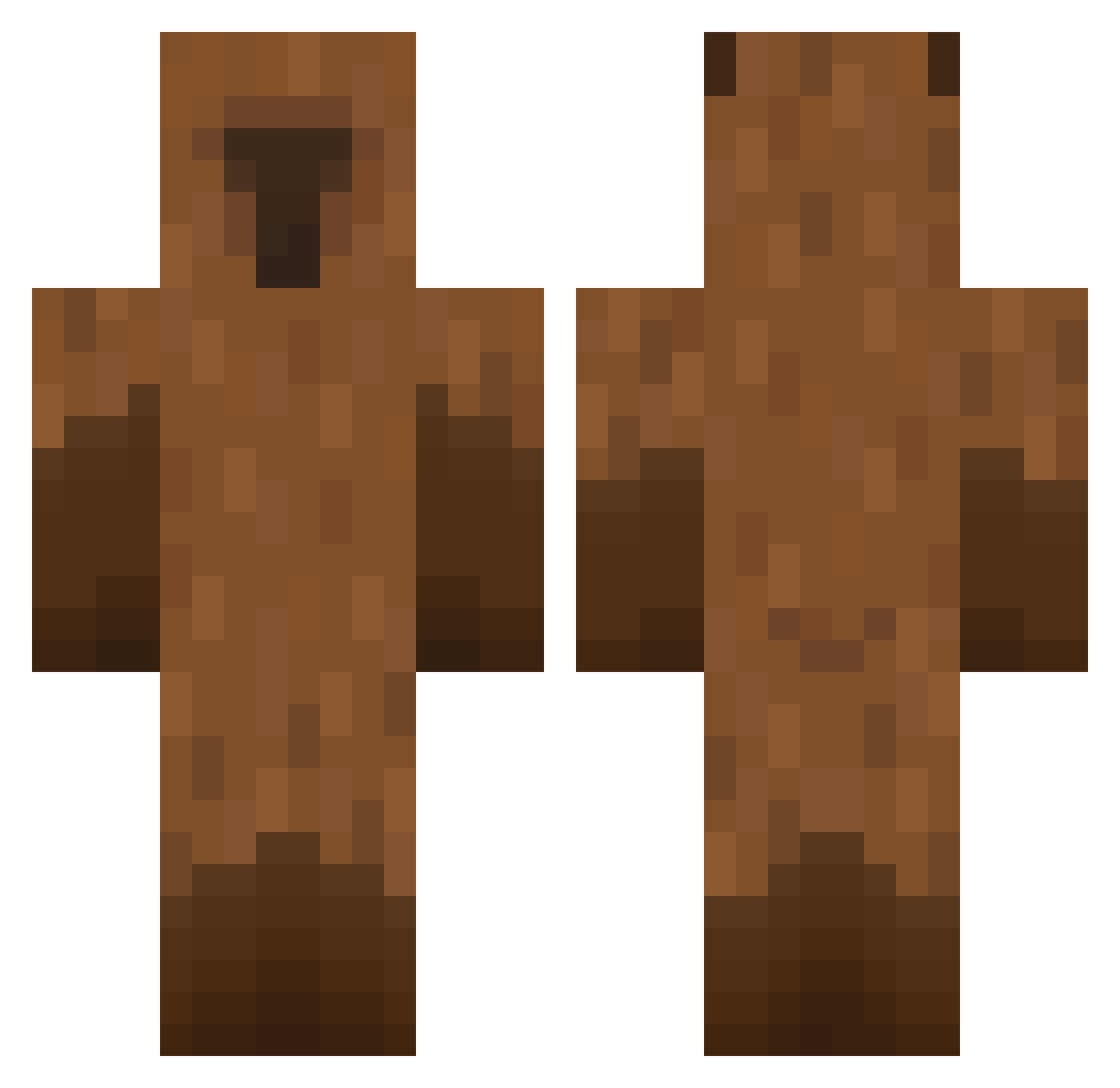
Current Minecraft skin of the player capivaraxp, loaded from the official Mojang API. Rotate the 3D model with your mouse or finger, then download the skin as a PNG file and use it in Minecraft: Bedrock Edition or Java Edition for free. When capivaraxp changes their skin, this page updates automatically and the old skin stays in the history below.
Other players with this skin (449)
capivaraxp was the 246th player we have seen with this skin, first spotted on 18.09.2026. The same skin was seen on these players. Open a nickname to see their current skin and skin history.
 Capybara50 ollien99 CaaPPyBBaaRAA SirCapy ssongeun2 capybarabarabam INoopTH Ori0412 Jare53 gyumi10 rmr2823 AztxTizoc taehyun6170 CheetoPatito CHEOL1004 paulhemmings Fhnhy_ handsomeray9612 MxseryL Ziemniak22366 SteelAndree toby0979 yumum_0 maslaczek8 Kappitta Aiigo TaeHee457 xodms1 pyrpyr_ CreaFly zazorsedad Tomine187 ToAngry M4rks_C ZABATACK JYC1421 Jaffa1800 Arktamiel DragomirAR rtnq socopmuthabomm you_x 6four neonsj ZeraniteUwU Cigan45 obfedder capybara0804 Dan_34000 NtalasGR yamyam249 maroenzo teamwolf43 monzatutu llaeura itzC4py ZBYCSM EliteCG13 WilliamJRG Afofox_01
More Capybara Minecraft skins
How to install the capivaraxp skin
- Press the Download button above to save the skin as a PNG file.
- Minecraft: Bedrock Edition (PE): open the Dressing Room from the main menu (or tap your character → Edit Character), go to Classic Skins → Owned, press the + (new skin) button, choose the downloaded PNG and pick the Classic (Steve) model. Works on PC and mobile; consoles cannot import custom skins.
- Minecraft: Java Edition: open the Minecraft Launcher, go to the Skins tab, click New Skin, load the PNG, pick the Classic (Steve) model and press Save & Use. You can also upload it at minecraft.net → Profile → Change Skin.
The skin does not show up after import - what should I do?
Restart Minecraft and open the Dressing Room again - imported skins sometimes appear only after a restart. Also make sure you selected the imported skin and picked the Classic (Steve) model.
Which model should I choose, Classic or Slim?
This skin is designed for the Classic (Steve) model. If you pick the wrong model, the arms of the skin will look stretched or squeezed.
Is the skin of capivaraxp free to download?
Yes. Press Download, save the PNG file and use it in Minecraft: Bedrock Edition or Java Edition - no payment or registration needed. The skin also works on multiplayer servers and Realms.
More skins
Looking for more? Go back to all Minecraft skins and check the top skins of the week, month and all time, or find any player's skin by nickname.