
call_me_poooo - Minecraft Skins & Skin History
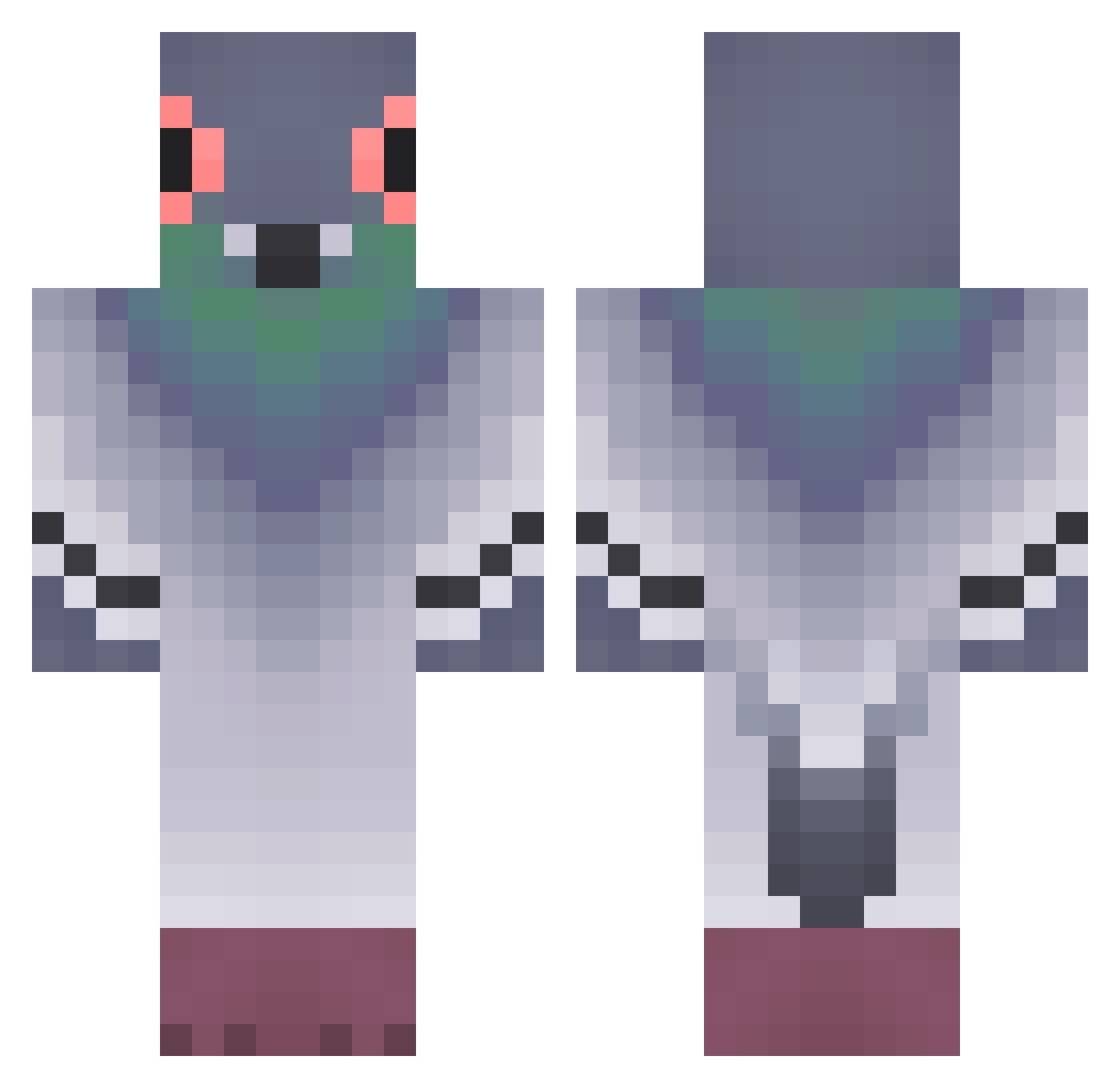
Current Minecraft skin of the player call_me_poooo, loaded from the official Mojang API. Rotate the 3D model with your mouse or finger, then download the skin as a PNG file and use it in Minecraft: Bedrock Edition or Java Edition for free. When call_me_poooo changes their skin, this page updates automatically and the old skin stays in the history below.
Other players with this skin (371)
call_me_poooo was the 31st player we have seen with this skin, first spotted on 03.08.2026. The same skin was seen on these players. Open a nickname to see their current skin and skin history.
 SubNet83 SunCraftLeader therealsamprice PancitoMeow Momoko002 Jucefun Natalionin natsuko88 GNH_HBK Chocopipen whitelotz eileenyxx beautyhui Francis088 AlyssaaMary Nastasia0_0 MinuCt SkibidiBoiii fedje890 YSJ2 so00op bluenongoesbrrrr hansett6 Sir_Pigion zhuravlyna xvdr_s Alejuju yjfw999 snorex7 ginger__ly Tantan9956 Sootchi sasaw_yt lxh22333 AiryMaxiKing toty292 Dodarex Kowalskivs D4rkPyr4mid Pojo0_ zuheftig Tharonkk JUSTHIS96 Drachomen Hontaz
 EggyBreath_ Sangress Springform Bidduls F0nis1337 Web_Rot dkssudgktpdy_XD xKristof3r Rezanub_ wormona_string lolotwingo Hashermendasher supra_niels chenre szymon234
More Pigeon Minecraft skins
How to install the call_me_poooo skin
- Press the Download button above to save the skin as a PNG file.
- Minecraft: Bedrock Edition (PE): open the Dressing Room from the main menu (or tap your character → Edit Character), go to Classic Skins → Owned, press the + (new skin) button, choose the downloaded PNG and pick the Classic (Steve) model. Works on PC and mobile; consoles cannot import custom skins.
- Minecraft: Java Edition: open the Minecraft Launcher, go to the Skins tab, click New Skin, load the PNG, pick the Classic (Steve) model and press Save & Use. You can also upload it at minecraft.net → Profile → Change Skin.
The skin does not show up after import - what should I do?
Restart Minecraft and open the Dressing Room again - imported skins sometimes appear only after a restart. Also make sure you selected the imported skin and picked the Classic (Steve) model.
Which model should I choose, Classic or Slim?
This skin is designed for the Classic (Steve) model. If you pick the wrong model, the arms of the skin will look stretched or squeezed.
Is the skin of call_me_poooo free to download?
Yes. Press Download, save the PNG file and use it in Minecraft: Bedrock Edition or Java Edition - no payment or registration needed. The skin also works on multiplayer servers and Realms.
More skins
Looking for more? Go back to all Minecraft skins and check the top skins of the week, month and all time, or find any player's skin by nickname.