
caio2345 - Minecraft Skins & Skin History
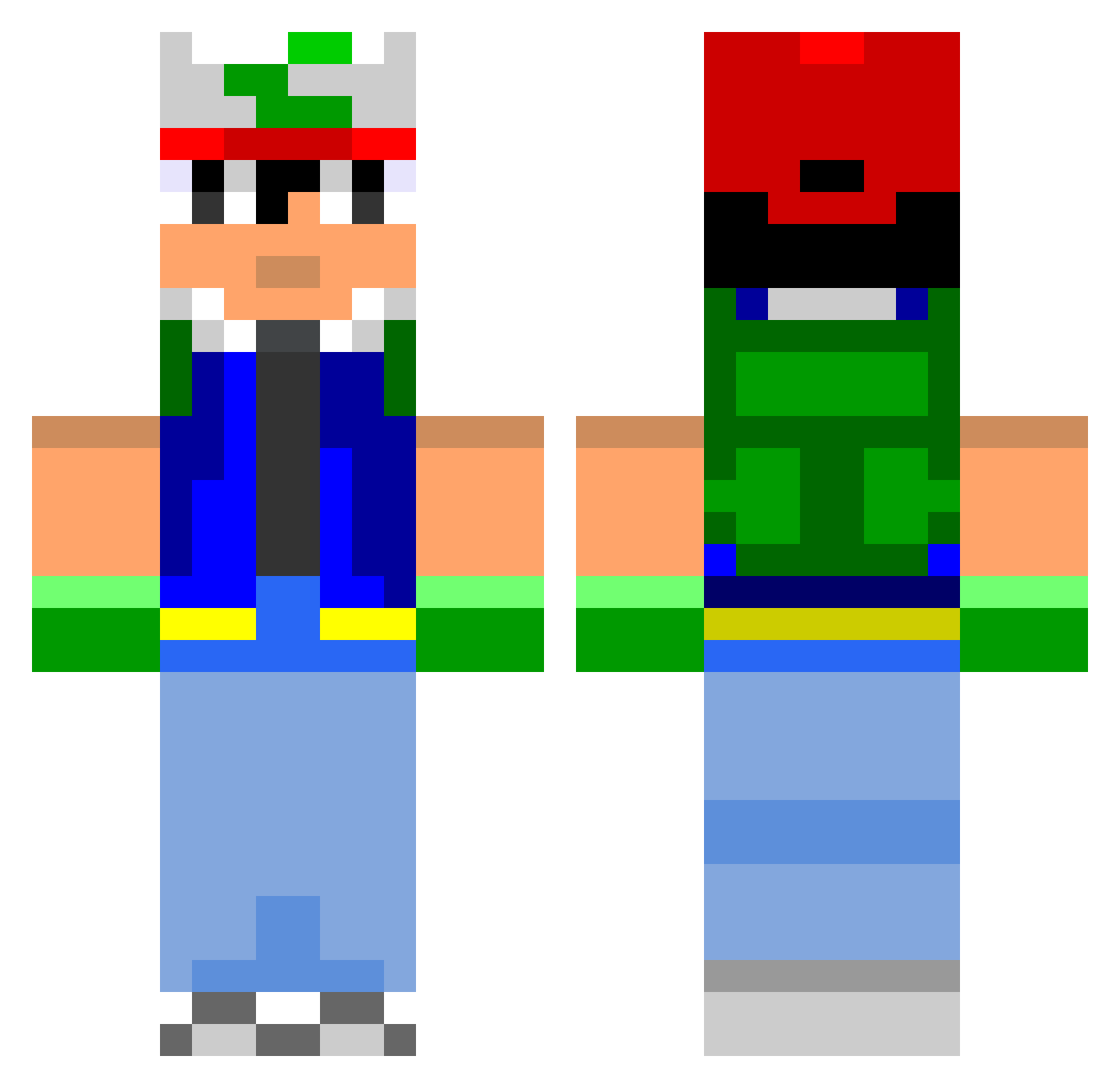
Current Minecraft skin of the player caio2345, loaded from the official Mojang API. Rotate the 3D model with your mouse or finger, then download the skin as a PNG file and use it in Minecraft: Bedrock Edition or Java Edition for free. When caio2345 changes their skin, this page updates automatically and the old skin stays in the history below.
Other players with this skin (804)
caio2345 was the 100th player we have seen with this skin, first spotted on 10.08.2026. The same skin was seen on these players. Open a nickname to see their current skin and skin history.
 gosunsgo1 andehaj PokemansBrah blacktwin Gleaned g3rman1a Shyva eoinbuckley TheYoplat Chn Wescat Tidders alejandro_5599 craft_4life Tainotos LordLuciferLight nicobee1417 Armagedon311 notjumpy18 wm1998riley JeveStob HollowHunter666 arosh45 captancrunch13 Rokino tommybommy92 R03iN chronstixz KnucklesNZ McGator zldestroyer moneymaker46 SomeFallingSnow pkwar Chewbacca_Duke Supermarvio spekturd tilly1990 moralodav Lokirz supermomo4 haroldeaton ExoticEmu AdamHound Gsicht Qlither xXBradloeXx MerijnHDGamer CH4OT1C ucc1e001 monkomanko ScurvyTango apparatur xpoptarts Rice159 axelloulet PholoWohlo wonlilaznboi jeppehansen4678 laay_z
More Ash Ketchum Minecraft skins
How to install the caio2345 skin
- Press the Download button above to save the skin as a PNG file.
- Minecraft: Bedrock Edition (PE): open the Dressing Room from the main menu (or tap your character → Edit Character), go to Classic Skins → Owned, press the + (new skin) button, choose the downloaded PNG and pick the Classic (Steve) model. Works on PC and mobile; consoles cannot import custom skins.
- Minecraft: Java Edition: open the Minecraft Launcher, go to the Skins tab, click New Skin, load the PNG, pick the Classic (Steve) model and press Save & Use. You can also upload it at minecraft.net → Profile → Change Skin.
The skin does not show up after import - what should I do?
Restart Minecraft and open the Dressing Room again - imported skins sometimes appear only after a restart. Also make sure you selected the imported skin and picked the Classic (Steve) model.
Which model should I choose, Classic or Slim?
This skin is designed for the Classic (Steve) model. If you pick the wrong model, the arms of the skin will look stretched or squeezed.
Is the skin of caio2345 free to download?
Yes. Press Download, save the PNG file and use it in Minecraft: Bedrock Edition or Java Edition - no payment or registration needed. The skin also works on multiplayer servers and Realms.
More skins
Looking for more? Go back to all Minecraft skins and check the top skins of the week, month and all time, or find any player's skin by nickname.